
Meeting - Video Meeting
Screenshots


Description
About Meeting - Video Meeting App Features
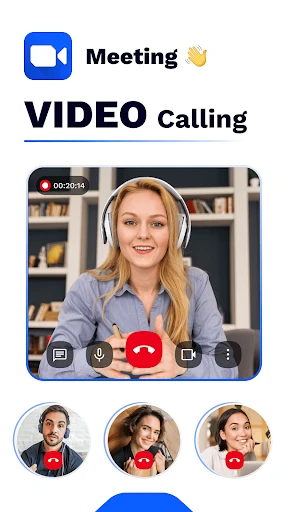
Meeting - Video Meeting is a professional and efficient video conferencing application designed to facilitate seamless remote communication and collaboration. It enables users to conduct high-quality video meetings, webinars, and online discussions across various devices and platforms. With a focus on reliability and user-friendly design, the app serves as a vital tool for businesses, educational institutions, and individuals seeking to connect and work together from any location. Its robust infrastructure ensures stable connections and clear audio-visual transmission, making virtual interactions as productive and engaging as face-to-face meetings.
Chapter 1: Function
The core functionality of Meeting - Video Meeting centers on providing a comprehensive and stable platform for virtual gatherings. It supports hosting and joining video meetings with multiple participants, featuring high-definition video and crystal-clear audio. Key functions include screen sharing, allowing presenters to display documents, presentations, or their entire desktop to all attendees. The app also offers real-time chat messaging, both publicly and privately, for streamlined communication during sessions. Meeting hosts can manage participant permissions, mute attendees, and control entry with waiting room features. Additionally, it provides recording capabilities to save meetings for later review, and supports virtual backgrounds for added professionalism or privacy. Scheduling and calendar integration tools enable easy meeting setup and reminders, ensuring organized and punctual sessions.
Chapter 2: Value
The primary value proposition of Meeting - Video Meeting lies in its ability to bridge geographical gaps, enhancing productivity and reducing the need for physical travel. Its key advantages start with exceptional accessibility; the app works seamlessly on smartphones, tablets, and computers, requiring minimal setup for participants to join via a simple link. This democratizes access to collaboration, especially for remote team members or external partners. The app delivers significant cost-effectiveness by eliminating travel expenses and venue costs associated with traditional meetings. Furthermore, it boosts efficiency through integrated collaboration tools like screen sharing and co-annotation, which accelerate decision-making and project progress during discussions. Security is a cornerstone of its value, employing end-to-end encryption for meetings and providing host controls to prevent unauthorized access, thereby safeguarding sensitive business conversations. Its reliability, with robust servers minimizing drops and lag, ensures professional and uninterrupted communication. Finally, the app's scalable architecture supports everything from one-on-one calls to large webinars, offering flexibility for diverse organizational needs. By consolidating communication, file sharing, and scheduling into one intuitive interface, Meeting - Video Meeting transforms remote interaction from a logistical challenge into a streamlined, productive advantage.
Chapter 3: Scenarios
Meeting - Video Meeting caters to a wide spectrum of user groups across professional, educational, and personal contexts. Its primary target users include corporate teams and businesses of all sizes that rely on regular internal sync-ups, client presentations, and cross-departmental project reviews. Freelancers and remote workers utilize the app to maintain clear communication with clients and collaborators globally. Educational institutions and tutors employ it for conducting virtual classes, tutoring sessions, and faculty meetings, enabling continuous learning. Healthcare providers may use secure sessions for telehealth consultations. Non-profit organizations and community groups find it invaluable for coordinating volunteers and holding board meetings online. In everyday use, a typical scenario involves a project manager hosting a weekly sprint planning meeting with a distributed team, sharing the project timeline on screen while taking live questions via chat. A university professor might lecture to hundreds of students, using recording features to archive the session. A family could use the app for a video call with relatives abroad, leveraging its user-friendly interface for all ages. For job seekers, it facilitates remote interviews with potential employers. In essence, any situation requiring face-to-face discussion where physical presence is impractical becomes a perfect scenario for deploying Meeting - Video Meeting.
Uninstall Instructions
For step-by-step guidance on how to safely remove this application from your device, please refer to our 《Uninstall Instructions》 document.
Pros
- one-click entry without registration for instant meetings
- real-time collaborative whiteboard with multi-user editing
- background noise suppression for cafe/home office scenarios
- end-to-end encryption for financial/legal confidential talks
- supports 4k screen sharing for design team reviews
Cons
- free version limits whiteboard storage to 24 hours
- no built-in calendar scheduling unlike competitors
- requires host download for browser-first participants
- advanced noise suppression only on desktop clients
- 4k sharing consumes 2x data of standard 1080p streams
Frequently Asked Questions
What is Meeting - Video Meeting used for?
Meeting - Video Meeting is a video conferencing application designed for remote communication. Its core functions include hosting and joining online meetings, screen sharing, and real-time chat. It is positioned as a tool for business collaboration, remote education, and personal video calls, enabling users to connect across different locations.
Is Meeting - Video Meeting free to use?
The app offers a free basic version that supports essential features like group video calls and screen sharing. For advanced functionalities such as extended meeting duration, larger participant limits, or cloud recording, in-app purchases for premium plans are available. There are no mandatory additional hardware requirements beyond standard device cameras and microphones.
What devices and systems does this app support?
Meeting - Video Meeting is compatible with a wide range of devices, including smartphones, tablets, and desktop computers. It supports major operating systems such as iOS, Android, Windows, and macOS. The app is generally suitable for most user groups, including professionals, students, and casual users, requiring a stable internet connection.
How does the screen sharing feature work?
During a meeting, users can activate the screen sharing option from the meeting controls. This allows them to broadcast their entire screen or a specific application window to all participants. The feature is designed for presentations, document collaboration, or technical support. It functions over the internet without requiring special hardware.
What should I do if I experience poor audio or video quality?
Poor quality is typically related to network conditions. Ensure you have a stable and strong internet connection. Closing other bandwidth-intensive applications may improve performance. You can also try switching between Wi-Fi and mobile data. For persistent technical issues, consult the app's built-in help section or contact official support through the app's settings menu.
App Info
Technical Info
Recommended For You

CreArt - AI Image Generator
Art & Design

Paychex Flex
Business

OBD Fusion (Car Diagnostics)
Communication

FIXD OBD2 Scanner
Auto & Vehicles

Spirit Fanfiction and Stories
Books & Reference

Literie-Endless Stories Await
Books & Reference

Watch Duty (Wildfire)
Communication

Second Phone Number - 2Number
Communication

ADP Mobile Solutions
Business

AnyDesk Remote Desktop
Business

Easy Pose - 3D pose making app
Art & Design

Dreame-Read Romance Stories
Books & Reference

Sideline: 2nd Phone Line App
Communication

Coloring games: speed drawing
Art & Design

Indeed Job Search
Business

JW Library
Books & Reference

Manobook - Los Besos de Jacob
Books & Reference

Phoenix - Fast & Safe
Communication

Birthday Invitation Card Maker
Art & Design

Auto Sync for Android/Car Play
Auto & Vehicles