
Thumbnail Maker - Channel art
Screenshots

Description
About Thumbnail Maker - Channel art Feature
Thumbnail Maker - Channel Art is a specialized mobile application designed for content creators, particularly those on platforms like YouTube, to easily design and produce eye-catching thumbnails and channel art. It serves as a streamlined, on-the-go graphic design tool, empowering users to create professional-looking visuals without requiring advanced design skills or expensive software. The app focuses on providing templates and assets tailored for social media and video platforms, making it a practical solution for enhancing visual appeal and click-through rates.
Chapter 1: Function
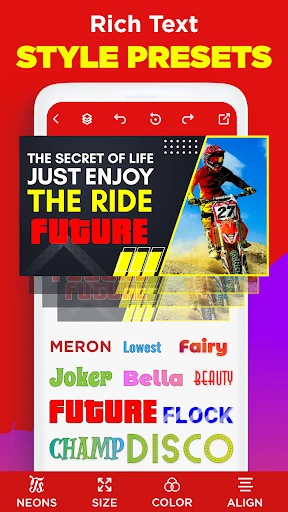
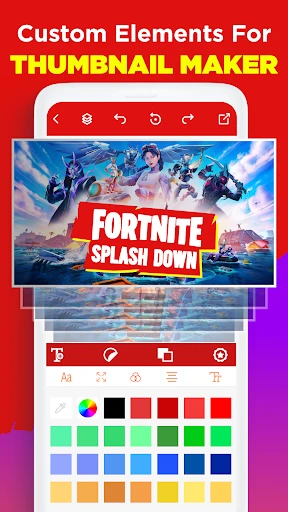
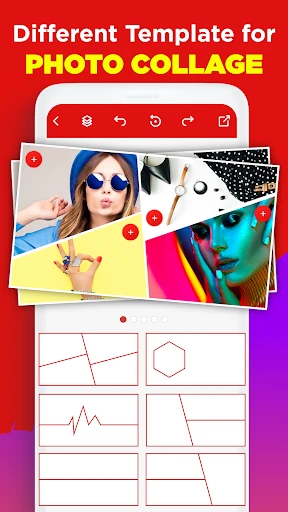
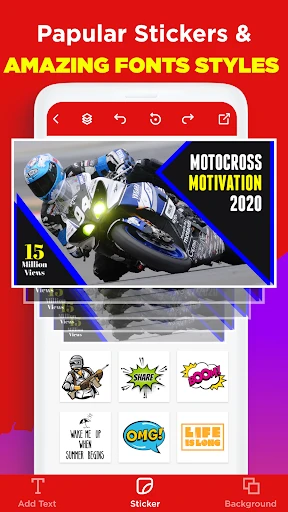
Thumbnail Maker - Channel Art centers on core functions that simplify graphic creation. Users can start from a vast library of pre-designed templates optimized for YouTube thumbnails, banners, Instagram posts, and more. The editor allows for deep customization: users can modify text with various fonts, colors, and effects; add and layer stickers, icons, and shapes; and adjust backgrounds using solid colors, gradients, or personal photos from their gallery. Key tools include cropping and resizing for different platform specifications, applying filters and adjustments to images, and utilizing layers for complex designs. The app also facilitates adding borders and shadows to elements for depth. Once a design is complete, it can be saved in high resolution directly to the device's camera roll, ready for upload. This suite of functions consolidates the essential steps of thumbnail creation into a single, mobile-friendly interface.
Chapter 2: Value
The primary value proposition of Thumbnail Maker - Channel Art lies in its ability to democratize professional-grade graphic design for everyday creators. Its foremost advantage is accessibility; by being a mobile app, it turns any smartphone into a portable design studio, eliminating the need for a desktop computer or subscriptions to complex software like Photoshop. This is both a time and cost-saving benefit. The app's second major value is its platform-specific intelligence. The templates are not generic but are precisely sized and styled for the requirements of YouTube thumbnails, channel banners, and other social media formats, ensuring users' final products meet technical standards and current visual trends. This targeted approach significantly reduces the learning curve and guesswork. Furthermore, the extensive asset library—including contemporary fonts, trendy stickers, and high-quality backgrounds—provides continuous creative inspiration and keeps content looking fresh. By enabling users to rapidly produce thumbnails that stand out in crowded feeds, the app directly contributes to improving a video's first impression and potential viewer engagement. It transforms a potentially daunting task into a quick, enjoyable, and effective part of a creator's workflow, ultimately aiming to help channels grow through superior visual presentation.
Chapter 3: Scenarios
The app's primary target users are digital content creators, especially video-centric ones. This prominently includes YouTube creators, from aspiring individuals just starting their channel to established vloggers and educators needing a fast, reliable tool for batch-producing thumbnails. It is equally valuable for social media managers and small business owners who market their products or services through video tutorials, reviews, or promotional clips on platforms like Facebook or Instagram. Everyday use cases are straightforward and integrated into the content creation process. A typical scenario involves a YouTuber finishing a video edit, then opening the app to select a relevant thumbnail template—perhaps one labeled 'Gaming,' 'Vlog,' or 'Tech Review.' They would replace the placeholder text with a compelling title, overlay an exciting screenshot from their video, and add a visual cue like an arrow or an expressive emoji sticker to draw the eye. Within minutes, a custom thumbnail is ready for publishing. Another common use is redesigning a channel's banner art during a rebranding effort or for a seasonal update, using the app's banner-specific templates and tools. For users on the move, the ability to create or tweak designs directly on a phone makes it ideal for leveraging spare moments, ensuring consistent and timely visual content output.
Uninstall Instructions
For step-by-step guidance on how to safely remove this application from your device, please refer to our 《Uninstall Instructions》 document.
Pros
- one-click generation of platform-optimized thumbnails
- integrates copyright-free asset libraries for direct use
- batch export maintains consistent branding style
- template parameters are adjustable at the pixel level
- local processing ensures no upload delay
Cons
- requires manual adjustment for non-standard platform sizes
- advanced typography effects depend on in-app purchases
- asset library updates slower than online design platforms
- no real-time collaboration feature for team projects
- high-resolution exports limited on older devices
Frequently Asked Questions
What is Thumbnail Maker - Channel Art?
Thumbnail Maker - Channel Art is a mobile app designed for content creators to easily design and produce custom thumbnails for platforms like YouTube. Its core function is to provide templates, graphics, and editing tools specifically tailored for creating eye-catching channel art and video thumbnails. It positions itself as a tool to help improve click-through rates through professional-looking visuals.
Is the app free to use or are there in-app purchases?
The app typically operates on a freemium model. It is free to download and use with a basic set of templates and features. However, access to the full library of premium templates, advanced graphics, fonts, and removal of watermarks or ads usually requires a subscription or one-time in-app purchase. Specific pricing details are available within the app's store listing.
What devices and systems is this app compatible with?
Thumbnail Maker - Channel Art is primarily available for Android and iOS mobile devices (smartphones and tablets). It is adapted for touchscreen use. There is no information indicating a dedicated version for desktop operating systems like Windows or macOS. The app's functionality is contained within the app and does not require additional external hardware to operate.
What are the unique features for thumbnail creation?
Unique features include a vast library of pre-sized templates for various social platforms (YouTube, Instagram, etc.), a drag-and-drop editor with customizable text styles, stickers, and backgrounds. It often provides tools for adding glow, shadows, and borders to elements. A key technical characteristic is the export of images in high resolution suitable for different display requirements, all optimized for mobile editing workflows.
How can I resolve common issues like crashes or save problems?
For common issues like app crashes or problems saving designs, first ensure your device's operating system is updated and you have sufficient storage space. Try restarting the app and your device. If problems persist, check for app updates in your device's app store. For direct support, contact the developer through the support links provided in the app's description on the Google Play Store or Apple App Store. There is no information about phone-based customer service.
App Info
Technical Info
Recommended For You

DMV Practice Test Pro 2024
Auto & Vehicles

Booktime
Books & Reference

Ulta Beauty: Makeup & Skincare
Beauty
NavRadio+
Auto & Vehicles

Hexa AI: Logo & Design Creator
Art & Design

Opera GX: Gaming Browser
Communication

Face Massage, Skincare: forYou
Beauty

Comikey - Manga & Webcomics
Comics
Nail Art Design : Nails Polish
Beauty

Figma: view. comment. mirror.
Art & Design

AnyDesk Remote Desktop
Business

Bible (King James Version)
Books & Reference

ArtRage Vitae Mobile Painting
Art & Design

Beauty Calculator Pretty Scale
Beauty
NKJV Bible offline app
Books & Reference

Phoenix - Fast & Safe
Communication
YouVersion Bible App + Audio
Books & Reference
Penny Puss 2.0
Business

Pocket Novel
Books & Reference

Girls Hairstyle Step By Step
Beauty