
Figma: view. comment. mirror.
Screenshots
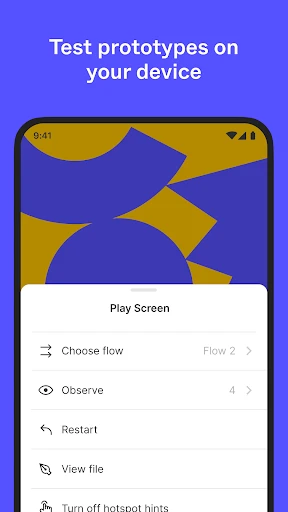
Description
About Figma: View, Comment, Mirror Feature
Figma is a cloud-based design and prototyping platform that has revolutionized the way design teams collaborate. At its core, Figma enables real-time co-creation, allowing multiple users to work on the same design file simultaneously from any web browser. The specific functions of viewing, commenting, and mirroring form a powerful trifecta for streamlined feedback and review processes. Unlike traditional design tools, Figma operates entirely online, eliminating the need for file transfers and version confusion. It serves as a single source of truth for design projects, integrating design, prototyping, and developer handoff into one seamless environment. This overview introduces a tool that is essential for modern digital product teams seeking efficiency and clarity in their workflow.
Chapter 1: Function
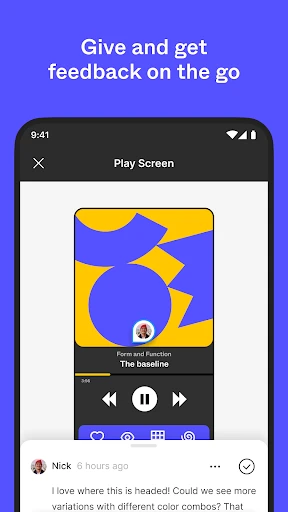
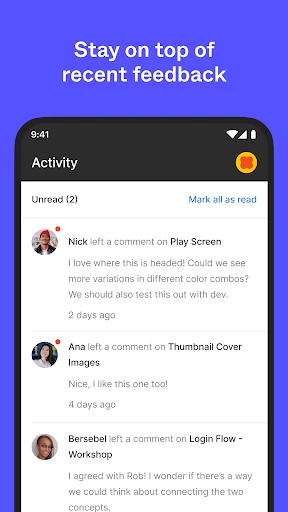
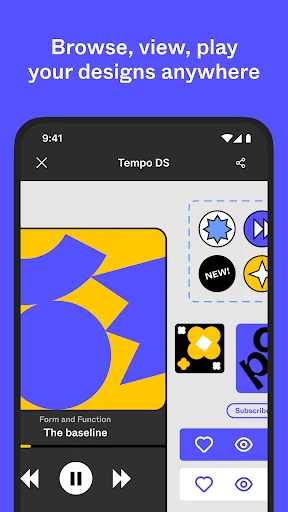
The 'view, comment, mirror' suite in Figma addresses the critical stages of design review and collaboration. The 'view' function allows any stakeholder with a link to access the latest version of a design file instantly in their browser, without requiring a Figma account or specialized software. This universal accessibility is foundational. The 'comment' function enables contextual feedback; users can click on any design element to leave a note, tag team members, and resolve discussions, creating a transparent audit trail directly on the canvas. The 'mirror' function is a powerful companion for real-time preview. By using the Figma Mirror app on a mobile device, designers can instantly see their desktop designs rendered on an actual phone or tablet screen. As they make changes on the main canvas, the mirrored view updates live, allowing for immediate testing of interactions, animations, and visual details in a true-to-life context. Together, these functions close the loop between creation, presentation, and iteration.
Chapter 2: Value
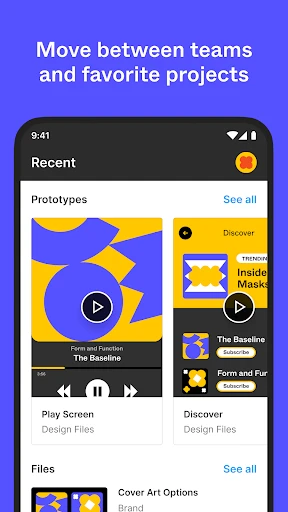
Figma's value proposition lies in its transformative approach to design collaboration, with the view, comment, and mirror features being pivotal. Its primary advantage is the eradication of workflow silos. By hosting designs in the cloud, it ensures everyone—designers, product managers, developers, and clients—always has access to the single, current source. The commenting system moves feedback from fragmented emails and messages into the design itself, making communication contextual, organized, and actionable. This drastically reduces misinterpretation and accelerates decision-making cycles. The mirroring feature delivers immense value by bridging the gap between the design environment and the end-user experience. It allows for rapid, on-device validation of designs, ensuring fidelity and functionality before any code is written, which saves significant development time and cost. Furthermore, Figma's platform-agnostic nature, running in a browser, lowers barriers to entry and fosters inclusive collaboration across different operating systems. The combination of these features creates a cohesive environment that not only enhances creative synergy but also brings a new level of precision and efficiency to the entire product development lifecycle, from initial concept to final developer handoff.
Chapter 3: Scenarios
Figma's view, comment, and mirror capabilities cater to a broad spectrum of users within the product and design ecosystem. The primary user groups include UI/UX designers who actively create interfaces and prototypes, relying on mirroring for real-time device preview and using comments to receive and address feedback. Product managers and project stakeholders frequently use the view and comment functions to review progress, provide strategic input, and approve designs without needing deep technical or design tool knowledge. Developers utilize the view mode to inspect designs, access specs, assets, and CSS code snippets for precise implementation, while also using comments to ask clarification questions. Quality assurance teams employ mirroring to visually compare the implemented product against the original design prototypes on actual devices. Common everyday scenarios include a design critique session where team members join a file link, view the work, and drop comments simultaneously; a client presentation where a share link is sent for asynchronous feedback; and a designer fine-tuning a mobile app interface by having it mirrored on their phone while they adjust spacing and interactions on their desktop in real time.
Uninstall Instructions
For step-by-step guidance on how to safely remove this application from your device, please refer to our 《Uninstall Instructions》 document.
Pros
- real-time collaborative editing with unlimited free viewers
- browser-based operation eliminates platform-specific installations
- dev mode directly generates code from design components
- vector networks allow more flexible point-to-point editing
- mirror app provides live previews on mobile devices
Cons
- offline functionality is extremely limited without internet
- high-fidelity prototyping requires third-party plugin integration
- steep learning curve for advanced auto-layout and constraints
- local font management can be inconsistent across teams
- large file performance lags in complex
- multi-page documents
Frequently Asked Questions
What is Figma and what are its core functions?
Figma is a collaborative interface design tool that operates primarily in the browser. Its core functions include real-time collaborative design, prototyping, and design system management. It allows teams to create, share, and test user interface designs for websites and mobile apps. The platform centralizes the design process from initial concept to developer handoff, enabling multiple users to work on the same file simultaneously.
Is Figma free to use, and what are its pricing tiers?
Figma's real-time collaboration allows multiple users to edit a design file simultaneously. All participants see each other's cursors and edits live. Users can leave comments directly on designs or specific frames for feedback. The 'View. Comment. Mirror.' functionality enables stakeholders to view designs, add feedback via comments, and use the Figma Mirror app to preview prototypes on actual devices, streamlining the review process.
What devices and systems does Figma support?
Figma offers a free Starter plan for individuals with core design features and limited project files. Paid Professional and Organization plans provide additional features like unlimited projects, advanced prototyping, and design system analytics. FigJam, its digital whiteboard, also has a free tier. All plans are based on a per-editor subscription model, with no upfront cost for the Starter plan.
How does real-time collaboration work in Figma?
Figma is a web-based application accessible through modern browsers like Chrome, Firefox, Safari, and Edge on Windows, macOS, and ChromeOS. Native desktop apps for Windows and macOS offer offline functionality. The Figma Mirror companion app for iOS and Android allows viewing and interacting with prototypes on mobile devices. A stable internet connection is recommended for full collaborative features.
Can I use Figma without an internet connection?
Limited offline work is possible using the Figma desktop apps for macOS and Windows. You can open recently viewed files and perform edits, which will sync once you reconnect to the internet. However, core collaborative features, accessing new files, or using the browser version require an active connection. For full functionality, including live collaboration and cloud saving, a persistent internet connection is necessary.
App Info
Technical Info
Recommended For You

Cryptoguru: Trading Simulator
Business

Messages : SMS & Private Chat
Communication

TrustDial: Caller, SMS & Block
Communication

Kelley Blue Book: We Know Cars
Auto & Vehicles

Messages: Text SMS
Communication

Magic Cross Stitch: Pixel Art
Art & Design

Cloned Voices
Comics

Visible mobile
Communication

Repixel: AI Photo Enhancer
Art & Design

Cat Maker: Cat Emoji Sticker
Art & Design

Car Key: Smart Car Remote Lock
Auto & Vehicles

ibis Paint X
Art & Design

AlfaOBD
Auto & Vehicles

PDF Reader: Edit & Convert PDF
Business

Reolink
Communication

Dashtoon: Comics & Manga
Comics

Sticker.ly - Sticker Maker
Communication

Textra SMS
Communication

Picrew PFP & OC Maker
Art & Design

Color by Letter: Sewing game
Art & Design