
OBDocker - OBD2 Car Scanner
Screenshots


Description
About OBDocker - OBD2 Car Scanner Feature
OBDocker is a professional-grade mobile application designed to interface with standard OBD2 (On-Board Diagnostics) adapters, transforming a smartphone or tablet into a sophisticated car diagnostic tool. It connects wirelessly via Bluetooth or Wi-Fi to a compatible ELM327-based OBD2 adapter plugged into a vehicle's diagnostic port, typically located under the dashboard. The app provides real-time access to a wealth of vehicle data, enabling users to read and clear diagnostic trouble codes, monitor live sensor data, and perform advanced diagnostics. It caters to a broad spectrum of users, from car enthusiasts and DIY mechanics seeking to understand and maintain their vehicles, to everyday drivers who want to diagnose a check engine light without an immediate trip to the mechanic. By democratizing access to vehicle telematics, OBDocker empowers users with transparency and control over their car's health and performance.
Chapter 1: Function
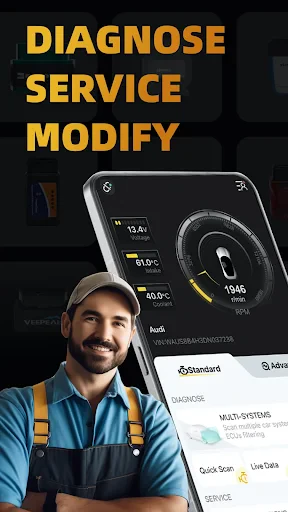
OBDocker's core functionality revolves around comprehensive vehicle diagnostics and real-time monitoring. Upon connecting a compatible OBD2 adapter, the app establishes communication with the vehicle's Engine Control Unit (ECU). Its primary function is to read and clear Diagnostic Trouble Codes (DTCs), providing the specific code and a plain-English description of the issue, such as a faulty oxygen sensor or misfire. Beyond code reading, the app excels in displaying live data streams. Users can monitor a wide array of parameters in real-time, including engine RPM, vehicle speed, coolant temperature, fuel pressure, throttle position, and oxygen sensor voltages. It also features a freeze frame function, capturing sensor data at the moment a fault code was triggered for deeper analysis. For performance-oriented users, the app supports logging of sensor data for later review and can perform tests like checking the status of the onboard monitoring systems (I/M readiness).
Chapter 2: Value
The value proposition of OBDocker lies in its ability to deliver professional-level diagnostic insights at a fraction of the cost of dedicated garage scanners, promoting cost savings, knowledge, and preventative maintenance. Its key advantage is empowerment through information. Instead of facing a mysterious check engine light and potentially expensive garage diagnostics, users can instantly identify the problem, research solutions, and decide whether it's a simple fix or requires professional help. This transparency can prevent unnecessary repairs and save significant money. Secondly, the app facilitates proactive vehicle maintenance. By monitoring live sensor data, users can track their vehicle's vital signs, identifying minor irregularities before they escalate into major failures. For DIY enthusiasts, it is an invaluable educational tool, deepening their understanding of automotive systems. The app supports a vast range of vehicle makes and models manufactured after 1996 (the OBD2 standard year) and is regularly updated for compatibility. Its user interface, while data-rich, is designed to present complex information in an accessible, organized manner, making advanced diagnostics approachable for non-experts without sacrificing the depth required by seasoned hobbyists.
Chapter 3: Scenarios
OBDocker primarily serves three key user groups in everyday scenarios. The first is the DIY car owner and enthusiast. This user employs the app for routine maintenance checks, diagnosing unexpected warning lights, verifying repairs after fixing an issue, and monitoring performance metrics, perhaps after installing new parts. A common scenario is using OBDocker to read a P0420 code (catalyst efficiency below threshold), researching potential causes, and then using live data to monitor oxygen sensor behavior before deciding on a repair. The second group is the cost-conscious everyday driver. When their check engine light illuminates, they use OBDocker to quickly identify the problem. This allows them to communicate knowledgeably with a mechanic, get accurate estimates, or determine if the issue is minor, like a loose gas cap. The third group includes used car buyers and sellers. A buyer can use the app during a pre-purchase inspection to scan for hidden trouble codes and check I/M readiness status for emissions tests. A seller can use it to clear codes after a repair and demonstrate a clean bill of health, adding transparency and value to the transaction. In all scenarios, OBDocker turns a smartphone into a essential tool for vehicle ownership.
Uninstall Instructions
For step-by-step guidance on how to safely remove this application from your device, please refer to our 《Uninstall Instructions》 document.
Pros
- connects to standard OBD-II ports in seconds
- live data graphing for precise engine parameter tracking
- customizable dashboard for preferred gauge layouts
- clears fault codes and resets check engine light
- supports vehicle-specific enhanced diagnostics
Cons
- requires a compatible ELM327 Bluetooth adapter
- advanced features need paid professional version
- real-time data streaming can drain phone battery
- interface may overwhelm non-technical users
- some car models limit accessible parameter data
Frequently Asked Questions
What is OBDocker and what does it do?
OBDocker is a mobile app that functions as an OBD2 car scanner. It connects to your vehicle's OBD2 port via a compatible Bluetooth adapter. The app reads diagnostic trouble codes, clears check engine lights, and displays real-time sensor data like RPM, speed, and coolant temperature. It is designed for basic vehicle diagnostics and monitoring, helping users understand their car's status.
Is OBDocker free to use or are there in-app purchases?
OBDocker is a free app to download and use for basic functions like reading and clearing diagnostic trouble codes. However, access to advanced features, enhanced real-time data displays, or specialized vehicle modules may require a one-time purchase or a subscription. The specific pricing and features behind paywalls are detailed within the app's purchase section.
What equipment do I need to use OBDocker?
To use OBDocker, you need a compatible OBD2 Bluetooth adapter (ELM327 or similar) that is not included with the app. You must plug this adapter into your vehicle's OBD2 port, typically located under the dashboard. The app then pairs with the adapter via your phone's Bluetooth. A vehicle manufactured after 1996 (for US) is generally required.
Can OBDocker diagnose all car problems?
No, OBDocker cannot diagnose all car problems. It reads standardized OBD2 trouble codes and live data, which are primarily related to the engine and emissions systems. It may not access manufacturer-specific codes for transmission, airbags, or advanced electronics. Complex mechanical or electrical issues require professional diagnostic tools and a technician's expertise.
How do I resolve connection issues with the adapter?
First, ensure your vehicle's ignition is on and the Bluetooth adapter is firmly plugged in. Enable Bluetooth on your phone and pair with the adapter in system settings (pairing code is often 1234 or 0000). Then open OBDocker. If issues persist, try restarting the app and your phone. The app developer provides support via email for persistent technical problems.
App Info
Technical Info
Recommended For You

IRMO AI Video Photo Generator
Art & Design

Remove Background From Video
Beauty

Holy Bible, KJV Bible + Audio
Books & Reference

NovelBar-Your Reading Haven
Books & Reference

زخرفة الكتابة بكل انواع الخطوط
Beauty

Ancestry: Family History & DNA
Books & Reference

DMV Practice Test Pro 2024
Auto & Vehicles

PaperColor
Art & Design

Bible Study - Verse & Audio
Books & Reference

Dwell: Audio Bible
Books & Reference

Mangamello - مانجاميلو
Comics

Chrome Dev
Communication

Lyft Driver
Business

Recover Deleted Messages App
Communication

VoyceMe: Manga and Webtoons
Comics

Conversations (Jabber / XMPP)
Communication

Genius: AI Photo Generator
Art & Design

Freed Audiobooks
Books & Reference

CamToPlan
Business

AMarkets: Trade & Invest
Business