
Arvin® - AI Logo Maker
Screenshots
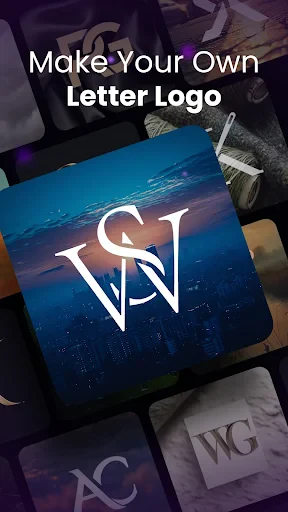
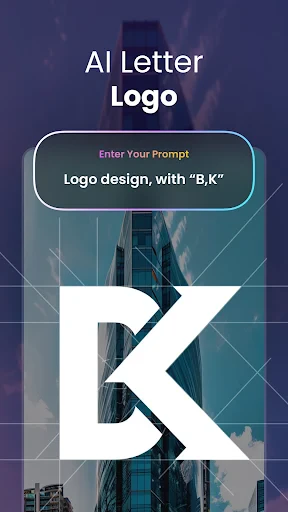
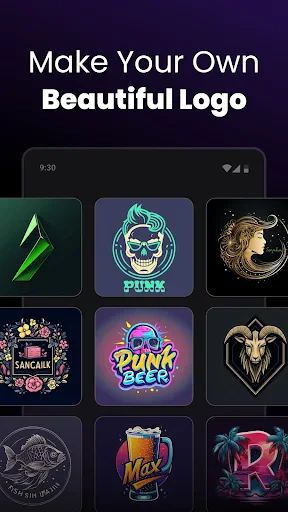


Description
About Arvin® - AI Logo Maker Feature
Arvin® - AI Logo Maker is a mobile application designed to simplify the logo creation process for individuals and small businesses. By leveraging artificial intelligence, it enables users to generate professional-looking logos in minutes without requiring any prior design experience. The app provides a user-friendly interface where one can input a company name, select preferred styles, colors, and symbols, and then receive multiple AI-generated logo options. It stands as a bridge between complex graphic design software and the need for quick, affordable branding solutions, making it a popular tool for entrepreneurs, freelancers, and content creators looking to establish a visual identity swiftly.
Chapter 1: Function
Arvin® - AI Logo Maker operates on a straightforward, three-step functional core. First, users enter their brand name and optional slogan. Second, they answer a few quick questions or choose from categories to define their style preferences, such as industry, desired color palette, and icon types. The app's AI engine then processes this information. Finally, it generates a wide array of custom logo designs in seconds. Users can browse these options, customize each element further—including fonts, colors, and layout—and preview the logo on various mockups like business cards or websites. The core functionality culminates in the ability to download high-resolution logo files directly to the device, ready for commercial use. This end-to-end process demystifies design, turning abstract ideas into tangible brand assets efficiently.
Chapter 2: Value
The primary value proposition of Arvin® - AI Logo Maker lies in its democratization of professional design, offering significant time, cost, and skill advantages. Unlike hiring a designer, which can be costly and time-consuming, or navigating complex software like Adobe Illustrator, Arvin provides an instant, affordable alternative. Its key advantage is the intelligent AI that produces unique, context-aware designs, not just generic templates. This ensures a degree of originality tailored to the user's inputs. The app offers extensive customization within a guided framework, giving users creative control without the overwhelm. Furthermore, it provides high-resolution downloads and full commercial rights, which is critical for legitimate business use. The value extends beyond mere creation; it educates users on design principles through its intuitive customization tools, fostering better brand decision-making. By consolidating ideation, design, and export into a single, seamless mobile experience, Arvin delivers exceptional convenience and empowers anyone to create a credible visual identity, thereby lowering the barrier to entry for professional branding.
Chapter 3: Scenarios
Arvin® - AI Logo Maker primarily serves entrepreneurs, small business owners, startups, freelancers, and content creators. These users often operate with limited budgets and tight timelines but have a pressing need for a polished brand image to compete effectively. A common scenario involves a new cafe owner needing a logo for their storefront, social media, and packaging. Using Arvin, they can generate a logo incorporating coffee-related icons and warm colors within minutes before their launch. Freelancers, such as a solo graphic designer or a consultant, can use the app to quickly craft a personal brand logo for their website and invoice. Another frequent use case is for online sellers on platforms like Etsy or Shopify, who require a distinctive logo to build brand recognition for their shop. Additionally, students working on project presentations, club leaders needing event logos, or non-profit organizers seeking a quick visual symbol find immense utility in the app. In everyday terms, it is the go-to solution whenever a professional logo is needed urgently, affordably, and without the complexity of traditional design routes.
Uninstall Instructions
For step-by-step guidance on how to safely remove this application from your device, please refer to our 《Uninstall Instructions》 document.
Pros
- generates unique logos in seconds using ai
- offers extensive customization of ai-generated drafts
- provides high-resolution
- vector-format logo files
- no design skills required for core creation process
- brand kit includes matching social media assets
Cons
- premium assets locked behind subscription paywall
- limited typography control compared to pro design software
- requires stable internet for ai generation engine
- brand identity guidance is relatively basic
- output originality depends on input prompt specificity
Frequently Asked Questions
What is Arvin - AI Logo Maker and what does it do?
Arvin - AI Logo Maker is a graphic design application focused on creating professional logos. Its core function uses AI to generate logo concepts based on user-input keywords, streamlining the branding process for businesses, startups, and individuals. It provides tools for customization, a library of icons/fonts, and export options.
Is Arvin Logo Maker free to use or are there in-app purchases?
Arvin operates on a freemium model. The app is free to download and use for basic logo creation and generation. However, access to premium design elements, high-resolution exports without watermarks, and advanced editing features typically require a subscription or one-time in-app purchase.
What devices and operating systems does Arvin support?
Arvin - AI Logo Maker is primarily available as a mobile application for iOS and Android devices. It is designed to work on smartphones and tablets. There is no specific information regarding a dedicated desktop or web version at this time.
How does the AI logo generation feature work?
The AI feature works by analyzing text-based prompts you provide, such as your brand name and industry keywords. The AI algorithm then interprets these prompts to produce multiple original logo design concepts, offering a starting point that you can further refine using the app's built-in design tools.
Can I edit and customize the AI-generated logo designs?
Yes, you can fully edit the AI-generated logos. The app provides a standard suite of graphic design tools allowing you to change colors, fonts, layout, icons, and other elements. This ensures the final logo aligns with your specific brand identity and preferences.
App Info
Technical Info
Recommended For You
QuickBooks Online Accounting
Business

FillUp - Gas Mileage Log
Auto & Vehicles

Cryptoguru: Trading Simulator
Business

Messenger
Communication

Learn Drawing
Art & Design

Temp Mail - Temporary Email
Communication

The Bible in pictures
Comics

FX File Explorer: Plus License
Business

Groundwire: VoIP SIP Softphone
Communication

Goods Unite Us
Books & Reference

Pray Daily - KJV Bible & Verse
Books & Reference

Билеты ПДД 2025 и Экзамен ПДД
Auto & Vehicles

eBird by Cornell Lab
Books & Reference

Shiftsmart - Find Work
Business

2nd Line - Second Phone Number
Communication
Nail Art Design : Nails Polish
Beauty

Selfie Camera - Photo Effects
Beauty

Diamond Painting by Number
Art & Design

AGAMA Car Launcher
Auto & Vehicles

Magic Cross Stitch: Pixel Art
Art & Design