
AI Photo Editor: Photo Enhance
Screenshots

Description
About AI Photo Editor: Photo Enhance Feature - An Intelligent Tool to Perfect Your Images
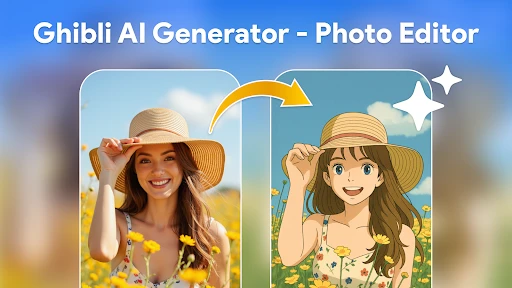
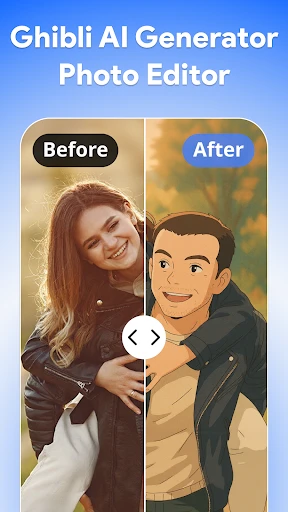
AI Photo Editor: Photo Enhance is a mobile application that leverages advanced artificial intelligence to automatically improve and refine digital photographs. Designed for both casual users and photography enthusiasts, the app focuses on making professional-grade photo enhancement accessible through a simple, user-friendly interface. It eliminates the need for complex manual editing by using AI algorithms to analyze and optimize various aspects of an image, such as clarity, color balance, and lighting, with a single tap. The core promise of the app is to transform ordinary or flawed photos into visually striking images effortlessly, saving time and empowering users to achieve high-quality results without specialized editing skills.
Chapter 1: Function
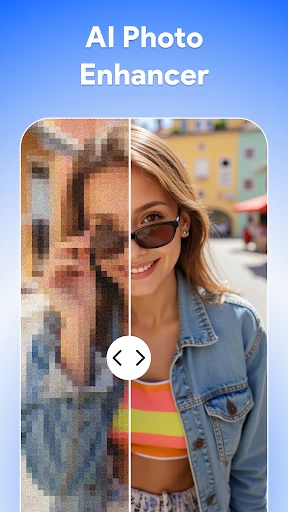
The core function of AI Photo Editor: Photo Enhance revolves around its intelligent, one-touch enhancement capability. Upon uploading a photo, the app's AI engine conducts a comprehensive analysis, identifying areas for improvement. It automatically adjusts key parameters including brightness, contrast, saturation, and sharpness to bring out the best in the image. A standout feature is its sophisticated noise reduction, which effectively cleans up grainy pictures, especially those taken in low-light conditions. Furthermore, the app specializes in detail enhancement, intelligently sharpening edges and textures to make subjects pop without creating unnatural artifacts. It also offers selective editing tools, allowing users to apply enhancements to specific parts of the photo, such as smoothing skin in portraits or intensifying the colors of a landscape sky. The process is designed to be instantaneous, delivering a noticeably improved version of the original photo in seconds.
Chapter 2: Value
The primary value proposition of AI Photo Editor: Photo Enhance lies in its democratization of high-quality photo editing. It delivers significant time savings and convenience by automating complex editing workflows that traditionally require knowledge of software like Photoshop. The app's AI is trained on vast datasets of images, enabling it to make aesthetically pleasing adjustments that align with professional standards, thus ensuring consistently good results. This provides immense value to users who lack the time or expertise for manual editing but still desire polished photos for personal or social media use. Its key advantages include superior processing algorithms that outperform many basic built-in camera or gallery editing tools, particularly in noise reduction and dynamic range optimization. The app operates entirely on-device for many functions, ensuring user privacy as photos may not need to be uploaded to external servers. Additionally, it serves as an educational tool, as users can observe the before-and-after changes to understand what makes a photo visually appealing. By offering a free-to-use model with optional premium features, it provides substantial value at a low entry barrier, making professional-looking photo enhancement an accessible reality for a broad audience and elevating the visual quality of everyday photography.
Chapter 3: Scenarios
The primary target users for AI Photo Editor: Photo Enhance are smartphone photographers seeking to improve their snapshots instantly. This includes social media enthusiasts who regularly post content on platforms like Instagram, Facebook, or TikTok and need their images to be clear, vibrant, and engaging to stand out. Travel bloggers and hobbyist photographers can use it to quickly enhance vacation photos, restoring vivid colors to landscapes and architectural shots without carrying a laptop. Parents capturing family moments find it invaluable for fixing common issues like poor lighting in indoor photos or blurry details in action shots of children. Real estate agents or small business owners can utilize the app to professionally enhance property or product photos for listings and advertisements directly from their phones. Students and young professionals might use it to improve the clarity and presentation of visual materials for projects or personal portfolios. Everyday use cases involve reviving old, faded, or low-quality photos from the gallery, preparing pictures for printing, creating more compelling visual stories, and simply ensuring that every photo shared or saved meets a higher standard of visual appeal with minimal effort.
Uninstall Instructions
For step-by-step guidance on how to safely remove this application from your device, please refer to our 《Uninstall Instructions》 document.
Pros
- one-tap enhancement for low-light photos via AI
- preserves original textures while upscaling resolution
- batch processing for large photo libraries
- offline functionality for core editing features
- minimal interface with no complex manual sliders
Cons
- struggles with heavily motion-blurred source images
- watermark removal requires separate in-app purchase
- high-resolution exports rapidly consume device storage
- no selective editing for specific parts of an image
- limited sharing integration with cloud platforms
Frequently Asked Questions
What is AI Photo Editor: Photo Enhance?
AI Photo Editor: Photo Enhance is a mobile application focused on image enhancement and restoration. Its core function is to automatically improve photo quality using artificial intelligence. It primarily positions itself as a tool for fixing common photo issues like blurriness, low resolution, poor lighting, and old photo damage. Basic usage involves uploading a photo, where the AI analyzes and applies enhancements with a single tap.
Is this app free to use, or are there in-app purchases?
The app uses on-device or cloud-based neural networks to analyze images. It identifies flaws such as noise, blur, and compression artifacts. The AI then reconstructs details, sharpens edges, adjusts contrast and color balance, and can upscale resolution. For old photos, it can attempt to repair scratches and tears. The process is automated but may offer manual adjustment sliders for fine-tuning results.
What devices and systems is this app compatible with?
The app typically operates on a freemium model. It is free to download and offers basic enhancement features at no cost. However, access to its full suite of advanced AI tools, high-resolution exports, or removal of watermarks usually requires a subscription or one-time in-app purchase. Specific pricing details are subject to change and are listed within the app's store page.
How does the AI enhancement feature work technically?
AI Photo Editor: Photo Enhance is primarily designed for smartphones. It is available for both iOS and Android operating systems. You can download it from the Apple App Store for iPhones/iPads and from Google Play for Android devices. The app is generally optimized for mainstream device models released in recent years to ensure smooth AI processing performance.
Can it restore very old or severely damaged photos?
The app is capable of improving many types of damaged photos, including faded colors and minor physical damage on scanned images. However, results for severely torn, stained, or extremely low-quality originals may be limited. The AI's effectiveness depends on the extent of damage and original image information. For critical restoration projects, consulting a professional photo restoration service is recommended.
App Info
Technical Info
Recommended For You

NovelUP — Novel Downloader
Books & Reference

EasyTether Pro
Communication

Learn to Draw Cartoon
Comics

Recover Deleted Messages App
Communication

Picky - Beauty Community
Beauty

Glam AI
Beauty

NIV Bible
Books & Reference

Astonishing Comic Reader
Comics

Meta Ads Manager
Business

Speak and Translate Languages
Communication

The Language of Letting Go
Books & Reference

Autolist: Used Car Marketplace
Auto & Vehicles

Virtual Hair Style Changer
Beauty

Bible Daily, KJV Bible + Audio
Books & Reference

FPS Shooting Gun Games Offline
Comics

VistaCreate: Graphic Design
Art & Design

WhatsApp Messenger
Communication

maxim — order a taxi & food
Auto & Vehicles

Boat Trader
Auto & Vehicles

Rebtel: Recharges And Calls
Communication