
Repixel: AI Photo Enhancer
Screenshots
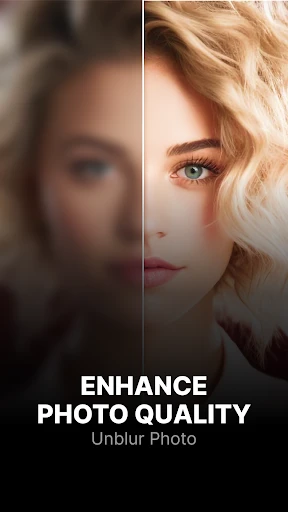
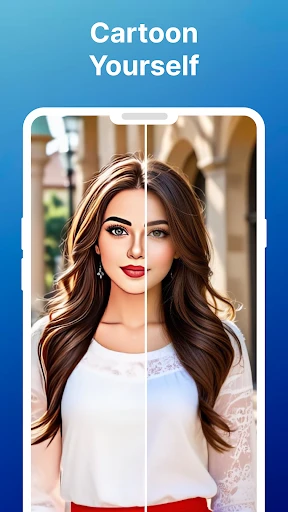
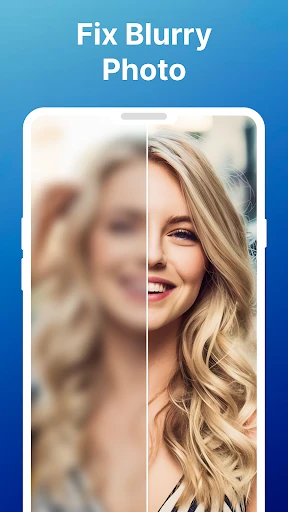
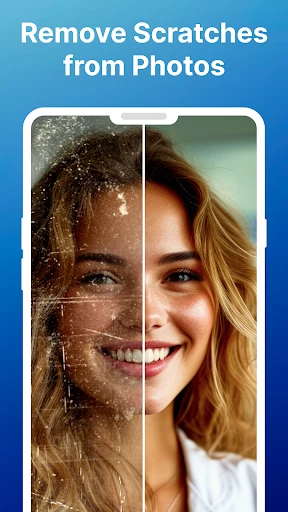

Description
About Repixel: AI Photo Enhancer Feature
Repixel: AI Photo Enhancer is a mobile application that leverages advanced artificial intelligence to transform ordinary photos into stunning, high-quality images. Designed for both casual photographers and professionals, it specializes in upscaling resolution, enhancing details, reducing noise, and restoring old or blurry pictures with a single tap. By utilizing deep learning algorithms, Repixel intelligently analyzes and reconstructs image data, delivering results that often surpass traditional editing tools. Its user-friendly interface ensures that complex photo enhancement is accessible to everyone, making it a powerful tool for anyone looking to improve their digital photo collection effortlessly.
Chapter 1: Function
Repixel: AI Photo Enhancer focuses on core functions centered around AI-driven image improvement. The primary feature is photo upscaling, which increases image resolution up to 4x without losing quality, making pixelated or low-resolution photos sharp and clear. It also offers detail enhancement by intelligently sharpening edges and textures, bringing out hidden elements in pictures. The app includes a noise reduction tool that removes grain and artifacts from photos taken in low-light conditions. Additionally, it provides restoration capabilities for old, faded, or damaged photographs, automatically correcting colors and repairing scratches. All functions are designed for simplicity, typically requiring users to just upload a photo and select an enhancement mode, with processing handled automatically by the AI in seconds.
Chapter 2: Value
The value proposition of Repixel lies in its ability to democratize professional-grade photo enhancement through accessible AI technology. Unlike manual editing software that requires skill and time, Repixel automates complex processes, delivering superior results quickly and effortlessly. Its key advantage is the sophisticated AI model trained on vast image datasets, enabling it to understand context and details in a way that generic filters cannot. This allows for natural-looking enhancements that preserve the original photo's essence while significantly improving quality. For users, this translates to saving hours of editing work and achieving outcomes that were previously only possible with high-end software and expertise. The app also offers excellent cost-effectiveness, providing premium features at a fraction of the price of professional desktop applications. Furthermore, regular updates ensure the AI algorithms stay current with the latest advancements in image processing. By combining power, simplicity, and affordability, Repixel adds lasting value to users' digital assets, whether for personal memories, social media content, or professional portfolios, making it an indispensable tool in the modern digital toolkit.
Chapter 3: Scenarios
Repixel primarily targets a diverse range of users who seek to improve their photos with minimal effort. Key user groups include photography enthusiasts who want to enhance smartphone pictures for social media sharing, ensuring their images stand out with crisp detail and vibrant colors. It is also valuable for professionals, such as real estate agents or bloggers, who need high-quality images for marketing materials but may not have advanced editing skills. Another significant scenario involves individuals preserving family memories; users can scan and restore old printed photographs that have deteriorated over time, bringing historical images back to life. Everyday use cases are abundant: a traveler enhancing blurry vacation photos, a student improving images for a presentation, an online seller upgrading product photos for an e-commerce platform, or a parent sharpening pictures of their children's milestones. In each scenario, Repixel serves as a quick, reliable solution to transform imperfect photos into clear, share-worthy visuals, seamlessly integrating into both personal and professional workflows.
Uninstall Instructions
For step-by-step guidance on how to safely remove this application from your device, please refer to our 《Uninstall Instructions》 document.
Pros
- one-tap upscaling for old photos with minimal artifacts
- dedicated portrait mode enhances facial details naturally
- offline processing ensures private photo enhancement
- batch processing handles multiple images simultaneously
- specialized noise reduction for low-light grainy photos
Cons
- high-resolution exports require premium subscription
- offline mode limits enhancement to device processing power
- portrait mode occasionally oversharpens facial features
- batch processing slows on older smartphone models
- limited manual controls for advanced color correction
Frequently Asked Questions
What is Repixel and what does it do?
Repixel: AI Photo Enhancer is a mobile application that uses artificial intelligence to improve the quality of digital photos. Its core function is to upscale and enhance images, increasing their resolution and clarity. It is positioned as a tool for restoring old photos, sharpening blurry pictures, and improving low-resolution images. Basic usage involves selecting a photo from your gallery and letting the AI process it to produce a higher-quality version.
Is Repixel free to use or does it have in-app purchases?
Repixel operates on a freemium model. The app can be downloaded and used for free, which typically includes a limited number of enhancements or a lower output resolution. For unlimited use, access to the highest resolution outputs, or removal of watermarks, it offers subscription plans or one-time purchase options via in-app purchases. Specific pricing details are available within the app's store listing or upon opening the application.
What devices and operating systems is Repixel compatible with?
Repixel: AI Photo Enhancer is primarily available as a mobile application. It is developed for iOS and Android operating systems. It can be installed on smartphones and tablets that meet the minimum system requirements, which are generally detailed on its App Store or Google Play Store page. There is no information indicating it requires any additional external hardware to function.
How does the AI photo enhancement feature work technically?
The app utilizes deep learning algorithms, specifically trained neural networks, to analyze low-resolution or blurry images. It intelligently adds pixels, reduces noise, and sharpens details to reconstruct a higher-resolution version. The process happens on cloud servers, which allows for complex processing but requires a stable internet connection. It is designed to handle common issues like pixelation, JPEG artifacts, and mild blurriness.
Can Repixel restore severely damaged or very old photographs?
While Repixel is effective for enhancing resolution and improving clarity, its ability to restore heavily damaged photos (e.g., with large tears, deep stains, or major fading) is limited. It excels at digital upscaling and noise reduction. For physical restoration of severely damaged originals, specialized manual photo restoration software or services may be necessary. The app's results vary depending on the original image quality.
App Info
Technical Info
Recommended For You

OpenSea: NFT marketplace
Art & Design

Beauty Camera: Selfie Editor
Beauty

PERFUMIST Perfumes Advisor
Beauty

BambooHR
Business

GoDaddy Studio: Create & Grow
Art & Design

Talking Baby Babsy At The Zoo
Comics

iScanner - PDF Scanner App
Business

YouMail: Block Spam on Android
Communication

Resume - Intelligent CV maker
Business

Wikipedia
Books & Reference

AI Drawing : Trace & Sketch
Art & Design

USPS MOBILE®
Business

Beauty Plus Princess Camera
Beauty

Color by Letter: Sewing game
Art & Design

Slack
Business

Holy Bible Study
Books & Reference

Pixl - Face Retouch & Blemish
Beauty

IRMO AI Video Photo Generator
Art & Design

dēzl™
Auto & Vehicles

AnExplorer Pro File Transfer
Business