
CloudLibrary
Screenshots
Description
About CloudLibrary Features – Your Portable Digital Library
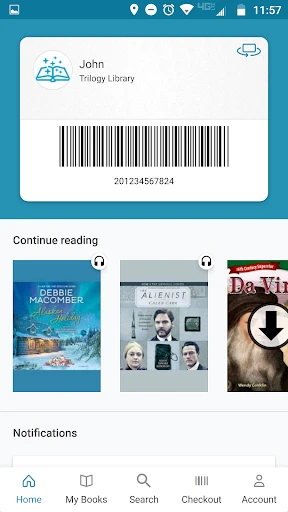
CloudLibrary is a comprehensive digital lending application developed by Bibliotheca, designed to seamlessly connect users with the vast collections of their local public libraries. It serves as a gateway to borrow eBooks, audiobooks, and magazines directly onto personal devices such as smartphones, tablets, and e-readers. By simply validating a user's existing library card, the app grants instant access to a curated digital catalog, eliminating the need for physical visits. It stands as a modern solution for reading and listening, merging the traditional library's trustworthiness with the convenience of digital technology, enabling knowledge and stories to travel with you anywhere.
Chapter 1: Function
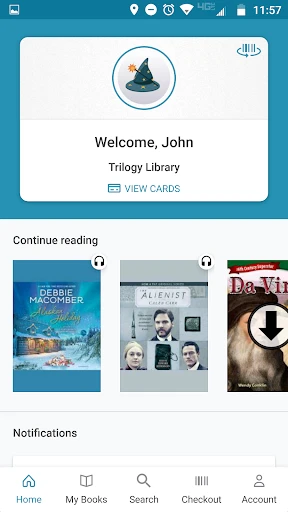
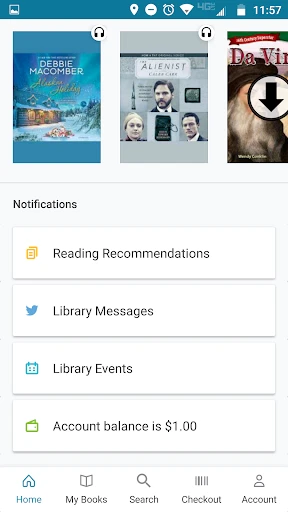
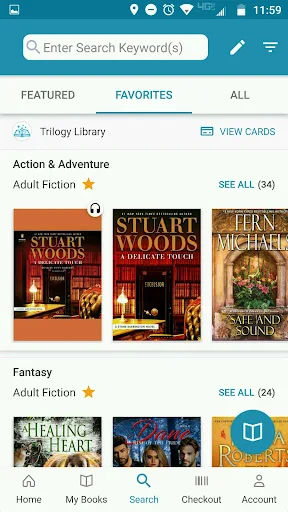
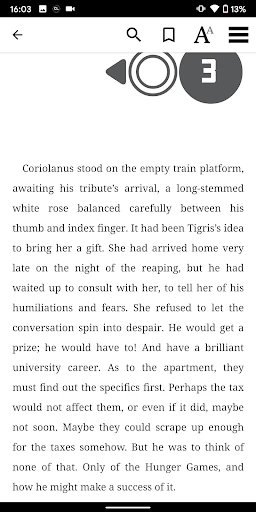
The core function of CloudLibrary centers on digital borrowing and management. Users begin by selecting their participating library network and logging in with their library credentials. The app then presents a browsable digital shelf mirroring the library's available electronic inventory. Key functionalities include searching for specific titles or authors, browsing by genre, and placing holds on popular items. Once borrowed, eBooks can be read within the app's built-in reader, which offers customizable font sizes, backgrounds, and bookmarking. Audiobooks are streamed or downloaded for offline listening with playback speed controls. The app automatically manages loans and returns, syncing progress across all registered devices, ensuring your place in a book is never lost. It effectively digitizes the entire library lending cycle, from discovery to enjoyment.
Chapter 2: Value
The primary value proposition of CloudLibrary lies in its democratization of free, legal access to digital content through established public library systems. Its key advantage is the elimination of cost barriers for avid readers and listeners, as all borrowings are free with a library membership. The app aggregates collections from thousands of libraries worldwide, offering a surprisingly extensive and diverse range of materials that often surpasses what is physically available on any single branch's shelves. It provides unparalleled convenience; the library is open 24/7, accessible from home, during commutes, or while traveling, all without worrying about late fees due to automatic returns. Furthermore, it respects user privacy tied to their library relationship and offers a curated, ad-free experience focused solely on reading. For libraries, it extends their reach and relevance in the digital age. Compared to commercial subscription services, CloudLibrary's value is rooted in its community-supported, free-access model, fostering lifelong learning and literacy without a direct financial burden on the user. It transforms the smartphone into a library card and a boundless bookshelf.
Chapter 3: Scenarios
CloudLibrary primarily serves public library members, ranging from students and commuters to seniors and families. Students can utilize it to access required reading materials or academic texts without purchase. Daily commuters and travelers find immense value in downloading audiobooks or eBooks for entertainment during long journeys, turning idle time into productive or enjoyable reading sessions. Busy parents can quickly borrow children's eBooks for bedtime stories. Seniors or individuals with mobility challenges appreciate the home delivery of digital content, allowing them to enjoy new releases and large-print eBooks without leaving home. Avid readers who consume books rapidly benefit from the constant rotation of new titles without shelf space or budget concerns. Book clubs can also leverage the platform to find available copies for all members simultaneously. Essentially, any scenario where convenient, cost-effective, and immediate access to reading and listening material is desired represents a perfect use case for CloudLibrary, integrating seamlessly into modern, on-the-go lifestyles.
Uninstall Instructions
For step-by-step guidance on how to safely remove this application from your device, please refer to our 《Uninstall Instructions》 document.
Pros
- seamlessly syncs reading progress across all registered devices
- offline download for entire e-books without chapter restrictions
- integrates directly with thousands of public library membership systems
- customizable font and layout for academic PDFs and EPUBs
- no waitlists for classic literature in the public domain
Cons
- requires active library card from a partner institution for access
- audiobook streaming limited to 72-hour loan periods only
- advanced annotation tools unavailable for borrowed periodicals
- no built-in dictionary for less common language titles
- simultaneous device limit varies by individual library's policy
Frequently Asked Questions
What is CloudLibrary and what does it do?
CloudLibrary is a digital lending application that provides free access to e-books and audiobooks. It partners with public libraries, allowing users to borrow digital titles using their valid library card. The core function is to browse, borrow, and read/listen to materials directly on personal devices, positioning itself as a digital extension of your local library.
Is CloudLibrary free to use or are there any fees?
CloudLibrary is fundamentally free for users. There are no subscription fees or mandatory in-app purchases. Access is granted through a partnership with your local public library, requiring a valid library card. Standard data charges from your internet provider may apply. The app itself does not sell content; all borrowed items are free and automatically return at the end of the loan period.
What devices and operating systems support CloudLibrary?
CloudLibrary is supported on a wide range of devices. This includes iOS devices (iPhone, iPad) running recent versions of iOS, Android smartphones and tablets, Windows PCs, and Mac computers. It also supports popular e-readers like Kobo. For the most current and specific system version requirements, please check the official app listing on your device's app store.
How does borrowing and reading e-books work in the app?
After logging in with your library credentials, you browse your library's available digital collection. You can borrow titles, which are then downloaded to your app's bookshelf for offline access. Loans typically last 7-21 days, after which items are automatically returned. The app includes an integrated reader with features like adjustable text size, bookmarks, and night mode for a customized reading experience.
What happens if I have technical issues or need help?
For technical support or account issues, the primary contact is your local library, as they manage your borrowing account. The CloudLibrary app also includes a 'Help' section with FAQs and troubleshooting guides. For direct app functionality problems, you can contact the developer, Bibliotheca, through the support links provided within the app or on their official website. There is no dedicated in-app live chat.
App Info
Technical Info
Recommended For You

King James Bible Study KJV
Books & Reference

Castle - Make and Play
Art & Design

Tappytoon Manhwa & Novels
Comics

Spam Call Blocker for Android
Communication

Google Chat
Business

Mary Kay® MirrorMe™
Beauty

SelfComic: Super Saiyan Photo
Comics

Receipt Scanner: Easy Expense
Business

WhatsApp Messenger
Communication

Beauty Calculator Pretty Scale
Beauty
HCMToGo
Business

AI Outfits: Try on Clothes
Art & Design

Link Messenger
Communication

Spirit Fanfiction and Stories
Books & Reference

GIMP
Art & Design

漫畫集 - 追漫神器
Comics

Pocket Toons
Comics

CarLink: MirrorLink & Car Play
Auto & Vehicles

EasyTether Pro
Communication

Texture Maker for Minecraft PE
Art & Design