
UC Browser-Safe, Fast, Private
Screenshots


Description
About UC Browser-Safe, Fast, Private Features
UC Browser is a globally popular mobile web browser renowned for its emphasis on security, speed, and privacy protection. It integrates a powerful search engine, a smart news feed, and a versatile download manager into a single, streamlined application. Designed to deliver a smooth browsing experience even under limited network conditions, it caters to users seeking efficient information access and media consumption. With its user-centric design, UC Browser provides a comprehensive solution for everyday internet navigation, balancing performance with robust protective features to meet the diverse needs of the modern mobile user.
Chapter 1: Function
UC Browser's core functionality revolves around three pillars: browsing, content aggregation, and file management. Its browsing engine is optimized for rapid page loading and data compression, significantly reducing load times and conserving mobile data. The integrated smart search allows users to find information across multiple platforms quickly. The application features a personalized news hub that curates content based on user preferences, providing updates across various categories like entertainment, sports, and current affairs. Furthermore, its built-in download manager supports background and resumable downloads for various file types, including videos and documents. Additional functionalities include night mode, ad-blocking options, and incognito browsing tabs, all contributing to a customizable and efficient user experience.
Chapter 2: Value
The primary value proposition of UC Browser lies in its unique synthesis of speed optimization, security reinforcement, and privacy safeguards. Its key advantage is the proprietary cloud acceleration and data compression technology, which ensures swift page rendering and smooth video playback even on slower networks, offering tangible cost savings on data plans. From a security standpoint, the app incorporates multiple protective layers, including secure encrypted connections, real-time detection of phishing and malicious websites, and a safe payment environment, effectively shielding users from online threats. Regarding privacy, UC Browser offers a robust incognito mode that leaves no trace of browsing history, alongside user-configurable permission settings and cookie management tools, granting individuals greater control over their personal data. Beyond these, its value extends to content personalization through an AI-driven news feed and a highly integrated ecosystem that consolidates search, discovery, and download tasks, eliminating the need to switch between multiple apps. This holistic approach saves time and enhances productivity, making it a versatile tool for information-centric users.
Chapter 3: Scenarios
UC Browser primarily targets mobile-first users who frequently browse the web, consume news, and download multimedia content. It is exceptionally suited for individuals with limited or costly data plans, such as students and young professionals, as its compression technology maximizes data efficiency. Daily use cases are varied: a commuter can leverage the smart news feed to catch up on headlines during a subway ride with intermittent connectivity; a traveler can use its fast-loading capabilities and translation features to access local information abroad; a media enthusiast can rely on its powerful download manager to save videos for offline viewing. Furthermore, users conducting online transactions or accessing sensitive accounts benefit from its security alerts and anti-phishing measures. Its privacy features appeal to those who share devices or wish to keep certain browsing activities confidential. Essentially, any scenario requiring reliable, quick, and secure access to the mobile web represents a typical use case for UC Browser, making it a practical daily companion for a broad demographic.
Uninstall Instructions
For step-by-step guidance on how to safely remove this application from your device, please refer to our 《Uninstall Instructions》 document.
Pros
- integrates ad-blocking directly into the core browser engine
- data compression works on both cellular and wi-fi networks
- night mode applies to web content
- not just the interface
- private tab leaves no trace in the main download manager
- built-in video downloader supports multiple format resolutions
Cons
- ad-blocking may break layouts on some regional websites
- compression can reduce image clarity on hi-res displays
- frequent cache cleaning required for heavy download users
- video downloader doesn't work with all streaming sites
- background data saving can delay page element loading
Frequently Asked Questions
What is UC Browser and what are its core functions?
UC Browser is a mobile web browser focused on speed, security, and privacy. Its core functions include fast web page loading, data compression to save bandwidth, and a built-in ad blocker. It also features a private browsing mode that does not save history or cookies. The app positions itself as an efficient tool for everyday mobile internet surfing with enhanced user control over personal data.
Is UC Browser free to use, and does it have in-app purchases?
Yes, UC Browser is free to download and use. The app does not require any upfront payment. It may contain optional in-app purchases for additional themes or services, but its primary browsing functions are completely free. The app is supported by advertisements, and users should review the in-app purchase settings within the app for specific details on available options.
What devices and operating systems does UC Browser support?
UC Browser primarily supports Android and iOS mobile devices. The specific version 'UC Browser-Safe, Fast, Private' is commonly available on the Google Play Store for Android and the App Store for iOS. For the most accurate and current information on supported OS versions and device compatibility, users should refer directly to the app's listing on their respective official app store.
How does the private browsing mode in UC Browser work?
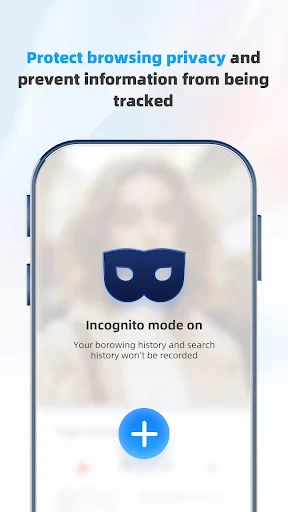
The private browsing mode, often called Incognito Mode, creates a temporary session where your browsing history, search records, and cookies are not saved on the device after you close the window. It does not make you anonymous online, as your internet service provider or visited websites may still track your activity. This mode is designed for local privacy on your device and does not involve a VPN or external server encryption.
Can I use UC Browser to download videos and files?
Yes, UC Browser includes a built-in download manager that supports downloading various files, including videos, documents, and images from the web. The availability to download specific video content depends entirely on the source website's terms and permissions. Users must ensure they comply with copyright laws and website policies when downloading any content. The download feature is integrated into the browser interface for easy access.
App Info
Technical Info
Recommended For You

Inkitt: Books, Novels, Stories
Books & Reference

Hicut:Face Swap AI Video App
Art & Design

NovelBar-Your Reading Haven
Books & Reference

StoryGraph
Books & Reference

Shonen Jump Manga & Comics
Comics

Artistry Virtual Beauty
Beauty

Oremus - Catholic Bible&Prayer
Books & Reference

Typology Paris - Skincare
Beauty

AI Home Design: Interior DecAI
Art & Design

Caller ID - Block Spam Call
Communication

Repixel: AI Photo Enhancer
Art & Design

Microsoft Teams
Business

Stitch Photos: Long Screenshot
Art & Design

Manga Renta
Comics

delitoon
Comics

CCW – Concealed Carry 50 State
Books & Reference

AR Drawing Sketch Paint
Art & Design

Stripe Dashboard
Business

Job Search by ZipRecruiter
Business

N5_Theme for Car Launcher app
Auto & Vehicles