
Draw Anime: AR Drawing Sketch
Screenshots


Description
About Draw Anime: AR Drawing Sketch Features – A Digital Art Companion
Draw Anime: AR Drawing Sketch is a mobile application designed to simplify and enhance the process of learning to draw anime and manga-style characters. By leveraging augmented reality (AR) technology, it provides a unique, interactive canvas that overlays reference images onto the user's physical drawing surface. This app caters primarily to beginners and enthusiasts seeking a guided, step-by-step approach to digital and traditional sketching, transforming complex illustrations into manageable, traceable layers.
Chapter 1: Function
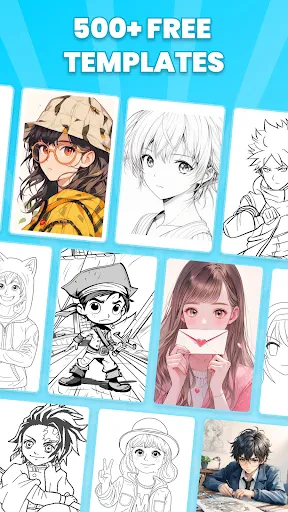
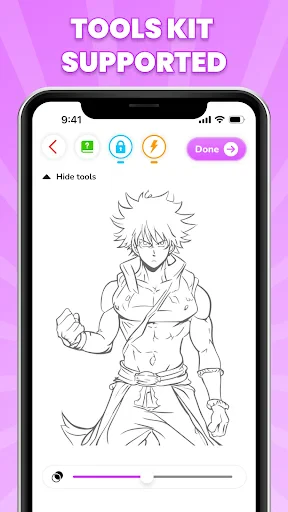
The core functionality of Draw Anime: AR Drawing Sketch centers on its AR-assisted tracing and comprehensive drawing guides. Users can select an anime-style image from the app's built-in library or import their own. The app then uses the device's camera to project the selected image as a semi-transparent overlay onto a physical piece of paper or a digital drawing tablet, allowing users to trace the outlines accurately. Beyond AR tracing, the app breaks down complex drawings into fundamental steps, teaching users how to construct characters from basic shapes and lines. It typically includes tools for adjusting the opacity and size of the projected image, a collection of pre-made sketches for practice, and sometimes basic editing features to refine the final sketch on the device.
Chapter 2: Value
The primary value proposition of Draw Anime: AR Drawing Sketch lies in its ability to dramatically lower the barrier to entry for aspiring anime artists. Its key advantage is the innovative use of AR as a real-time tracing guide, which provides immediate spatial reference and helps users understand proportions and perspectives without the frustration of freehand inaccuracy. This hands-on method accelerates skill development in muscle memory and line confidence. Compared to static tutorial videos or books, the app offers an interactive, personalized learning experience. Users can progress at their own pace, repeating difficult sections effortlessly. The app's library of anime archetypes—from eyes and faces to full-body poses—serves as a structured curriculum, ensuring learners build a solid foundation. Furthermore, by bridging the digital and physical worlds, it encourages drawing on real paper, which many find more intuitive than starting directly with complex digital art software. This makes it not just a tool for creating a single drawing but a comprehensive training platform that builds fundamental drafting skills, boosts creative confidence, and makes the art learning process engaging and accessible to all age groups.
Chapter 3: Scenarios
The primary target users are beginners with a passion for anime and manga but limited formal drawing experience. This includes younger students, hobbyists, and anyone who has always wanted to draw their favorite characters but felt intimidated by the complexity. It is also valuable for parents seeking educational and creative apps for their children. Everyday use cases are varied: a middle school student uses the app after homework to practice drawing a new character by tracing the basic structure on a sketchbook. An adult hobbyist, during their commute, uses it on a tablet with a stylus to sketch poses from the app's library. In a more social setting, friends might use the app collaboratively for a fun drawing session, projecting different characters and comparing results. It serves as a daily practice tool for building foundational skills, a creative outlet for relaxation, and a project starter for creating original fan art or personalized illustrations.
Uninstall Instructions
For step-by-step guidance on how to safely remove this application from your device, please refer to our 《Uninstall Instructions》 document.
Pros
- ar overlay simplifies complex anime figure sketching
- offers frame-by-frame breakdowns for dynamic poses
- specialized brush set mimics cel-shaded anime textures
- works with physical paper via smartphone camera
- library focuses on anime archetypes and iconic characters
Cons
- requires stable lighting for ar tracing to function
- limited utility beyond anime-style illustration
- high-detail models may overwhelm beginners
- ar mode drains battery faster than standard apps
- community features lack robust critique or mentorship
Frequently Asked Questions
What is Draw Anime: AR Drawing Sketch?
Draw Anime: AR Drawing Sketch is a mobile art application designed to help users learn to draw anime-style characters. Its core function uses augmented reality (AR) technology to overlay a reference anime image onto your drawing surface via your device's camera. This allows you to trace and sketch the image on physical paper, serving as a guided practice tool for beginners to improve their drawing skills.
Is the app free to use, or does it have in-app purchases?
The app is free to download and use its basic AR tracing and sketching functions. However, it typically offers in-app purchases. These purchases usually unlock additional premium anime reference images, more advanced drawing tools, or features like ad removal. No additional physical equipment is required beyond a smartphone or tablet with a camera.
What devices and systems are compatible with this app?
The app is designed for mobile devices like smartphones and tablets. It requires a device with a camera to utilize the AR feature. It is generally available for both iOS and Android operating systems. For optimal AR performance, a relatively recent device model with a stable camera and motion sensors is recommended. Specific version requirements can be found on the respective app store listing.
How does the AR tracing feature actually work?
The AR tracing feature works by using your device's camera. You select a desired anime image from the app's library, then position your device on a stand or hold it steady above a piece of paper. The app projects the semi-transparent image onto your camera's live view, aligning it with the paper. You can then look at your screen and trace the projected lines onto the physical paper beneath, effectively using your device as a digital tracing guide.
Can I save and share my drawings created with this app?
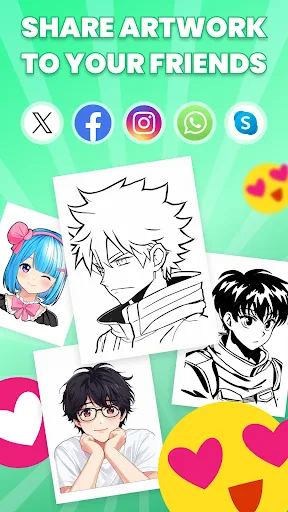
Yes, the app typically includes functionality to save your work. Since you draw on physical paper, you can manually save it. The app itself may allow you to save a photo of your final drawing taken with your device's camera. Sharing features to social media platforms or your gallery are commonly integrated. The app does not create standalone digital artwork files like professional drawing software would.
App Info
Technical Info
Recommended For You

Whistle Express Car Wash
Auto & Vehicles

Car Key: Smart Car Remote Lock
Auto & Vehicles

Photo Editor - Retouch Photos
Art & Design

Yesway & Allsup’s Rewards
Auto & Vehicles

Marvel Unlimited
Comics

Customuse: Skins Maker Roblox
Art & Design

Bookshelf-Your virtual library
Books & Reference

MangaRise - Manga Reader
Comics

KJV Daily Bible - Verse+Audio
Books & Reference

Forex Trading for Beginners
Books & Reference

Jooble — Job Search App
Business

FantacyStory: novels, fictions
Books & Reference

Receipt Scanner: Easy Expense
Business

PixAI: AI Anime Art Generator
Art & Design

Wavy: Photo Editor & AI Art
Art & Design

Al Quran MP3 Audio Offline App
Books & Reference

VistaCreate: Graphic Design
Art & Design

Simple Drawing - Sketchbook
Art & Design

Mirror Study Bible
Books & Reference

Blinq: Digital Business Card
Business