
PDF Pro-View PDF
Screenshots



Description
About PDF Pro-View PDF Feature - A Comprehensive Mobile PDF Solution
PDF Pro-View PDF is a robust and user-friendly mobile application designed for comprehensive PDF document management. It serves as a versatile toolkit that goes beyond simple viewing, enabling users to handle a wide array of PDF-related tasks directly on their smartphones or tablets. The app positions itself as an all-in-one solution for professionals, students, and general users who regularly interact with PDF files, offering a seamless experience from opening and reading to editing and organizing digital documents. Its core philosophy centers on transforming mobile devices into powerful portable document hubs, ensuring productivity is not confined to the desktop.
Chapter 1: Function
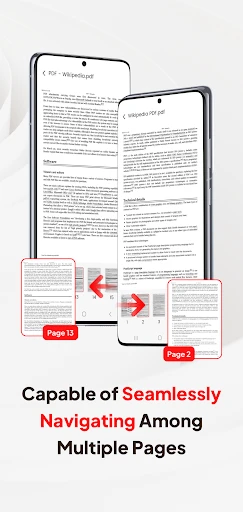
PDF Pro-View PDF excels with a comprehensive suite of core functions centered on document management. Primarily, it functions as a high-performance PDF viewer with smooth scrolling, text reflow, and multiple viewing modes, including night mode for comfortable reading. Beyond viewing, the app allows users to annotate documents extensively using highlighters, underlines, text boxes, and freehand drawing tools. Its editing capabilities enable users to modify text and images within existing PDFs, merge multiple files into a single document, or split a large PDF into smaller sections. Furthermore, it supports filling out interactive PDF forms, adding digital signatures for authentication, and compressing file sizes for easy sharing. The app also includes essential tools for creating PDFs from images or other file formats and offers robust file organization with folder support and cloud storage integration.
Chapter 2: Value
The primary value proposition of PDF Pro-View PDF lies in its consolidation of disparate PDF tools into a single, efficient, and cost-effective mobile application. It eliminates the need for multiple specialized software or expensive desktop subscriptions, providing exceptional value for money. A key advantage is its offline functionality; once documents are loaded, most features are accessible without an internet connection, ensuring reliability in any environment. The app's intuitive and clean interface significantly lowers the learning curve, making advanced PDF manipulation accessible to non-technical users. For professionals, the precision editing and form-filling tools enhance workflow efficiency, while students benefit from powerful annotation features for studying and research. Security is another critical value point, offering password protection and secure handling of sensitive documents. Compared to basic built-in file viewers, PDF Pro-View PDF delivers superior rendering accuracy, maintains document formatting integrity across operations, and provides a consistently smooth user experience even with complex, graphics-heavy files. This combination of power, convenience, and reliability establishes it as a indispensable tool in the user's digital productivity arsenal.
Chapter 3: Scenarios
PDF Pro-View PDF caters to a diverse range of target user groups across various everyday scenarios. Business professionals frequently use the app to review, annotate, and sign contracts or reports while commuting, quickly filling out expense forms, or merging sales presentations from their mobile devices. Students and academics constitute another primary group, utilizing the app to highlight textbook passages, add notes to lecture slides, compile research materials, and organize study guides directly on their tablets. Administrative personnel find it invaluable for handling paperwork, such as processing application forms, generating PDF copies of receipts, and managing digital archives. In personal use cases, individuals employ the app to view e-books, sign rental agreements, complete government forms, or create PDF portfolios from personal photos and documents. The app is particularly crucial for freelancers and remote workers who need a portable office to handle client documents from any location. Essentially, any scenario requiring reliable access to, interaction with, or modification of PDF documents outside a traditional office setting is an ideal use case for PDF Pro-View PDF.
Uninstall Instructions
For step-by-step guidance on how to safely remove this application from your device, please refer to our 《Uninstall Instructions》 document.
Pros
- handles large technical PDFs without lag on mobile
- search within scanned documents via accurate OCR
- side-by-side view for comparing document versions
- customizable floating toolbar for frequent annotations
- exports annotations to a standalone summary sheet
Cons
- advanced OCR requires a stable internet connection
- complex layer management has a steep learning curve
- side-by-side view unusable on smaller phone screens
- no direct integration with cloud storage services
- custom tool presets are lost after app updates
Frequently Asked Questions
What is PDF Pro and what are its core functions?
PDF Pro - View PDF is a mobile application designed for viewing, managing, and performing basic edits on PDF documents. Its core functions include opening and reading PDFs, annotating with highlights and text notes, filling out interactive forms, signing documents, merging multiple PDFs, and converting images to PDF format. It positions itself as a versatile tool for handling everyday PDF tasks directly on your device.
Is PDF Pro free to use or does it require payment?
PDF Pro is a freemium application. You can download and use basic viewing and annotation features for free. However, access to advanced features like PDF merging, conversion, advanced editing tools, or removing watermarks typically requires a one-time purchase or a subscription. Specific pricing details are available within the app's settings or on its official store page.
On which devices and operating systems can I use this app?
PDF Pro - View PDF is primarily available for iOS devices (iPhone and iPad) through the Apple App Store. It is designed to be compatible with recent versions of the iOS/iPadOS operating system. For information on specific version requirements or potential availability on other platforms like Android, please check the app's official listing in the App Store, as this information is subject to change by the developer.
How does the app handle document security and privacy?
PDF Pro processes documents locally on your device for core functions, meaning your files are not automatically uploaded to external servers for basic viewing and editing. However, certain features like cloud storage integration or OCR might involve data transfer. We recommend reviewing the app's official Privacy Policy, linked on its App Store page, for detailed information on data collection, usage, and your rights regarding document security.
Can I edit text directly in a PDF with this app?
PDF Pro focuses on annotation and form filling rather than direct text editing of existing PDF content. You can add text boxes, sticky notes, highlights, and drawings over the PDF. To modify the original text within a PDF body, you typically need dedicated PDF editing software. This app is best suited for reviewing, annotating, signing, and organizing PDF documents, not for altering pre-existing text paragraphs.
App Info
Technical Info
Recommended For You

Caller ID Name, Location & SMS
Communication

Madison Reed App - Hair Color
Beauty

10-4 by WEX
Auto & Vehicles

GroupMe
Communication

PCGS CoinFacts - U.S. Coin Val
Books & Reference

e-Sword: Bible Study to Go
Books & Reference

Valvoline Instant Oil Change
Auto & Vehicles

AR Drawing: Sketch, Art, Trace
Art & Design

Remodel AI - Home Renovation
Art & Design

Car Key: Smart Car Remote Lock
Auto & Vehicles

BlueDriver OBD2 Scan Tool
Auto & Vehicles

Castle - Make and Play
Art & Design

Tattoo AI - Tattoo Design
Art & Design

King James Bible (KJV)
Books & Reference

Video Call
Communication

Floor Plan Creator
Art & Design

Zoom Rooms Controller
Business

GoodNovel - Web Novel, Fiction
Books & Reference

InnoCaption Live Call Captions
Communication

Superhero Flying speedster
Comics