
Phone Dialer - Call Recorder
Screenshots



Description
About Phone Dialer - Call Recorder Features
Phone Dialer - Call Recorder is a comprehensive communication utility application designed to enhance the native calling experience on smartphones. It seamlessly integrates an intelligent dialer interface with robust call recording capabilities. The app serves as a powerful replacement for the default phone application, offering users advanced call management, contact organization, and the crucial ability to record incoming and outgoing conversations directly. With a focus on simplicity and reliability, it caters to individuals who require more control and documentation over their voice communications, all within a single, user-friendly interface.
Chapter 1: Function
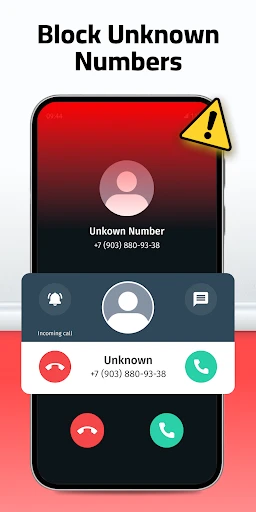
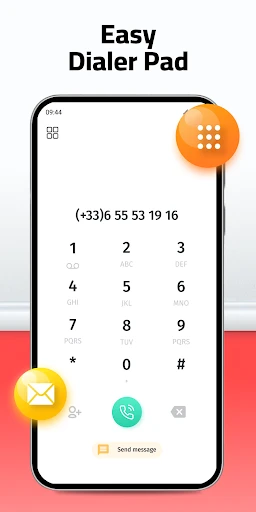
The core functionality of Phone Dialer - Call Recorder revolves around two primary pillars: enhanced dialing and call recording. As a dialer, it provides smart search through contacts and call history, spam call identification and blocking, and a customizable interface for quick access to favorites. The integrated call recorder is its standout feature, allowing users to automatically or manually record phone conversations with a single tap. Recordings are typically saved in high-quality audio formats and are easily accessible within the app's dedicated library. The app also manages call logs efficiently, supports contact merging from various accounts, and may include features like flash alerts and call reminders. Essentially, it consolidates essential telephony functions with the added dimension of recording, creating a centralized hub for all call-related activities.
Chapter 2: Value
The primary value proposition of Phone Dialer - Call Recorder lies in its ability to provide verification, security, and convenience in personal and professional communication. For professionals, it acts as a digital notary, accurately documenting important business agreements, client instructions, or interview details discussed over calls, thereby minimizing disputes and ensuring accountability. In personal use, it can preserve memorable conversations or serve as evidence in cases of harassment or spam. Its key advantages include operational simplicity—the recording function is deeply integrated and activates seamlessly during calls without requiring complex setups. The app often employs intelligent algorithms to filter out spam calls, significantly improving user safety and reducing interruptions. Furthermore, by replacing the stock dialer, it offers a more feature-rich and customizable calling experience, including better contact management and call history analytics. The value is amplified by the app's commitment to user privacy, typically storing recordings locally on the device with options for cloud backup, giving users full control over their sensitive audio data. This combination of documentation, protection, and enhanced utility makes it an indispensable tool for anyone who relies heavily on phone calls for critical communications.
Chapter 3: Scenarios
The primary target users for Phone Dialer - Call Recorder are professionals and individuals with specific documentation needs. Business professionals, such as sales representatives, consultants, journalists, and freelancers, frequently use it to record client calls, interviews, and project briefings for accurate reference and follow-up. Legal professionals and compliance officers may utilize it within legal boundaries to keep records of pertinent discussions. Another significant user group includes individuals dealing with frequent customer service or technical support calls, where recording can help capture detailed instructions or case numbers. Furthermore, people caring for elderly family members or managing long-distance relationships might use it to save cherished conversations. In everyday scenarios, a user might activate auto-record for all calls from specific contacts like their boss or lawyer. After receiving a crucial delivery update via phone, they can easily replay the recording to confirm the address. When an unknown number calls, the app's built-in spam protection can screen it, and if it's a legitimate call worth saving, a manual record button is readily available. It transforms the smartphone into a reliable communication logbook.
Uninstall Instructions
For step-by-step guidance on how to safely remove this application from your device, please refer to our 《Uninstall Instructions》 document.
Pros
- automatic call recording with cloud backup option
- minimalist interface with one-touch recording toggle
- records both sides clearly in low-network conditions
- organizes recordings by contact with smart tagging
- no ads during active calls or playback
Cons
- requires manual legal compliance per region
- cloud sync limited to specific storage providers
- no transcription or ai analysis features
- high-quality audio increases file size quickly
- caller id depends on basic os databases
Frequently Asked Questions
What is Phone Dialer - Call Recorder?
Phone Dialer - Call Recorder is a communication app that combines a dialer interface with automatic call recording. Its core function is to record both incoming and outgoing phone calls locally on your device. The app positions itself as a tool for personal note-taking, interview documentation, or business memo-keeping during calls. It operates as a replacement for your default phone dialer and includes basic contact management.
Is this app free to use with full features?
The app is typically free to download and install, offering basic dialing and recording functions. However, to access advanced features like cloud backup, ad removal, or extended recording history, it usually requires a one-time purchase or a subscription via in-app purchases. The specific pricing model may vary by region and developer. No additional physical equipment is needed beyond a compatible smartphone.
How does the automatic call recording feature work?
The app integrates with your phone's dialer to automatically record calls after they are connected. It saves recordings as audio files (commonly in AMR or MP3 format) on your device's internal storage. Users can typically play back, label, or delete these recordings within the app. Note: The legality of recording calls varies by jurisdiction, and it is the user's responsibility to comply with local laws, often requiring consent from all parties.
What are the common technical issues with call recording?
Common issues include failed recordings due to incompatible device models or Android/iOS system restrictions, especially on newer versions. Some dual-SIM or VoIP calls may not be recorded. Recordings might be silent if the app cannot access the correct audio stream. Ensuring necessary microphone and storage permissions are granted is crucial. For specific device compatibility, please check the app's official description on your platform's store.
Does the app provide customer support for troubleshooting?
Support is typically offered through an email contact or a help section within the app. Developers may address common problems in an FAQ or online guide. However, for issues stemming from device-specific hardware or operating system limitations (like system-level call recording bans), direct solutions may not be available. There is generally no phone-based hotline support. Data recovery for lost recordings is not guaranteed.
App Info
Technical Info
Recommended For You

AI Dress up-Try Clothes Design
Beauty

CLZ Comics comic book database
Comics

LibriVox Audio Books
Books & Reference

T Shirt Design - T Shirts Art
Art & Design

PSA | Card Grading Service
Books & Reference

Inbox Homescreen
Communication

MobiOffice: Word, Sheets, PDF
Business

FunSwap - AI Face Swap
Beauty

Poseit
Art & Design

HerBible--Verses&Prayer
Books & Reference

InnoCaption Live Call Captions
Communication

Connecteam Team Management App
Business

Outlined Watch Face
Art & Design

WoAD
Communication

AI Art Generator: AI Picture
Art & Design

CL Theme C1
Auto & Vehicles

WhisperFM - Romance Novels
Books & Reference

AppSheet
Business

Perfect Viewer
Comics

AT&T Visual Voicemail
Communication