
Beauty Camera: Selfie Editor
Screenshots

Description
About Beauty Camera: Selfie Editor Features
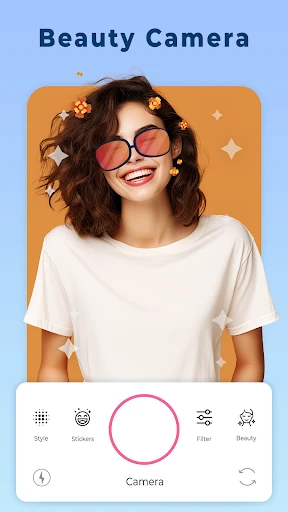
Beauty Camera: Selfie Editor is a comprehensive mobile application designed for one-touch photo enhancement and artistic editing. It empowers users to effortlessly capture or refine their selfies and portraits with a wide array of intelligent beautification tools, filters, and editing options. The app stands out by merging advanced AI-driven facial feature adjustment with a user-friendly interface, making professional-grade photo editing accessible to everyone. It serves as an all-in-one solution for transforming ordinary pictures into stunning, share-worthy visual content, catering to the growing demand for quick and impressive personal imagery on social media and beyond.
Chapter 1: Function
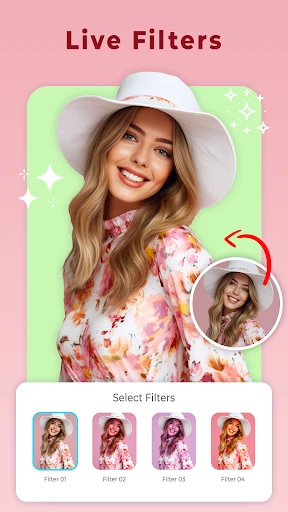
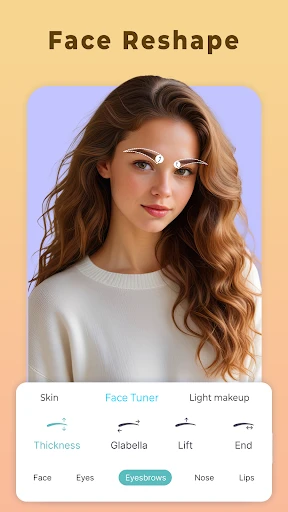
Beauty Camera: Selfie Editor excels in providing a suite of core editing functions centered on portrait enhancement. Its primary capability lies in real-time beautification during capture, which includes skin smoothing, blemish removal, and shine control. Post-capture, the app offers detailed manual adjustments for facial features such as eye size, nose shape, and jawline contouring. It features a rich library of filters and lighting effects to alter the mood and style of any photo. Additional functionalities encompass makeup simulation with virtual cosmetics, hair color change tools, body shape retouching, and background editing options like blur or replacement. The app also supports basic editing tasks like cropping, rotating, and applying frames, consolidating essential photo editing needs into a single platform.
Chapter 2: Value
The value proposition of Beauty Camera: Selfie Editor is rooted in its ability to deliver high-quality, personalized aesthetic results with remarkable ease and speed. Its key advantage is the sophisticated yet intuitive AI technology that automates complex edits, saving users significant time and effort compared to desktop software. The app democratizes professional photo editing by eliminating the need for technical expertise. Another major value point is its extensive and regularly updated collection of styles, filters, and trendy effects, keeping users aligned with current visual trends. It fosters creativity and self-expression, allowing users to present their best selves confidently. Furthermore, by processing images locally on the device in many cases, it addresses privacy concerns related to personal photos. The free-to-use model with optional in-app purchases for premium features makes it accessible to a vast audience, offering substantial value at no initial cost. Its all-in-one nature reduces the hassle of switching between multiple apps, creating a seamless and efficient workflow from capture to final share.
Chapter 3: Scenarios
The primary target users for Beauty Camera: Selfie Editor are social media enthusiasts, including influencers, bloggers, and everyday users who frequently share personal content on platforms like Instagram, TikTok, and Facebook. It is equally valuable for individuals seeking to create a polished profile picture for professional networking sites such as LinkedIn. In everyday use, a user might employ the app to quickly touch up a selfie before posting it online, ensuring skin looks clear and features are enhanced naturally. Another common scenario is preparing photos for special occasions; for instance, applying virtual makeup and adjusting lighting for a party picture. Travelers use it to enhance scenic portraits, while online sellers utilize its tools to improve product model photos or their own promotional content. It also serves casual users who simply wish to have fun with friends by trying out different hairstyles or comical effects in a photo collage. Essentially, any situation requiring a fast, effective uplift to a personal photograph represents a typical use case for this application.
Uninstall Instructions
For step-by-step guidance on how to safely remove this application from your device, please refer to our 《Uninstall Instructions》 document.
Pros
- one-tap enhancement for portraits with realistic skin textures
- exclusive anime and art filters powered by style-transfer AI
- offline functionality for core editing and filter application
- advanced relighting tool adjusts portrait lighting post-capture
- minimalist interface reduces clutter for quick photo edits
Cons
- high-resolution edits and some AI features require internet
- realistic filters perform best on recent mid-to-high-end devices
- overuse of certain beautification presets can create a uniform look
- manual fine-tuning tools are less comprehensive than desktop apps
- saves edited photos with proprietary filter metadata by default
Frequently Asked Questions
What is Beauty Camera: Selfie Editor?
Beauty Camera: Selfie Editor is a photo editing application focused on selfie enhancement and portrait retouching. Its core functions include real-time beauty filters, skin smoothing, face shaping, blemish removal, and makeup effects. The app is designed for quick, automated editing to improve portrait aesthetics, positioning itself as an all-in-one tool for selfie lovers and social media users.
Is Beauty Camera free to use?
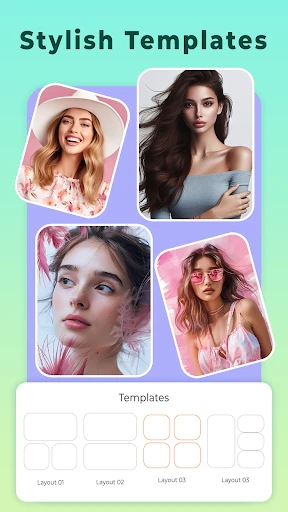
The app is free to download and offers basic editing tools at no cost. However, it includes in-app purchases for premium filters, advanced beautification features, and ad removal. Some high-end effects or template collections may require separate purchases. No additional physical equipment is needed, but the app may request permissions to access your camera and photo gallery.
What devices and systems does this app support?
Beauty Camera: Selfie Editor is primarily available for iOS and Android mobile devices. It supports mainstream system versions but may not be optimized for very old operating systems. The app is generally suitable for all age groups interested in selfie editing, though some advanced features might require familiarity with photo editing. It is not typically designed for desktop or tablet-specific interfaces.
How does the AI beautification feature work?
The app uses AI algorithms to automatically detect facial features and apply adjustments like skin smoothing, eye enlargement, and jawline slimming. Users can manually adjust the intensity of each effect. The technology processes images locally on the device in most cases, ensuring quick edits. Note that results may vary based on original photo quality and lighting conditions.
Can edited photos be saved without watermarks?
Basic edited photos can usually be saved without watermarks in standard resolution. However, some exclusive filters or premium templates might add a watermark unless unlocked via in-app purchase. For high-resolution exports or commercial use, checking the specific feature's terms is recommended. The app does not provide after-sales maintenance for edited content itself.
App Info
Technical Info
Recommended For You

OBD2 Car Scanner - ELM Torque
Auto & Vehicles

Challenger Comics Viewer
Comics

Pratilipi Comics
Comics
Repixel: AI Photo Enhancer
Art & Design

Fragrantica Perfumes
Beauty

Webfic - Fantastic Reading
Books & Reference

Cast Phone to TV, Chromecast
Business

ReadEra – book reader pdf epub
Books & Reference

Messenger SMS & MMS
Communication

Roadie Driver
Business

Lexus
Auto & Vehicles

Bible: Advent Prayers & Verses
Books & Reference

Readict -One Click Away Novels
Books & Reference

Haircare app for women
Beauty

Draw Animation - Anim Creator
Art & Design

Adobe Scan AI PDF Scanner, OCR
Business

AI Photo Editor: Photo Enhance
Beauty

Goods Unite Us
Books & Reference

Hush: Android Auto Audio Fix
Auto & Vehicles

Security Camera Mod Minecraft
Books & Reference