
Spellai - AI Art Maker
Screenshots
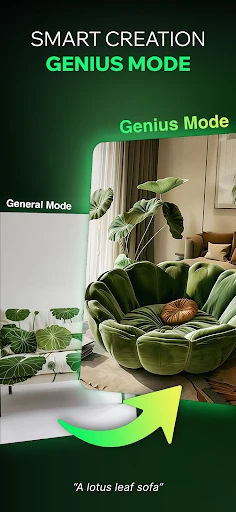
Description
About Spellai - AI Art Maker Feature
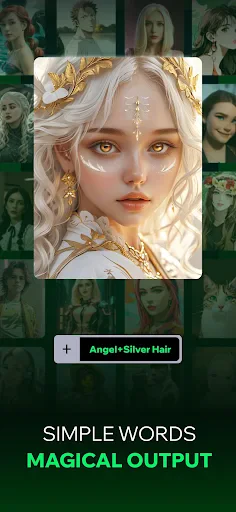
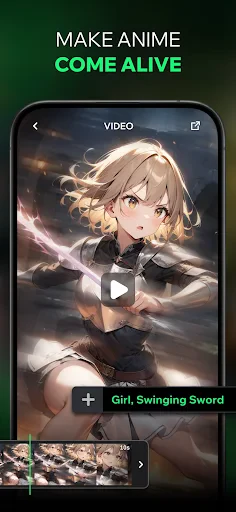
Spellai - AI Art Maker is a cutting-edge mobile application that leverages advanced artificial intelligence to transform textual descriptions into stunning visual artwork. It empowers users, regardless of their artistic skill level, to create unique digital paintings, illustrations, and designs simply by typing ideas. The app stands out for its user-friendly interface, rapid generation capabilities, and a wide array of artistic styles, making AI-driven art creation accessible to everyone. It serves as a bridge between imagination and visual representation, offering a playground for creativity and a practical tool for various visual content needs.
Chapter 1: Function
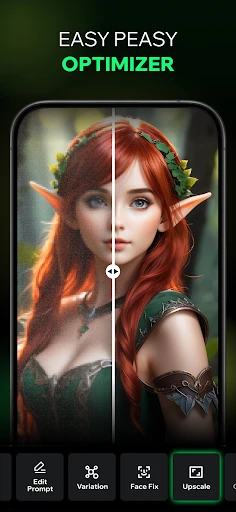
Spellai - AI Art Maker operates on a core function of text-to-image generation. Users input a descriptive prompt, and the app's AI model interprets this text to produce corresponding images. Key functional features include a prompt input field where users can detail their desired scene, subject, style, and mood. The app provides multiple AI models and style filters, such as anime, realistic, oil painting, or cyberpunk, allowing for tailored outputs. Users can adjust parameters like aspect ratio and guidance scale to fine-tune results. Additionally, the app includes an image upscaling feature to enhance resolution, a history gallery to save and revisit creations, and basic editing tools for post-generation adjustments. The process is streamlined: conceive an idea, describe it, select a style, and generate art within seconds.
Chapter 2: Value
The primary value of Spellai lies in democratizing art creation, removing traditional barriers of technical skill and expensive tools. It offers immense creative freedom, enabling users to visualize concepts that would be difficult or time-consuming to draw manually. For content creators, marketers, and social media managers, it provides a cost-effective solution for generating original visuals, concept art, and design elements rapidly, significantly speeding up workflow. Its key advantages include a diverse and ever-evolving style library, high-speed generation that fosters iterative experimentation, and the ability to produce highly detailed and coherent images from complex prompts. Compared to some web-based AI art tools, Spellai's mobile-native design offers convenience and on-the-go creation. The app also encourages exploration and learning, as users refine their prompting techniques to achieve better results. Furthermore, by generating unique artwork, it helps users avoid copyright issues associated with stock images. The value proposition extends from personal entertainment and hobbyist exploration to professional auxiliary use, making it a versatile asset in the digital toolkit.
Chapter 3: Scenarios
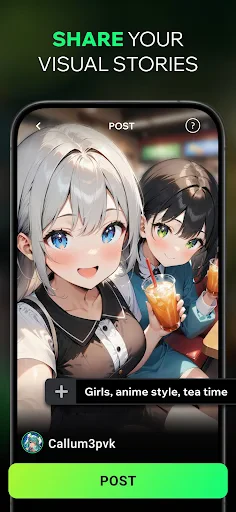
Spellai - AI Art Maker caters to a broad spectrum of users. Primary target groups include digital art enthusiasts and hobbyists who enjoy exploring creativity without formal training. Social media influencers and content creators use it to produce eye-catching posts, story backgrounds, and unique profile pictures. Writers and storytellers employ it to visualize characters, scenes, and book covers, aiding in conceptual development. Game masters and tabletop RPG players generate custom portraits and campaign assets. Professionals in marketing, blogging, and small business operations utilize the app for creating quick illustrations, ad mock-ups, and website graphics. In everyday use, a student might generate an image for a presentation, a parent could create a personalized bedtime story illustration, or a designer might brainstorm concepts for a client project. The app is ideal for any scenario requiring quick, personalized, and royalty-free visual content, turning abstract ideas into tangible digital art instantly.
Uninstall Instructions
For step-by-step guidance on how to safely remove this application from your device, please refer to our 《Uninstall Instructions》 document.
Pros
- generates high-quality art from simple text prompts
- offers a wide range of specialized artistic style filters
- local on-device processing for enhanced privacy
- intuitive one-tap generation streamlines creation
- includes advanced inpainting for detailed edits
Cons
- requires a powerful device for optimal generation speed
- limited output resolution compared to desktop AI tools
- style filters can produce inconsistent results at times
- offline mode restricts access to newest model updates
- advanced editing features have a steeper learning curve
Frequently Asked Questions
What is Spellai and what can I create with it?
Spellai is a mobile application in the AI Art & Image Generator category. Its core function is to generate original artwork, digital paintings, and illustrations from text descriptions (prompts). You can create portraits, landscapes, fantasy scenes, and various artistic styles. It operates using advanced AI models like Stable Diffusion, transforming your ideas into visual content quickly. The app is positioned as an accessible tool for both beginners and experienced users to explore AI-powered creativity.
Is Spellai free to use, or does it have in-app purchases?
Spellai operates on a freemium model. The app is free to download and offers a limited number of free image generations daily. For sustained or advanced use, it provides subscription plans and one-time credit packs as in-app purchases. These purchases unlock higher-quality outputs, faster processing, more daily generations, and access to advanced models. No additional physical equipment is required, but a stable internet connection is necessary for AI processing.
What devices and operating systems is Spellai compatible with?
Spellai is primarily a mobile application available for both iOS and Android devices. It is optimized for smartphones and tablets. There is no dedicated desktop or web version mentioned. The app requires a relatively recent version of the mobile operating system to function properly. It is designed for general audiences interested in digital art creation, with no specific age or professional group restrictions beyond the app store's age rating.
How does Spellai's AI art generation differ from other apps?
Spellai's unique features include a wide variety of specialized AI models and styles pre-configured for different artistic effects (e.g., anime, photorealism, oil painting). It often provides fine-tuning controls for aspects like image resolution and guidance scale. A key technical characteristic is its on-device processing capability for some features, which can speed up generation. The app focuses on user-friendly prompt guidance and may offer community galleries for inspiration, distinguishing it from more technical AI platforms.
What should I do if the generated image quality is poor or fails?
For common issues like blurry, distorted, or failed generations, first ensure your text prompt is clear and detailed. Check your internet connection, as poor connectivity can interrupt the process. The app may have a help section with tips for crafting effective prompts. If the problem persists, you can contact the developer's after-sales support through the in-app feedback option or the support email listed on the app's store page. There is no information about phone-based customer service.
App Info
Technical Info
Recommended For You

LogMeIn Rescue Customer
Business

Jooble — Job Search App
Business

Video AI - AI Hug & Kiss Maker
Art & Design

زخرفة الكتابة بكل انواع الخطوط
Beauty

NovelUP — Novel Downloader
Books & Reference

Virtual Hair Style Changer
Beauty

Draw Animation - Anim Creator
Art & Design

Simple Drawing - Sketchbook
Art & Design

5 Calls: Contact Your Congress
Books & Reference

BeautifyX - AI Makeover Studio
Beauty

Public Storage
Business

Text, Call & Phone number
Communication

Logo Maker : Graphic Designer
Business

BeenVerified Background Search
Communication

UPS
Business

Solo: Your Gig Business App
Business

TruckSmarter Load Board & Fuel
Business

Batman Miniature Game
Comics

Bitcoin Miner Cloud
Business

Hairstyles for short hair
Beauty