
WhatsApp Business
Screenshots
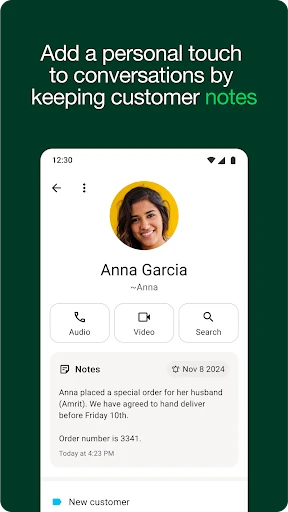
Description
About WhatsApp Business Features - Streamlining Professional Communication
WhatsApp Business is a dedicated application designed for small and medium-sized enterprises to communicate with customers professionally and efficiently. As a standalone app separate from the standard WhatsApp Messenger, it provides specialized tools for business profiles, messaging automation, and customer organization. It leverages the familiar, reliable, and widespread WhatsApp platform, trusted by billions globally, to bridge the gap between businesses and their clients. The app facilitates seamless interactions, from answering inquiries to sharing updates, all within a personal and direct messaging environment. It serves as a digital storefront, enabling businesses to establish a credible presence, build stronger customer relationships, and drive growth through enhanced communication capabilities.
Chapter 1: Function
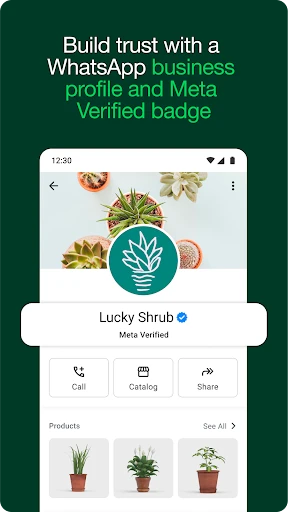
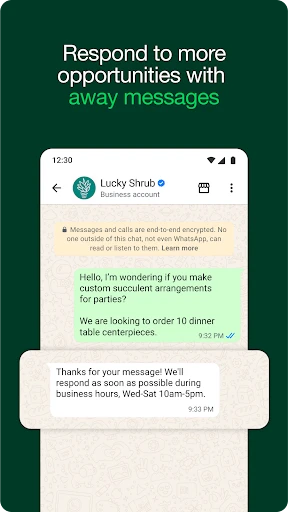
WhatsApp Business is built around core functionalities that streamline business-to-customer communication. Its central feature is the Business Profile, which allows companies to display essential information such as description, email, address, and website. The app offers automated greeting and away messages to ensure timely initial responses and set customer expectations. The Quick Replies function saves and reuses frequent responses to common questions, drastically reducing response time. Labeling contacts and chats helps organize conversations by status, like new customer or order completed, for efficient workflow management. Furthermore, the app supports catalog creation, enabling businesses to showcase and share their products or services visually within a chat. Basic analytics, called Statistics, provide insights into message metrics, helping businesses understand engagement levels.
Chapter 2: Value
The primary value proposition of WhatsApp Business lies in its ability to personalize and scale customer communication at no cost, leveraging an existing, ubiquitous platform. Its key advantage is the direct and trusted channel it creates; customers are already comfortable using WhatsApp, so interacting with a business feels familiar and convenient. This fosters higher engagement and satisfaction compared to traditional email or impersonal web forms. The automation tools, while simple, offer significant efficiency gains for small teams, allowing them to handle higher volumes of inquiries without compromising on responsiveness. The professional profile and catalog features add legitimacy, transforming a simple chat into a verifiable business interface. Importantly, it democratizes advanced communication tools, putting capabilities often reserved for large enterprises with expensive CRM systems into the hands of local shops, freelancers, and startups. By centralizing interactions, it reduces the chaos of managing conversations across multiple platforms, leading to better organization and fewer missed opportunities. The end value is a stronger, more responsive, and personal customer relationship that can directly translate to increased loyalty and sales.
Chapter 3: Scenarios
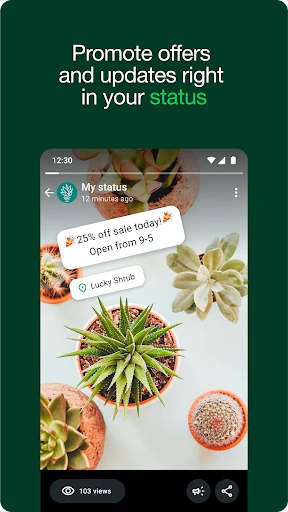
WhatsApp Business is ideally suited for small business owners, local service providers, freelancers, and e-commerce retailers. A neighborhood bakery can use it to receive daily order requests, share its daily specials via status updates, and send quick confirmation replies. A freelance consultant can use the Business Profile to establish credibility and use labels to manage conversations with different clients, from initial inquiry to project completion. Local retailers, such as clothing stores, can create a digital catalog of their inventory for customers to browse and order from directly via chat. Service-based professionals like plumbers or electricians can quickly share their location and estimated time of arrival, and use away messages to inform customers of non-working hours. For small online sellers, it becomes a primary sales and support channel, where they can process orders, send payment confirmations, and provide shipping updates all in one thread. Essentially, any business that relies on direct, frequent, and personal communication with a customer base can integrate WhatsApp Business into its daily operations to enhance service and efficiency.
Uninstall Instructions
For step-by-step guidance on how to safely remove this application from your device, please refer to our 《Uninstall Instructions》 document.
Pros
- broadcasts reach unlimited contacts without grouping
- automated greeting and away messages for 24/7 response
- product catalog integrates directly into chat interface
- business profile displays key info like address and email
- labels organize chats for efficient customer management
Cons
- broadcast replies create new individual chats
- fragmenting threads
- catalog lacks advanced e-commerce features like inventory sync
- automated messages are basic without AI or complex branching
- no built-in payment processing within chat for transactions
- advanced analytics require third-party platform integration
Frequently Asked Questions
What is the difference between WhatsApp Business and regular WhatsApp?
WhatsApp Business is a separate, free app designed for small businesses to communicate with customers. It offers business-specific features like a business profile with description, email, address, and website; quick replies for frequent messages; labels to organize chats; and away messages. Regular WhatsApp is for personal use and lacks these tools. Both apps use the same secure, end-to-end encryption for messages and calls.
Is WhatsApp Business free to use, and are there any in-app purchases?
Yes, the WhatsApp Business app is free to download and use for messaging. There are no in-app purchases. However, WhatsApp offers a paid platform called the WhatsApp Business API for medium and large businesses that requires integration and may have associated costs based on message volume. The standalone WhatsApp Business app remains free for small businesses.
What devices and operating systems support WhatsApp Business?
WhatsApp Business is available for smartphones. It supports Android devices running Android 5.0 and above, and iPhones with iOS 12.0 or later. It is not available for tablets (unless they are phone-enabled), desktop computers as a standalone app, or wearable devices. You can use WhatsApp Web or the desktop apps by linking them to your phone.
How does the 'Catalog' feature work in WhatsApp Business?
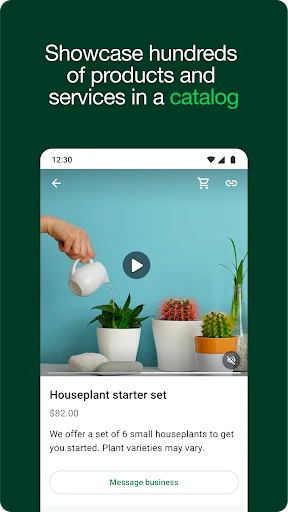
The Catalog feature allows you to showcase your products or services within the app. You can create a digital storefront by adding items with photos, prices, and descriptions. Customers can browse this catalog directly in your chat and get details without leaving WhatsApp. It is designed for visual browsing and easy sharing, but transactions and payments must be arranged separately outside the app.
Can I use the same phone number for WhatsApp Business and WhatsApp?
No, you cannot use the same phone number on both the regular WhatsApp and WhatsApp Business apps simultaneously on one device. You must choose one app for that number. Many businesses use a separate business number. If you migrate your personal account to WhatsApp Business, your chat history can be transferred, but your contacts will see you as a business account.
App Info
Technical Info
Recommended For You

EPUB Reader for all books
Books & Reference

Fonts - Logo Maker
Art & Design

Magic Doodle: Glow Art Drawing
Art & Design

Ice Princess Makeup Salon
Comics

Chirp Audiobooks
Books & Reference

Meeting - Video Meeting
Communication

Kling AI: AI Image&Video Maker
Art & Design

DMV Practice Test Pro 2024
Auto & Vehicles

Mahjong Dots Elimination
Comics

Knots 3D
Books & Reference

Novellair-Your Book Nook
Books & Reference

Maru - ComicViewer/TextReader
Comics

Desygner: Graphic Design Maker
Art & Design

Autowini
Auto & Vehicles

Selfie Camera - Photo Effects
Beauty

Opera GX: Gaming Browser
Communication

CVTz50
Auto & Vehicles

Animation Creator: Flipbook 2D
Art & Design

La Biblia en Español
Books & Reference

MySubaru
Auto & Vehicles