
AppSheet
Screenshots


Description
About AppSheet Feature - No-Code Mobile App Development Platform
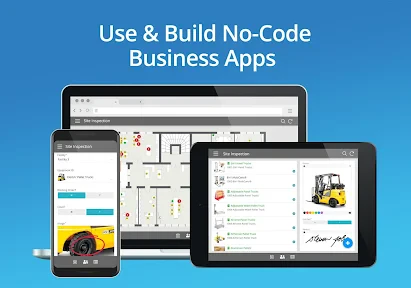
AppSheet, now part of Google Cloud, is a pioneering no-code development platform that empowers users to create custom, data-driven mobile and web applications without writing any code. By connecting to various data sources such as Google Sheets, Excel, SQL databases, and cloud storage, it automatically generates functional apps that can be deployed across iOS, Android, and web browsers. The platform is designed to bridge the gap between complex business processes and accessible digital solutions, enabling business analysts, operations managers, and other non-technical professionals to directly build and iterate apps that streamline workflows, capture data in the field, and automate reporting. Its core philosophy centers on democratizing app creation, making it possible for any team to digitize their operations rapidly and efficiently.
Chapter 1: Function
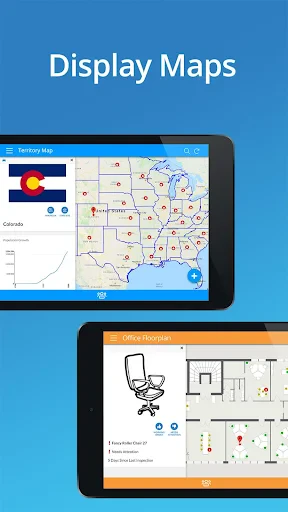
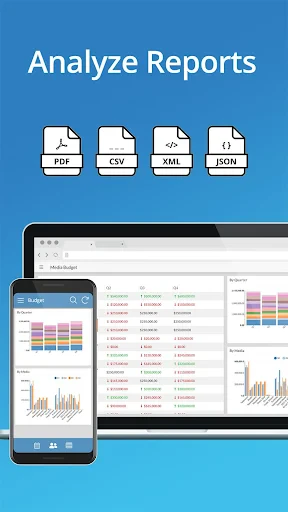
AppSheet's core functionality revolves around its ability to transform spreadsheets and databases into fully functional applications. Users start by connecting the platform to a data source, which serves as the app's backend. The system then automatically inspects the data structure and proposes a default app interface with views like lists, forms, and details pages. The creator can customize this app using an intuitive visual editor to define the app's behavior, appearance, and logic. Key functions include designing data capture forms with various input controls, setting up interactive dashboards and charts for data visualization, configuring workflows with automated actions and notifications based on triggers, and implementing user-specific views and data access through robust security rules. Furthermore, apps can utilize device-native features like GPS, camera, barcode scanning, and offline synchronization, enabling comprehensive field data collection and work order management without an internet connection.
Chapter 2: Value
The primary value proposition of AppSheet lies in its profound empowerment of the citizen developer, drastically reducing the time, cost, and technical expertise required for application development. By eliminating the need for traditional coding, it accelerates digital transformation from months to days, allowing organizations to respond swiftly to evolving operational needs. Its key advantages are multifaceted. First, seamless integration with the Google Workspace ecosystem and a wide array of cloud data sources ensures that apps are built on live, familiar data, promoting real-time collaboration and data integrity. Second, the platform offers deep customization and automation capabilities. Users can implement complex business logic through expressions, automate multi-step workflows, and send email or push notifications, thereby enhancing productivity and reducing manual errors. Third, enterprise-grade security and governance are built-in, featuring granular role-based access controls, audit logs, and compliance with major standards, making it suitable for business-critical processes. Finally, the ability to deploy apps instantly across all major platforms ensures maximum reach and adoption without the hassle of managing separate codebases. This combination of agility, power, and control delivers significant ROI by digitizing paper-based processes, optimizing field operations, and unlocking data-driven decision-making across all levels of an organization.
Chapter 3: Scenarios
AppSheet's primary target users are non-technical professionals in roles such as business analysts, operations managers, field service coordinators, and team leads across industries like manufacturing, retail, logistics, and services. It is ideal for small to medium-sized businesses seeking affordable custom solutions and large enterprises aiming to empower departmental innovation without overburdening central IT. Common use cases are abundant. In field service and inspections, technicians use AppSheet apps to receive work orders, capture photos and signatures, log parts used, and submit reports entirely offline. For inventory and asset management, teams perform stock checks, track equipment locations via GPS, and manage maintenance schedules through mobile devices. Sales representatives utilize custom apps for client onboarding, order tracking, and real-time price list access. In administrative functions, organizations digitize forms for HR onboarding, expense reporting, and facility maintenance requests, automating approval workflows that notify managers. Essentially, any repetitive, paper-based, or spreadsheet-reliant process that requires mobility, structured data entry, and workflow automation is a perfect scenario for an AppSheet solution, turning operational challenges into efficient, transparent digital workflows.
Uninstall Instructions
For step-by-step guidance on how to safely remove this application from your device, please refer to our 《Uninstall Instructions》 document.
Pros
- creates custom apps without writing any code
- connects directly to google sheets and other data sources
- deploys apps instantly across ios
- android
- and web
- automates workflows with built-in logic and notifications
- scales from simple lists to complex inventory systems
Cons
- requires a google account and g suite for full features
- complex logic relies on spreadsheet formula knowledge
- offline sync can be delayed with large datasets
- ui customization is limited compared to native development
- enterprise-grade security needs a paid no-code platform plan
Frequently Asked Questions
What is AppSheet and what does it do?
AppSheet is a no-code development platform that enables users to build custom mobile and web applications. It connects directly to your data sources like Google Sheets, Excel, or cloud databases, allowing you to create apps for data collection, task management, inspections, and reporting without writing any code. The core function is to transform spreadsheets into functional, secure apps tailored to specific business processes.
Is AppSheet free to use, and what are the costs?
AppSheet supports a wide range of devices and systems. Apps built with it can run on iOS and Android smartphones/tablets via the AppSheet companion app or as standalone apps. They are also accessible through modern web browsers on desktops. The platform itself is cloud-based and primarily accessed through a web browser for development. There is no information requiring specific additional hardware for general use.
What devices and systems does AppSheet support?
AppSheet offers a free Core plan with basic features for personal use and prototyping. For professional and business use, paid plans (Standard, Premium, Enterprise) are required, which include advanced features like offline mode, enhanced security, automation, and higher usage limits. Pricing is based on the number of users and apps. You can check the official Google Cloud website for the latest, detailed pricing tiers and any potential in-app purchase requirements.
What are the core technical features of AppSheet?
AppSheet's key features include a visual, no-code app builder, seamless integration with various data sources (Google Workspace, Salesforce, SQL), automated workflows and notifications, robust offline functionality, and built-in security controls. It also offers AI-assisted design suggestions, GPS and barcode scanning capabilities, and detailed activity logs. These features are designed to simplify creating data-driven business applications.
How do I get support for technical issues with my app?
Support is provided through the AppSheet Help Center, which includes documentation, tutorials, and a community forum. For paid plan subscribers, direct support channels are available. Users can report bugs or seek help for platform-related issues through these official resources. However, specific troubleshooting for custom app logic or data source connections often relies on the app creator's knowledge and the provided resources.
App Info
Technical Info
Recommended For You

Men's Hair Cuts & Hairstyles
Beauty

Staples - Deals & Shopping
Business

USAA DriveSafe
Auto & Vehicles

Messages - SMS, Chat Messaging
Communication

Valvoline Instant Oil Change
Auto & Vehicles

Future Self Face Aging Changer
Art & Design

UKG Dimensions
Business

Cortes de Pelo Hombre 2024
Beauty

Face scan - How old do I look
Beauty

Magic Cross Stitch: Pixel Art
Art & Design

Car Launcher Pro
Auto & Vehicles

Link Messenger
Communication

Botim - Video and Voice Call
Communication

Messages: Text Message, SMS
Communication

Receipt Scanner: Easy Expense
Business

Burner: Second Phone Number
Communication

Session - Private Messenger
Communication

@Voice Aloud Reader (TTS)
Books & Reference

Beauty Camera & Makeup Camera
Beauty

Infocar - OBD2 ELM Scanner
Auto & Vehicles