
Infinite Design
Screenshots
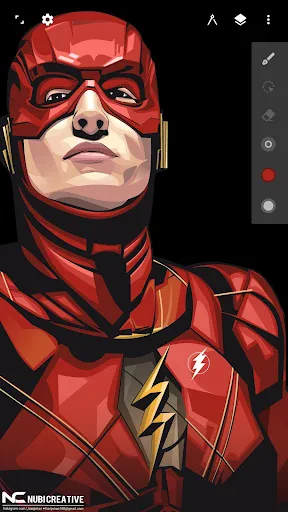
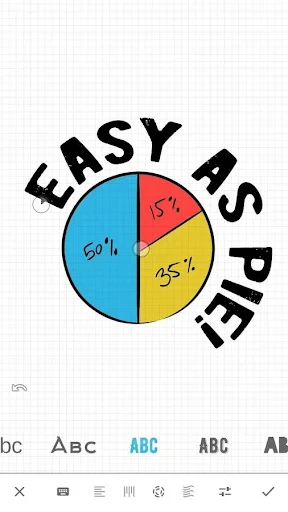
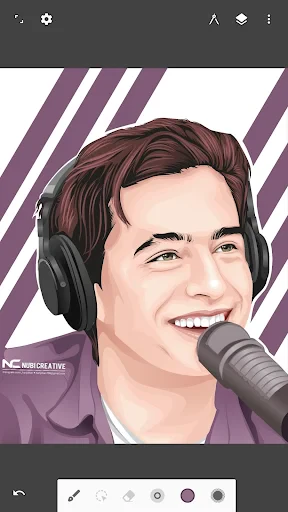
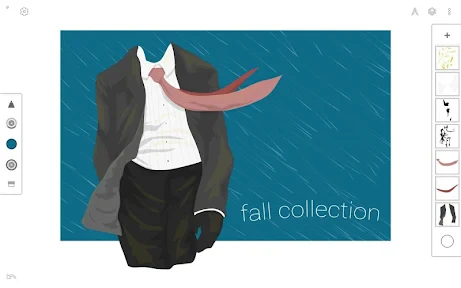
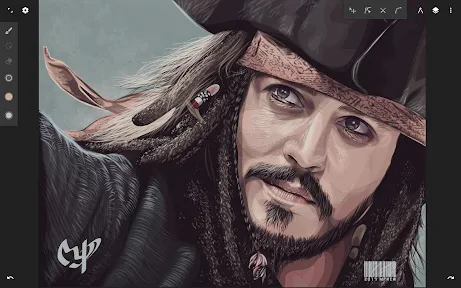
Description
About Infinite Design Feature - Unleashing Limitless Creativity on Mobile
Infinite Design is a professional-grade vector drawing and graphic design application for Android and iOS devices. It transforms tablets and smartphones into powerful digital art studios, renowned for its infinite canvas and precision vector tools. The app empowers artists, designers, and illustrators to create complex artwork, technical diagrams, and intricate illustrations directly on their mobile devices. By blending the flexibility of vector graphics with an intuitive touch interface, Infinite Design bridges the gap between conceptual sketching and finished professional artwork, making advanced design accessible anywhere.
Chapter 1: Function
Infinite Design's core functionality revolves around its powerful vector-based drawing system on a boundless canvas. Users can create precise shapes, lines, and curves using Bezier pen tools, which offer full control over anchor points and handles. The app supports multiple layers with blending modes, allowing for non-destructive editing and complex composition. Key features include comprehensive path operations like union, subtract, and intersect; advanced symmetry tools with radial and mandala patterns; and a robust text engine. The infinite zoom and pan capability lets artists work on minute details or expansive layouts seamlessly. Additionally, it offers import and export in various formats including SVG, PDF, and PNG, ensuring compatibility with desktop design workflows.
Chapter 2: Value
The primary value of Infinite Design lies in delivering desktop-level vector design power in a mobile-friendly package, all at a one-time purchase price without subscriptions. Its standout advantage is the truly infinite canvas, which liberates users from size constraints, ideal for large-scale projects like mind maps, architectural sketches, or lengthy comic strips. The precision of its vector tools rivals software like Adobe Illustrator, enabling creation of scalable graphics without quality loss. The user interface is thoughtfully designed for touch interaction, with customizable gesture controls and stylus pressure support, significantly enhancing productivity on the go. Unlike many mobile apps, it emphasizes professional output with features like SVG export, layer management, and high-fidelity rendering. This combination of power, freedom, and cost-effectiveness fills a unique niche, providing serious creatives a viable alternative to expensive desktop software for sketching, prototyping, and even final design work, thereby democratizing professional graphic design.
Chapter 3: Scenarios
Infinite Design primarily targets digital artists, illustrators, UX/UI designers, students, and hobbyists who require precise drawing tools outside a traditional studio. Professional illustrators use it for creating logos, icons, and vector artwork, leveraging the infinite canvas for detailed illustrations. Designers utilize it for wireframing mobile app interfaces or website layouts, where the scalable vectors are essential. Students in design or engineering fields find it invaluable for creating technical diagrams, flowcharts, and presentation materials directly on their tablets. Everyday use cases include brainstorming sessions where users can endlessly expand mind maps, creating custom designs for personal projects like T-shirts or stickers, and drafting floor plans or garden layouts. It is also perfect for note-takers who prefer visual note-taking with diagrams and sketches. The app serves as a portable design companion, turning commute time or coffee shop visits into productive creative sessions.
Uninstall Instructions
For step-by-step guidance on how to safely remove this application from your device, please refer to our 《Uninstall Instructions》 document.
Pros
- vector-based infinite canvas supports zooming to 0.000025% scale
- offers advanced boolean operations for complex shape creation
- fully customizable pressure-sensitive brush engine with stabilization
- real-time symmetry tools with up to 16 axes for intricate patterns
- exports layered SVG files compatible with desktop design software
Cons
- steep learning curve for non-professional users due to advanced tools
- no direct cloud sync
- requiring manual file management across devices
- limited text editing features compared to dedicated graphic design apps
- high-resolution exports can slow down on older tablet hardware
- livescript automation requires scripting knowledge for full utilization
Frequently Asked Questions
What is Infinite Design and what does it do?
Infinite Design is a professional vector drawing and sketching application for Android and iOS. Its core function is to provide an infinite canvas for digital illustration, technical design, and idea visualization. Unique features include infinite zoom, layers with blend modes, symmetry tools, and advanced path editing. It is positioned as a versatile mobile tool for artists, designers, and students to create detailed artwork and diagrams.
Is Infinite Design free to use or does it have in-app purchases?
Infinite Design is a free-to-download app. It operates on a freemium model. The core drawing tools and infinite canvas are accessible without payment. However, advanced features like additional brush packs, layer grouping, high-resolution exports, and the removal of watermark ads are unlocked through a one-time in-app purchase (Pro upgrade). No subscription is required for the Pro version.
What devices and systems is the app compatible with?
Infinite Design is primarily available for mobile devices. It is fully compatible with Android smartphones and tablets (via Google Play Store) and iOS devices like iPhone and iPad (via the App Store). It is designed for touch interfaces and supports stylus input (e.g., S Pen, Apple Pencil). There is no dedicated desktop or web version. The app is suitable for users of all skill levels interested in digital drawing.
How does the infinite zoom and canvas feature work technically?
The infinite canvas and zoom are technical features that allow you to pan and zoom seamlessly without predefined boundaries. It uses vector-based graphics, meaning shapes and paths are defined by mathematical points rather than fixed pixels. This allows for lossless zooming at any level for extreme detail. Your artwork remains sharp regardless of zoom, and the file size stays manageable. Performance depends on your device's processing power and the complexity of your layers.
Can I export my work to other software like Adobe Illustrator?
Yes, Infinite Design supports exporting projects in several formats for use in other software. You can export your vector work as SVG, which is widely compatible with professional programs like Adobe Illustrator and CorelDRAW. It also supports raster exports like PNG and JPEG. For sharing or backup, projects can be saved in the app's native .IDR format. Note that some advanced vector properties may not translate perfectly to all third-party software.
App Info
Technical Info
Recommended For You

FamilySearch Tree
Books & Reference

Blessed - Bible verse & Prayer
Books & Reference

Moon+ Reader Pro
Books & Reference

Color Analysis - Dressika
Beauty

Zoom Rooms Controller
Business

미스터블루 - 웹툰, 만화, 소설앱
Comics

FAB Adblocker Browser:Adblock
Communication

Universalis
Books & Reference

Smarty Men Jacket Photo Editor
Beauty

FlipaClip: Create 2D Animation
Art & Design

Find a Grave
Books & Reference

Sling: Employee Scheduling App
Communication

Messenger - SMS Messages
Communication

Our Daily Bread
Books & Reference

XBrowser - Mini & Super fast
Communication

aiMail - Al Email Accounts
Communication

Pixilart - Make Pixel Art
Art & Design

FlipArtify - 2D Draw Animation
Art & Design

Fuel Forward
Auto & Vehicles

AI Photo Editor: Photo Enhance
Beauty