
FAB Adblocker Browser:Adblock
Screenshots




Description
About FAB Adblocker Browser:Adblock Feature
FAB Adblocker Browser is a specialized mobile web browser built around a powerful and efficient ad-blocking core. It is designed to provide users with a clean, fast, and secure browsing experience by automatically filtering out intrusive advertisements, pop-ups, and trackers across websites. More than just an ad blocker, it functions as a full-featured browser with privacy protection and data savings as its foundational principles. By integrating ad-blocking technology directly into the browser engine, FAB offers a more seamless and effective solution compared to using standalone ad-blocking extensions on other platforms, making it an ideal choice for users seeking to reclaim a distraction-free and streamlined internet.
Chapter 1: Function
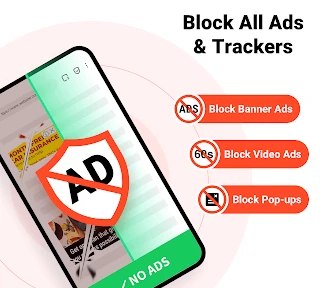
The core function of FAB Adblocker Browser is, as its name suggests, comprehensive advertisement blocking. It operates by utilizing filter lists to identify and prevent various forms of ads from loading, including banner ads, video ads, pop-ups, and interstitial advertisements. This primary function directly translates into significantly faster page loading times, as bandwidth and processing power are not consumed by ad content. Beyond ad blocking, the browser incorporates essential privacy safeguards. It blocks third-party trackers and cookies that monitor user activity across sites, enhancing online anonymity. Furthermore, it includes standard browser functionalities such as tabbed browsing, bookmarks, history, and incognito mode, ensuring it meets all basic web navigation needs while maintaining its protective focus.
Chapter 2: Value
The value proposition of FAB Adblocker Browser is centered on delivering a superior, user-centric browsing experience through uncompromising ad removal and privacy protection. Its key advantage lies in the native integration of ad-blocking, which is more robust and less resource-intensive than add-on solutions, leading to noticeably quicker page loads and reduced data consumption—a critical benefit for users with limited data plans. The elimination of intrusive ads not only speeds up browsing but also removes distractions, creating a cleaner and more focused interface for reading and content consumption. From a privacy standpoint, by blocking trackers and malicious scripts, the browser reduces the risk of data harvesting and exposure to malware, offering peace of mind. The browser is typically lightweight, ensuring smooth performance even on older devices. This combination of speed, data efficiency, enhanced privacy, and a distraction-free environment provides tangible value, transforming the often cluttered and slow web experience into a smooth, fast, and secure activity. It empowers users to take control of their digital footprint and browsing flow without sacrificing functionality.
Chapter 3: Scenarios
FAB Adblocker Browser primarily targets users who are frustrated with the pervasive and disruptive nature of online advertising and are concerned about their privacy. Its everyday use cases are varied and practical. For students and researchers, it facilitates uninterrupted reading of articles and academic papers online by removing pop-ups and auto-play video ads. Professionals who rely on quick access to web-based tools and news can benefit from the faster loading times and a cleaner interface, boosting productivity. General consumers browsing e-commerce sites or reading news portals will appreciate the removal of distracting banners and the prevention of price tracking. It is also highly valuable for users on mobile networks, as the reduced data load translates to cost savings and faster browsing on the go. Furthermore, privacy-conscious individuals, wary of being tracked across websites for targeted advertising, will find the built-in tracker blocking indispensable. In essence, it serves anyone seeking a simpler, faster, and more private way to access the internet on their mobile device, turning everyday browsing into a more pleasant and efficient task.
Uninstall Instructions
For step-by-step guidance on how to safely remove this application from your device, please refer to our 《Uninstall Instructions》 document.
Pros
- blocks ads across sites without complex setup
- built-in adblock reduces need for extra extensions
- fast page loads by eliminating ad network requests
- minimalist interface focuses on browsing
- not ads
- privacy-first design avoids tracking by ad scripts
Cons
- limited to its own browser
- not a universal plugin
- fewer advanced browser customization options
- may occasionally break sites reliant on ads
- no syncing features across other browsers
- updates depend solely on its own development cycle
Frequently Asked Questions
What is FAB Adblocker Browser and what does it do?
FAB Adblocker Browser is a mobile web browser focused on privacy and ad-blocking. Its core function is to browse the web while automatically blocking intrusive ads, pop-ups, and trackers. This aims to provide a faster, cleaner, and more data-efficient browsing experience. It operates as a standalone browser with built-in ad-blocking technology, eliminating the need for separate ad-blocker extensions.
Is FAB Adblocker Browser free to use?
Yes, the FAB Adblocker Browser app is free to download and use. The primary ad-blocking functionality is included at no cost. The app may offer optional in-app purchases for advanced features or to support development, but the core ad-blocking browsing experience is free. It does not require any additional hardware.
What devices and systems is this browser compatible with?
FAB Adblocker Browser is designed for mobile devices. It is primarily available for Android smartphones and tablets via the Google Play Store. Information regarding official compatibility with iOS (iPhone/iPad), desktop operating systems (Windows/macOS), or other specific device models is not provided within the app's core description. Users should check their respective app store for current availability.
How does its ad-blocking feature work technically?
The ad-blocking feature is integrated directly into the browser's engine, using filter lists to identify and block requests from known advertising and tracking domains before they load. This happens at the network level, which can reduce page load times and data consumption. It does not require root or jailbreak access. The effectiveness depends on the maintained filter lists and may not block all ads, especially on some complex sites.
Can I whitelist sites or report ad-blocking issues?
Yes, most dedicated ad-blocking browsers like FAB typically include controls to manage blocking behavior. This usually allows users to whitelist trusted websites to support them by allowing non-intrusive ads. The app likely also provides a method to report ads that were not blocked or to submit feedback on website functionality issues caused by blocking. These settings are typically found within the app's privacy or ad-blocking menu.
App Info
Technical Info
Recommended For You

Freed Audiobooks
Books & Reference

HiHello: Digital Business Card
Business

Quran for Android
Books & Reference

dēzl™
Auto & Vehicles

Blue Letter Bible
Books & Reference

Talkatone: Texting & Calling
Communication

Messenger Kids – The Messaging
Communication

Sky Map
Books & Reference

Al Quran MP3 Audio Offline App
Books & Reference

Messages - Text SMS App
Communication

Hinovel
Books & Reference

Buenos días tardes y noches
Comics

BitBible (Lockscreen, English)
Books & Reference

Volvo Cars
Auto & Vehicles

Life Bible
Books & Reference

AppBarber: Cliente
Beauty

Tarteel ترتيل - Memorize Quran
Books & Reference

Zebra Comics: Webtoons & Manga
Comics

Translate Now: All Languages
Business

Logo Maker And Logo Creator 3D
Art & Design