
FlipaClip: Create 2D Animation
Screenshots
Description
About FlipaClip: Create 2D Animation Features
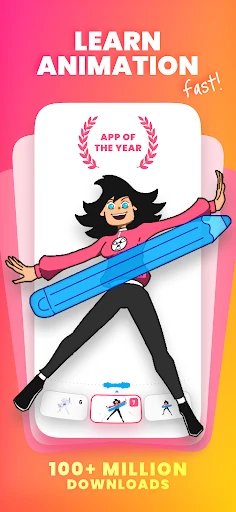
FlipaClip is a professional-grade yet accessible 2D animation application designed for mobile devices. It brings the traditional flipbook animation experience into the digital age, empowering users to create frame-by-frame animations with intuitive tools. By simulating the classic cel animation process, FlipaClip serves as a portable animation studio, suitable for everyone from beginners exploring the art form to seasoned animators sketching ideas on the go. Its core philosophy revolves around simplifying the complex animation workflow without compromising on creative control, making it a standout tool in the mobile creative software landscape.
Chapter 1: Function
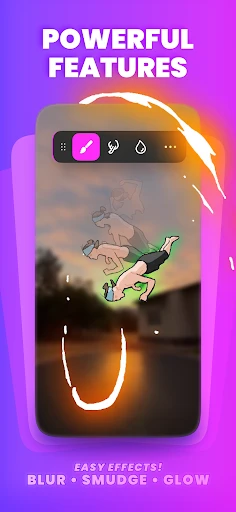
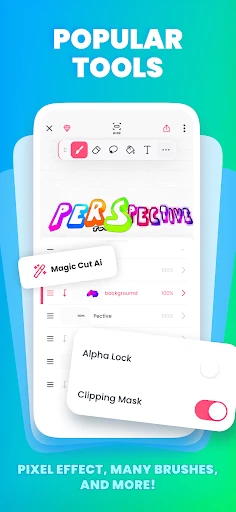
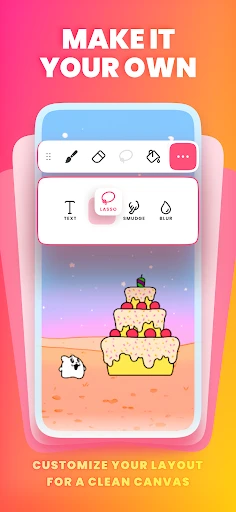
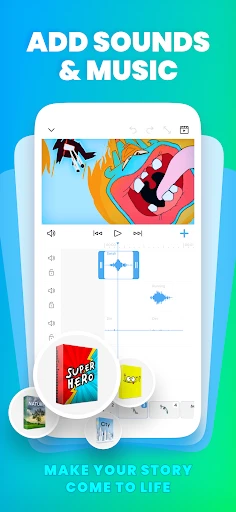
FlipaClip's core functionality is built around a robust frame-by-frame animation system. The app features a timeline with onion skinning, allowing animators to see previous and subsequent frames as semi-transparent guides, which is crucial for creating smooth motion. Users draw on individual frames using a variety of customizable brushes, layers, and color palettes. Key tools include a lasso for selections and transformations, a fill tool, and text support. It supports audio import for lip-syncing and soundtracks, enabling creators to add voiceovers and music directly to their projects. Finally, completed animations can be exported as video files (MP4, GIF) or even as image sequences, ready for sharing on social platforms or further editing in other software.
Chapter 2: Value
FlipaClip's primary value lies in democratizing 2D animation by offering professional features in an affordable and user-friendly package. Unlike many complex desktop applications, FlipaClip lowers the entry barrier with a clean interface and a logical workflow that mirrors traditional animation principles. Its key advantages are multifaceted. First, it provides exceptional portability; animators can sketch and animate anywhere, capturing inspiration instantly. Second, the onion skinning and layer management are as capable as many desktop tools, ensuring high-quality results. Third, it fosters a community through its platform, where users can participate in challenges and share work. Crucially, it offers a free version with substantial functionality, while its one-time purchase premium model unlocks advanced features like more layers and brush imports, representing significant long-term value compared to subscription-based software. This combination of power, accessibility, and cost-effectiveness makes it an invaluable tool for education, hobbyists, and independent creators.
Chapter 3: Scenarios
FlipaClip caters to a diverse range of users across various scenarios. Aspiring animators and art students use it as a learning tool to grasp the fundamentals of timing, spacing, and movement without significant investment. Hobbyists and comic artists employ it to bring their characters to life in short clips or to create animated story segments. Educators integrate it into classrooms to teach basic animation concepts in an engaging, hands-on manner. Furthermore, professional animators and storyboard artists utilize FlipaClip for quick concept testing, animatics, and brainstorming ideas outside the studio. In everyday use, a user might create a short animated greeting card for a friend, design a looping GIF for social media, sketch out a scene for a larger project, or complete a school assignment on digital arts. Its simplicity makes it perfect for quick doodles, while its depth supports the creation of elaborate multi-scene narrative animations.
Uninstall Instructions
For step-by-step guidance on how to safely remove this application from your device, please refer to our 《Uninstall Instructions》 document.
Pros
- frame-by-layer onion skinning for precise hand-drawn animation
- integrates with stylus for natural drawing on touchscreens
- exports directly to video formats and social platforms
- lightweight app with low latency on mid-range devices
- audio scrubbing for easy lip-sync and sound timing
Cons
- advanced features like vector tools require paid upgrade
- limited to 2D raster animation
- lacks 3D or rigging
- project complexity can slow performance on older tablets
- steep learning curve for traditional animation principles
- cloud sync and collaboration features are relatively basic
Frequently Asked Questions
What is FlipaClip and what can I do with it?
FlipaClip is a mobile application designed for creating 2D animations. Its core function is to provide an intuitive, frame-by-frame animation workspace similar to traditional flipbooks. Users can draw, sketch, and animate using layers, an onion skinning tool for smooth motion, and a timeline. It's positioned as an accessible tool for hobbyists, students, and aspiring animators to bring their ideas to life through hand-drawn animation on a digital platform.
Is FlipaClip free to use, or does it have in-app purchases?
Yes, FlipaClip allows you to export your finished animations. You can save them as video files (like MP4 or GIF) directly to your device's gallery. The app also provides options to share your creations directly to social media platforms or video sites. Exports from the free version may include a FlipaClip watermark, which can typically be removed through a premium upgrade. There is no built-in cloud sync for projects.
Can I export and share my animations from FlipaClip?
FlipaClip is free to download and use with core features. It operates on a freemium model, offering optional in-app purchases for advanced tools. These purchases typically unlock additional layers, more advanced brush sets, the removal of watermarks on exports, and access to premium content like asset packs. No additional physical equipment is required beyond a compatible touchscreen device.
What devices and operating systems does FlipaClip support?
FlipaClip is primarily a mobile app available for both Android and iOS devices, including phones and tablets. It requires a touchscreen for drawing input. The app is optimized for various screen sizes and supports recent versions of both operating systems. It is generally suitable for a wide user group, from beginners to more experienced digital artists, due to its adjustable complexity.
How does the onion skinning feature work in FlipaClip?
Onion skinning is a core technical feature in FlipaClip that aids in creating smooth animations. It allows you to see semi-transparent overlays of previous and upcoming frames while you draw on the current frame. This visual reference helps you maintain consistency in shape, size, and positioning of your drawings across the sequence, which is essential for achieving fluid motion and professional-looking results in 2D animation.
App Info
Technical Info
Recommended For You

Paylocity
Business

OBDocker - OBD2 Car Scanner
Auto & Vehicles

ThriftBooks: New & Used Books
Books & Reference

My SafeLink
Communication

Doodle Art: Magic Drawing App
Art & Design

Mary Kay® Skin Analyzer
Beauty

Motive Driver
Business

Spam Call Blocker for Android
Communication

FillUp - Gas Mileage Log
Auto & Vehicles

Watchgram for Telegram
Communication

Invoice2go: Easy Invoice Maker
Business

Storytel - Audiobooks & Books
Books & Reference

Nail Art Design Ideas
Beauty

My Verizon For Business
Business

Beauty Camera Selfie Makeup
Beauty

WebNovel
Books & Reference

Esports Logo Maker
Art & Design

Webex
Business

Logo Maker : Graphic Designer
Business

AutoZen-Car Dashboard&Launcher
Auto & Vehicles