
XBrowser - Mini & Super fast
Screenshots



Description
About XBrowser - Mini & Super Fast Feature
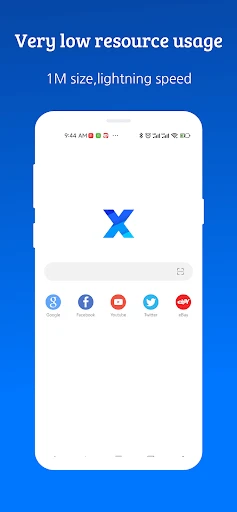
XBrowser - Mini & Super Fast is a lightweight mobile web browser designed for speed, efficiency, and a clutter-free experience. It distinguishes itself in a crowded market by prioritizing minimal resource consumption and rapid page loading, all within an incredibly small application footprint. Built with a focus on core browsing essentials, it strips away unnecessary bloat to deliver a streamlined, responsive, and private navigation tool. Ideal for users seeking an alternative to heavier mainstream browsers, XBrowser offers a surprisingly powerful feature set wrapped in a simple, user-friendly interface. Its core philosophy revolves around providing a fast, smooth, and distraction-free gateway to the web, making everyday browsing tasks quicker and more efficient.
Chapter 1: Function
XBrowser's core functionality is centered on delivering a fundamental yet powerful web browsing experience with exceptional speed. Its primary function is to render web pages swiftly through an optimized browsing engine, significantly reducing load times even on slower networks. The app includes essential tools such as tab management for multitasking, a private browsing mode that does not save history or cookies, and a download manager for saving files directly to the device. It supports bookmarks and basic history tracking for user convenience. A key functional highlight is its integrated ad blocker, which removes intrusive advertisements, thereby accelerating page loads further and enhancing readability. The browser also allows for basic customization of the start page and search settings, putting essential controls at the user's fingertips without overwhelming them with complex options.
Chapter 2: Value
The value proposition of XBrowser lies in its uncompromising commitment to efficiency and user sovereignty. Its foremost advantage is its minimal size, often under a few megabytes, which conserves precious device storage and ensures quick installation and updates. This small footprint translates directly into superior performance; the app launches instantly and operates with remarkable smoothness, even on older or low-specification devices where larger browsers may lag or crash. The integrated ad-blocking capability provides significant value by not only speeding up browsing but also reducing data consumption, protecting privacy from trackers, and creating a cleaner, more focused visual experience. Furthermore, XBrowser emphasizes user privacy by limiting data collection practices common in larger browsers and offering a robust private browsing mode. Its simple, intuitive interface reduces cognitive load, allowing users to navigate the web without distraction. In essence, XBrowser delivers a high-performance, privacy-conscious browsing tool that proves a comprehensive feature set does not require a bloated application, offering tangible benefits in speed, resource savings, and streamlined usability.
Chapter 3: Scenarios
XBrowser is ideally suited for several key user groups and daily situations. First, it is perfect for owners of budget or older smartphones with limited RAM and storage, providing them with a viable and fast browsing solution where other browsers fail. Second, users with constrained mobile data plans benefit from its ad-blocking and data-saving performance, extending their data allowance. In everyday use, a student might use XBrowser for quick research sessions between classes, appreciating its fast launch time to look up facts or access educational portals. A professional could rely on it as a secondary, efficient browser for checking webmail, reviewing documents online, or accessing work dashboards without the memory overhead of their primary browser. For any casual user, it serves as an excellent tool for routine tasks like reading news articles, checking social media feeds, or shopping online, where its ad blocker creates a cleaner interface. Its private browsing mode is valuable for anyone needing to log into accounts on shared devices or make sensitive searches without leaving a local trace. Ultimately, XBrowser fits seamlessly into any scenario demanding quick, straightforward, and resource-light access to the internet.
Uninstall Instructions
For step-by-step guidance on how to safely remove this application from your device, please refer to our 《Uninstall Instructions》 document.
Pros
- launches instantly under 2MB with minimal memory footprint
- blocks ads and trackers by default without extra setup
- renders desktop sites on mobile with a built-in agent switcher
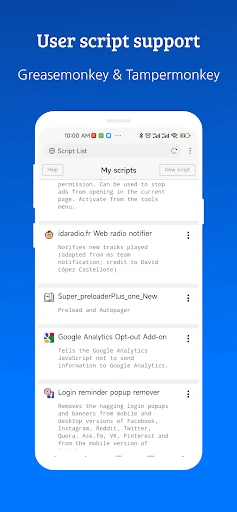
- customizes gesture controls and UI via a lightweight extension system
- saves data with efficient compression and no background processes
Cons
- lacks automatic sync for bookmarks and settings across devices
- requires manual extension installs for advanced privacy features
- has limited support for modern PWA installations
- basic password manager compared to mainstream browsers
- no built-in translation or reading mode for articles
Frequently Asked Questions
What is XBrowser and what does it do?
XBrowser is a lightweight mobile web browser focused on speed and minimalism. Its core function is to provide a fast, ad-free browsing experience with a small app size. It positions itself as an efficient alternative to larger browsers, offering basic navigation, tab management, and private browsing. Unique technical characteristics include its compact build and optimized data usage, aiming for quick page loads and lower resource consumption on your device.
Is XBrowser completely free to use?
Yes, XBrowser is free to download and use. The app does not require any upfront payment or subscription. Based on its description as a minimalist tool, it likely operates without mandatory in-app purchases for its core browsing functionality. It may support itself through non-intrusive methods common to the category, but the provided information does not specify details regarding ads or optional premium features.
On which devices and systems does XBrowser work?
XBrowser is designed for Android devices. The app's name and description ('Mini & Super fast') suggest it is optimized for mobile phones, potentially targeting both modern and older or budget devices with limited resources due to its small size. There is no information provided about availability for iOS, Windows, desktop operating systems, or whether it requires any additional hardware to function.
How does XBrowser protect my privacy while browsing?
XBrowser includes a private browsing mode, which is a standard feature that prevents saving your history and cookies from that session. As a lightweight browser, it emphasizes minimal data collection. However, for specific technical details on its privacy policy, data encryption standards, or built-in ad-blocking capabilities, you should refer to the official app description and privacy policy on the Google Play Store, as this information is not provided here.
Does XBrowser support syncing bookmarks with other browsers?
The provided description focuses on XBrowser's core attributes of being mini and fast, with no mention of cross-browser synchronization features. Typically, lightweight browsers in this category prioritize standalone efficiency over integrated ecosystem services. Therefore, XBrowser likely does not support syncing bookmarks or passwords with browsers like Chrome or Firefox. For managing data, users would primarily rely on the app's own export/import functions if available.
App Info
Technical Info
Recommended For You

Heart Camera
Beauty

Sketchbook
Art & Design

Beauty Camera: Sweet Camera
Beauty

漫画 ”Renta”マンガ レンタル漫画アプリ
Comics

Christmas Photo Frames & Cards
Beauty

Smart Watch app - BT Notifier
Communication

GizmoHub
Communication

Car Launcher Pro
Auto & Vehicles

SALLY BEAUTY
Beauty

Messages - SMS Texting App
Communication

АЗС Татнефть
Auto & Vehicles

Perfect Viewer
Comics

MANGA Plus by SHUEISHA
Comics

Whitepages - Find People
Communication

GettingOut Visits
Communication

WebComics - Webtoon & Manga
Comics

Standup Wireless
Communication

CCW – Concealed Carry 50 State
Books & Reference

Logo Master - Design & Maker
Art & Design

AI Art Generator: AI Picture
Art & Design