
Email for Outlook, Hotmail
Screenshots


Description
About Email for Outlook, Hotmail Feature - Seamless Communication and Productivity
Email for Outlook, Hotmail is the official mobile application from Microsoft, designed to provide a powerful and integrated email management experience. It consolidates access to Outlook.com, Hotmail, Live, and MSN email accounts, along with support for other services like Gmail, Yahoo, and iCloud. The app is engineered for both personal and professional use, offering a clean interface, robust organization tools, and deep integration with the Microsoft 365 ecosystem. It stands out by delivering a secure, intelligent, and highly efficient platform for managing communication on the go, transforming how users handle their inboxes across multiple accounts from a single, unified hub.
Chapter 1: Function
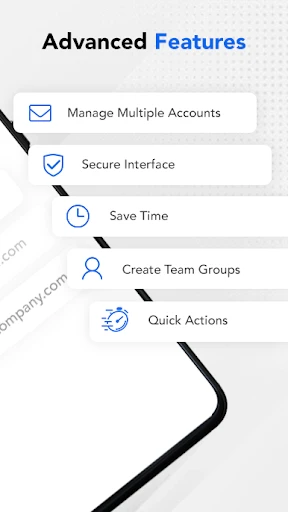
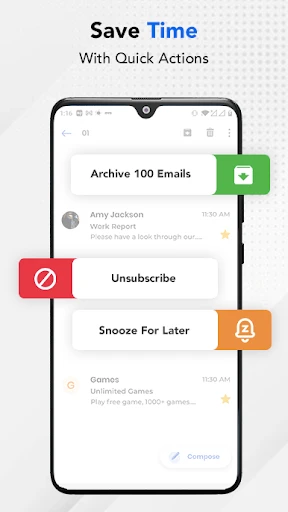
The core function of Email for Outlook, Hotmail is centralized email management. It allows users to seamlessly add and switch between various email accounts, including Outlook, Hotmail, and third-party providers. Key functionalities include a focused inbox that prioritizes important messages, a built-in calendar for scheduling and viewing meetings directly from the app, and comprehensive file integration with OneDrive, Dropbox, and Google Drive for easy attachment handling. The app features powerful search capabilities, swipe gestures for quick actions like archive or delete, and customizable notification settings. Furthermore, it supports email scheduling, offline access to recent messages, and one-tap unsubscribe options, providing a full suite of tools to efficiently process and organize daily communication.
Chapter 2: Value
The primary value proposition of Email for Outlook, Hotmail lies in its intelligent design and deep integration, which significantly enhances user productivity and reduces inbox clutter. Its key advantage is the Focused Inbox, which uses Microsoft's AI to automatically separate critical emails from less urgent ones, allowing users to concentrate on what matters most. The app's seamless integration with Microsoft 365 services, such as Office Online for editing Word, Excel, and PowerPoint attachments, and OneDrive for cloud storage, creates a cohesive productivity environment. Security is a paramount value, with enterprise-grade protection against phishing and malware. The app also offers superior customization and control, including customizable swipe actions, tailored notification sounds per account, and a unified view of calendar events alongside emails. By combining a user-friendly interface with powerful backend intelligence, the app delivers a reliable, fast, and secure email experience that adapts to individual workflows, saving time and simplifying digital communication management across all aspects of a user's life.
Chapter 3: Scenarios
This app primarily targets professionals, students, and anyone managing multiple email accounts for personal and work purposes. For the business professional, it is indispensable for staying on top of work communications, scheduling meetings via the integrated calendar, and collaborating on Office documents attached to emails while commuting or away from the desk. Students benefit from managing university email alongside personal accounts, receiving timely assignment reminders, and sharing project files via integrated cloud storage. Families and individuals using Hotmail or Outlook.com for personal communication find its clean interface and spam filtering ideal for keeping in touch with friends and managing subscriptions. Everyday use cases include quickly triaging the inbox using the Focused tab during a morning routine, reviewing and responding to flagged emails during short breaks, scheduling an email to be sent later at an optimal time, and checking tomorrow's agenda in the calendar view before ending the day. It serves as a versatile hub for anyone seeking an organized, efficient, and secure mobile email solution.
Uninstall Instructions
For step-by-step guidance on how to safely remove this application from your device, please refer to our 《Uninstall Instructions》 document.
Pros
- integrates multiple email accounts into one unified inbox
- focused inbox automatically separates important messages
- one-click file preview from cloud services like dropbox
- sweep feature for bulk email management actions
- real-time push notifications for calendar event changes
Cons
- advanced rules and filtering require outlook desktop client
- search function lags behind gmail in speed and accuracy
- customizable swipe gestures limited on ios version
- large attachments can cause unexpected app slowdowns
- calendar and contact sync issues with non-microsoft services
Frequently Asked Questions
What is the main purpose of the Outlook email app?
Outlook is a mobile email client developed by Microsoft, designed to manage multiple email accounts including Outlook.com, Hotmail, Gmail, Yahoo, and others. Its core positioning is as a centralized hub for email, calendar, contacts, and files. The app integrates with Microsoft services like OneDrive and Office, allowing users to view attachments and schedule meetings efficiently. It focuses on productivity by helping users organize their inbox with features like Focused Inbox and swipe gestures.
Is Outlook free to use, and are there in-app purchases?
null
What devices and operating systems does Outlook support?
The Outlook app is widely adapted for both iOS and Android mobile devices. It is available for download from the Apple App Store and Google Play Store. The app is also available for macOS and as part of the Windows operating system. It supports synchronization across all these platforms. There is no requirement for additional specialized hardware, and it is designed for general consumer and business user groups.
How does the Focused Inbox feature work in Outlook?
Focused Inbox automatically separates your inbox into two tabs: 'Focused' and 'Other'. Important emails are sorted into the Focused tab, while less critical communications like newsletters or automated updates go to the Other tab. The app learns your preferences over time based on which emails you interact with. You can manually move messages between tabs to further train the filter. This feature aims to reduce clutter and help you prioritize key messages without permanent deletion of any emails.
Can I use Outlook without a Microsoft account?
Yes, you can use the Outlook app without a Microsoft account. While it is optimized for Outlook.com and Hotmail, the app supports adding accounts from many other providers like Gmail, Yahoo Mail, iCloud, and even corporate IMAP or Exchange accounts. You simply add these accounts during setup. The app's core functionality, including managing multiple inboxes, calendar integration, and file access, works with these third-party accounts. No relevant information suggests a mandatory Microsoft account for basic use.
App Info
Technical Info
Recommended For You

The Language of Letting Go
Books & Reference

EasyTether Pro
Communication

Translateasy Lingual Assistant
Books & Reference

Comickey - AI Comic Maker
Comics

Online chat, calls - Gem Space
Communication

AI Video - AI Video Generator
Art & Design

Dayforce
Business

Email - Email Login
Communication

Watch Sync App - BT Notifier
Communication

ElevenReader - Text to Speech
Books & Reference

Learn to Draw Cartoon
Comics

Garmin Drive™
Auto & Vehicles

Infinite Painter
Art & Design

Messenger: Text Messages
Communication

NHRA.TV
Auto & Vehicles

Shopify Point of Sale (POS)
Business

Holy Quran - Deeper journey
Books & Reference

SmartWatch & BT Sync Watch App
Communication

Opera Mini: Fast Web Browser
Communication

Magic Cross Stitch: Pixel Art
Art & Design