
Infinite Painter
Screenshots
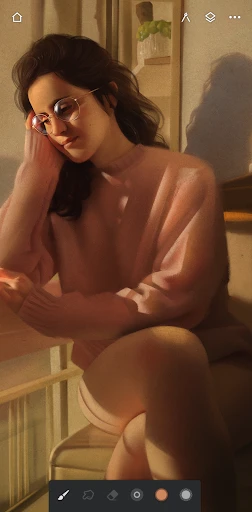
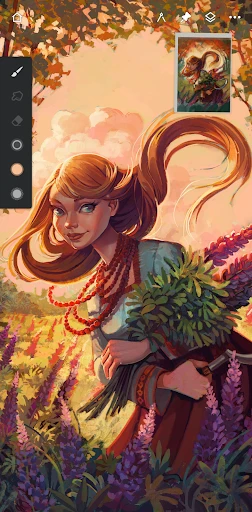
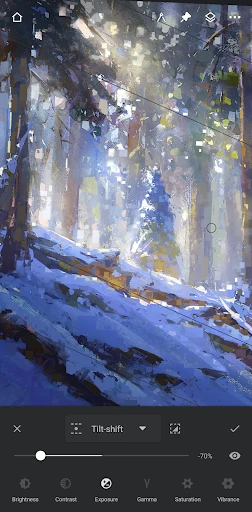
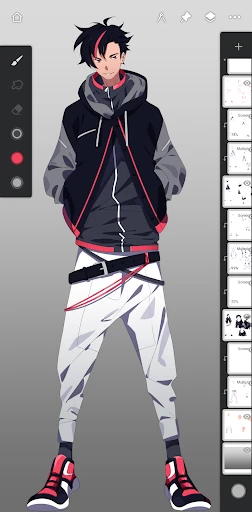
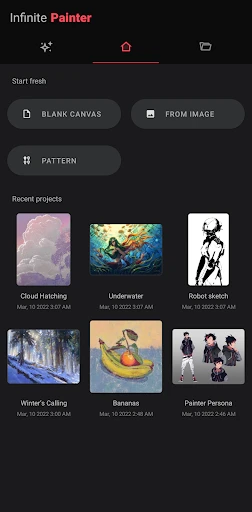
Description
About Infinite Painter Feature – A Professional Digital Art Studio in Your Pocket
Infinite Painter is a powerful and intuitive digital painting application designed for artists, illustrators, and hobbyists seeking a professional-grade creative tool on mobile devices. Renowned for its natural brush engine and extensive feature set, it transforms tablets and smartphones into versatile digital canvases. The app bridges the gap between accessibility and professional capability, offering an experience that rivals desktop software while leveraging the portability and touch-centric interaction of modern mobile platforms. It stands as a comprehensive solution for creating everything from quick sketches to intricate, multi-layered artwork entirely on-the-go.
Chapter 1: Function
Infinite Painter's core functionality revolves around its advanced digital painting and drawing tools. At its heart is a proprietary brush engine with over 160 realistic brushes, including oils, watercolors, pencils, and airbrushes, all highly customizable. Artists can work with an unlimited number of layers, each supporting blending modes, masks, and clipping masks for non-destructive editing. The app features a sophisticated perspective tool with guides and grids, a symmetry tool with radial and mandala options, and fluid gesture controls for zooming, rotating the canvas, and undoing actions. It supports high-resolution canvases and offers essential tools like selections, transformations, color adjustment filters, and a powerful gradient and fill system. The interface is clean and customizable, allowing artists to tailor their workspace for optimal efficiency.
Chapter 2: Value
The primary value of Infinite Painter lies in delivering desktop-class painting software capabilities in a mobile format at a one-time purchase price, eschewing subscriptions. Its key advantage is the unparalleled realism and responsiveness of its brush system, which convincingly mimics traditional media texture and behavior, a result of continuous refinement based on artist feedback. This creates an immersive and natural drawing experience critical for serious artwork. Furthermore, its comprehensive toolset eliminates the need for multiple apps, providing everything from initial sketch to final color grading within one ecosystem. The value is enhanced by robust file compatibility, including support for PSD layers, and seamless export options. Unlike many competitors, Infinite Painter is meticulously optimized for performance, ensuring smooth brush strokes even on complex documents. It empowers artists by removing technical and financial barriers, offering professional tools that foster skill development and unhindered creativity anywhere, anytime. The app's commitment to regular, substantial updates with new features and brushes at no extra cost provides exceptional long-term value to its user base.
Chapter 3: Scenarios
Infinite Painter primarily targets digital artists, illustrators, concept designers, and dedicated hobbyists who require powerful tools outside a traditional studio. It is ideal for professionals creating concept art, illustrations, and comic panels during commutes or while traveling, leveraging the portability of devices like the iPad or Android tablets with stylus support. Students and learners in art fundamentals find it invaluable for daily sketching, gesture drawing, and color studies due to its realistic brushes and practice-friendly tools like perspective guides. Hobbyists and journalers use it for creating digital scrapbooks, personalized gifts, and social media content. Common scenarios include an illustrator completing a client commission directly on a tablet during a flight, a student taking visual notes in a lecture with annotated sketches, an urban sketcher painting a live scene in a park using the app's natural media brushes, and a graphic designer quickly mocking up a logo idea or texture before moving to desktop software. It serves as both a primary creation tool and a complementary sketchpad within a broader digital workflow.
Uninstall Instructions
For step-by-step guidance on how to safely remove this application from your device, please refer to our 《Uninstall Instructions》 document.
Pros
- offers over 160 natural brush engines for authentic texture
- layer system supports blending modes and clipping masks
- symmetric drawing tools with customizable radial guides
- runs fluidly on mobile with minimal lag on complex canvases
- one-time purchase provides all core artistic tools
Cons
- advanced brush customization has a steep learning curve
- lacks vector drawing tools compared to desktop competitors
- large canvas sizes can slow performance on older devices
- no direct animation timeline feature within the app
- import/export file compatibility limited with some professional formats
Frequently Asked Questions
What is Infinite Painter and what does it do?
Infinite Painter is a professional-grade digital painting and drawing application for mobile devices. It is positioned as a powerful yet intuitive art studio, offering core functions like realistic brush engines, layer-based editing, and advanced blending modes. Its unique features include perspective guides, symmetry tools, and a vast library of customizable brushes. Basic usage involves sketching, painting, and creating complex illustrations directly on your tablet or phone, leveraging touch and stylus input.
Is Infinite Painter free to use or does it have in-app purchases?
Infinite Painter operates on a one-time purchase model. The app requires an upfront payment to download and unlock all professional features. There is no subscription. However, it may offer optional in-app purchases for specific brush packs or asset libraries created by the developers or partners. No additional physical equipment is mandatory, but a compatible stylus (like S Pen or Apple Pencil) is highly recommended for the best experience.
What devices and operating systems does Infinite Painter support?
Infinite Painter is primarily designed for Android and iOS/iPadOS mobile devices. It is optimized for tablets with large screens and stylus support, such as Samsung Galaxy Tab series and iPads, but also functions on smartphones. The app requires a relatively recent version of the operating system for optimal performance. It is tailored for digital artists, illustrators, hobbyists, and anyone interested in creating visual art on a portable device.
How does Infinite Painter's brush engine differ from other apps?
Infinite Painter's brush engine is a core technical characteristic designed to simulate natural media with high accuracy. It utilizes advanced algorithms for brush behavior, including realistic texture, pressure sensitivity, tilt recognition (with supported styluses), and wet mixing of colors. A unique feature is the ability to create and share custom brushes with extensive parameters. This engine aims to provide a tactile, responsive feel close to traditional painting within a digital workflow.
Can I export my work in high resolution for professional printing?
Yes, Infinite Painter supports exporting artwork in high-resolution formats suitable for professional use. You can export projects in PNG, JPEG, PSD (with layers), and TIFF formats, allowing for flexibility in editing and printing. The maximum canvas resolution is very high, enabling detailed work for large prints. For common usage problems like file management or layer limits, the app's help section and community forums provide practical guidance. Direct developer support is available for technical issues.
App Info
Technical Info
Recommended For You

Comic Book Reader (cbz/cbr)
Comics

Messages - SMS Texting App
Communication

AniDraw: 2D Draw Animation
Art & Design

Flyers, Poster Maker, Design
Business

Al Quran Kareem: القران الكريم
Books & Reference

Bible Hub
Books & Reference

KJV Bible: Audio+Verse
Books & Reference

INKR — Comics, Manga, Webtoons
Comics

BeautifyX - AI Makeover Studio
Beauty

PhiApp
Beauty

Pixilart - Make Pixel Art
Art & Design

Power Apps
Business

Reolink
Communication

Robokiller - Spam Call Blocker
Communication

Translator Woman's Voice - TTS
Comics

PENUP – Drawing-sharing SNS
Art & Design

Color by Letter: Sewing game
Art & Design

Blessed - Bible verse & Prayer
Books & Reference

X Launcher Pro
Art & Design

Amazon Flex
Business