
AI Video - AI Video Generator
Screenshots
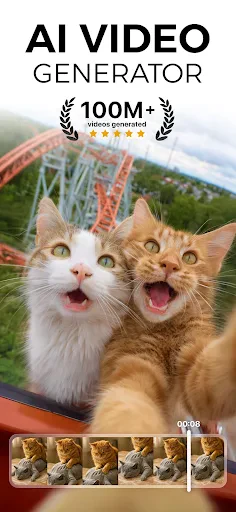


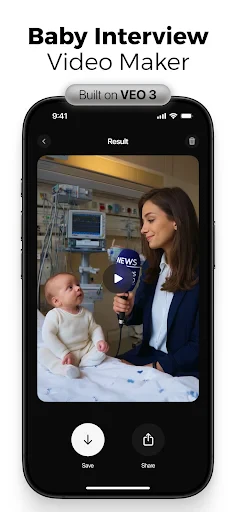
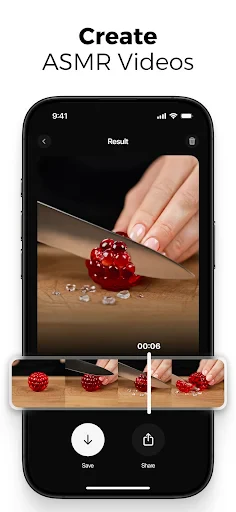
Description
About AI Video - AI Video Generator Feature
AI Video - AI Video Generator is a cutting-edge mobile application that leverages advanced artificial intelligence to empower users to create videos from simple text descriptions. It transforms imaginative prompts into dynamic visual content, democratizing video production by eliminating the need for complex editing skills or expensive equipment. This app represents a significant leap in creative technology, making professional-grade video generation accessible to a broad audience directly from their smartphones.
Chapter 1: Function
The core function of AI Video - AI Video Generator is to synthesize short video clips based on user-provided text prompts. Users simply type a descriptive sentence or a scene idea, and the app's AI model interprets this text to generate corresponding video footage. This includes creating realistic or stylized visuals, character movements, and environmental effects. The app typically offers basic editing tools to trim or combine generated clips, along with options to select different visual styles or aspect ratios. It serves as an all-in-one tool where the primary input is imagination in text form, and the output is a ready-to-share video, streamlining the entire creation process into a few intuitive steps.
Chapter 2: Value
The primary value proposition of AI Video - AI Video Generator lies in its unparalleled accessibility and efficiency for visual content creation. It drastically lowers the barrier to entry for video production, enabling marketers, educators, social media enthusiasts, and storytellers to produce unique visuals without cameras, actors, or sophisticated editing software. Its key advantages include significant time and cost savings, as videos can be generated in minutes rather than days. The AI-driven engine ensures a constant stream of original content, helping users overcome creative blocks and maintain a fresh online presence. Furthermore, it fosters creativity by allowing experimentation with concepts that would be impractical or impossible to film in reality. Compared to traditional video tools, it offers a novel paradigm of 'idea-to-video' instantaneity. The app's continuous learning from vast datasets also means improving output quality and diversity over time, providing users with a future-proof creative partner that evolves alongside AI advancements.
Chapter 3: Scenarios
The primary target users for AI Video - AI Video Generator are social media content creators, digital marketers, educators, and creative professionals seeking rapid visual content. For a social media manager, it is ideal for daily generating engaging posts, stories, or advertisements for platforms like Instagram and TikTok. Educators can use it to create illustrative videos for complex topics, enhancing student comprehension. Small business owners with limited budgets can produce promotional videos for products or services. Additionally, hobbyists and storytellers can bring their fictional scenes or concepts to life for personal projects. Everyday use cases include quickly visualizing a blog idea, creating a unique birthday greeting video, generating background visuals for presentations, or prototyping concepts for larger video projects. It is particularly valuable in scenarios requiring fast turnaround, high volume of content, or visualization of abstract ideas.
Uninstall Instructions
For step-by-step guidance on how to safely remove this application from your device, please refer to our 《Uninstall Instructions》 document.
Pros
- generates videos from text prompts in under two minutes
- offers multiple AI models for distinct visual styles
- includes an integrated editor for trimming generated clips
- allows video creation without mandatory user logins
- exports videos in high-definition 1080p resolution
Cons
- watermark present on videos from the free tier
- limited to 10-second clips per generation cycle
- specific AI models require separate in-app purchases
- output quality varies significantly between different styles
- no advanced editing features like layering or keyframing
Frequently Asked Questions
What is AI Video - AI Video Generator?
AI Video is a mobile application that uses artificial intelligence to generate and edit videos. Its core function is to transform text descriptions, images, or simple clips into stylized video content. It positions itself as a tool for creating social media content, marketing materials, or personal projects without requiring professional editing skills. Basic usage involves inputting a prompt or media, selecting a style, and letting the AI generate a video.
Is AI Video free to use?
The app typically follows a freemium model. It is free to download and offers basic generation features with limitations, such as watermarks, lower resolution, or a limited number of credits per day. To access higher-quality exports, more styles, remove watermarks, or get more credits, users need to subscribe to a premium plan or make in-app purchases. Specific pricing details are available within the app's subscription settings.
What devices and systems does AI Video support?
AI Video - AI Video Generator is primarily designed for mobile devices. It is available for download on iOS via the App Store and on Android via Google Play. The app is optimized for recent versions of these operating systems. It generally does not require additional external hardware. Performance, such as generation speed and available features, may vary depending on the device model and its computational capabilities.
How does the AI video generation feature work?
The AI generation feature works by processing user input, which is usually a text prompt. The app's AI model interprets this text to generate corresponding visual scenes, animations, and styles. Users can often customize parameters like aspect ratio, duration, and visual theme. The process happens on cloud servers, requiring a stable internet connection. The technical characteristic involves complex machine learning models trained on diverse video and image datasets to produce coherent results.
What are common issues with generated videos?
Common issues include generation failures due to weak internet, videos not matching the text prompt accurately, unnatural motions or artifacts, and longer processing times for complex requests. Videos may also have watermarks or be low resolution on the free tier. For after-sales or technical support, users should check the app's built-in help section or contact the developer through the official support channels listed in the app store description. There is no information on physical maintenance as it is a software product.
App Info
Technical Info
Recommended For You

Buenovela - Webnovel & Stories
Books & Reference

JusTalk - Video Chat & Calls
Communication

Lalatoon - Comics & Webtoon
Comics

AI Drawing : Trace & Sketch
Art & Design

Clip Studio Paint
Art & Design

Chirp Audiobooks
Books & Reference

iFnovel - Books,Web Novel
Books & Reference

WhisperFM - Romance Novels
Books & Reference

Floor Plan Creator
Art & Design

Auto Sync for Android/Car Play
Auto & Vehicles

Livensa: AI Video Maker
Art & Design

Proton Mail: Encrypted Email
Communication

Resume Builder - CV Maker
Business

PhiApp
Beauty

Challenger Comics Viewer
Comics

Galatea: Books & Audiobooks
Books & Reference

myColorado
Business

Mangamo Manga & Comics
Comics

Car play/Android Auto Sync
Auto & Vehicles

Adblock Browser: Fast & Secure
Communication