
Opera Mini: Fast Web Browser
Screenshots
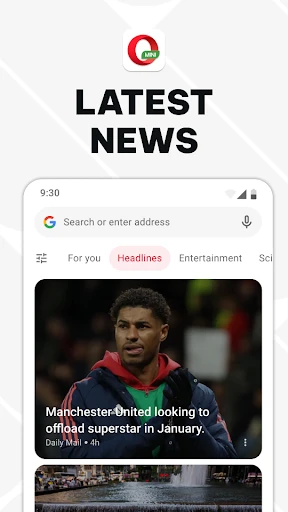
Description
About Opera Mini Fast Web Browser Feature – Overview
Opera Mini is a lightweight, high-speed mobile web browser designed to deliver a fast and data-efficient browsing experience, particularly in conditions of slow or limited internet connectivity. It stands out by compressing web pages through its proprietary servers before they reach the user's device, significantly reducing data consumption and accelerating page load times. Available on both Android and iOS platforms, it integrates essential features like a built-in ad blocker, private browsing mode, and a personalized news feed, making it a powerful yet streamlined tool for everyday internet access.
Chapter 1: Function
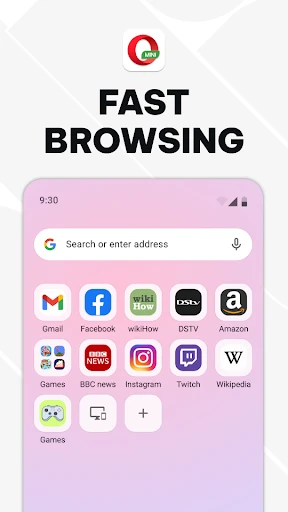
Opera Mini's core functionality revolves around extreme data compression and accelerated browsing. When a user requests a webpage, the request is routed through Opera's compression servers. These servers process and compress the page, often by up to 90%, before sending a streamlined version to the phone. This not only slashes mobile data usage but also enables pages to load much faster on slow networks. The browser features a clean, intuitive interface with a combined search and address bar, tabbed browsing for managing multiple pages, and a download manager. It includes a native ad blocker to remove intrusive ads, further speeding up loads and reducing clutter. A built-in private browsing mode offers a session without saving history or cookies. Additionally, its 'Discover' feature provides a customizable news aggregator, delivering headlines and articles based on user-selected interests directly on the start page.
Chapter 2: Value
The primary value proposition of Opera Mini lies in its unparalleled ability to make the web accessible and affordable, especially in emerging markets or for users with restrictive data plans. By drastically reducing data consumption, it lowers browsing costs and allows users to do more with limited data allowances. The speed boost from compression transforms browsing on 2G, 3G, or congested networks from a frustrating wait into a viable experience, promoting digital inclusion. Beyond compression, its integrated ad blocker enhances this speed and protects user privacy by preventing trackers. The data savings and faster loads also contribute to longer battery life on mobile devices. Unlike many minimalist browsers, Opera Mini does not sacrifice functionality for size; it offers a feature-rich experience including private tabs, download management, and a personalized news feed, all within a small application footprint. This combination of cost savings, performance optimization, and essential features in a single package provides exceptional practical value. It empowers users to browse, read news, and access information without constant concern over data limits or network quality, establishing it as a reliable and intelligent tool for mobile-centric internet use.
Chapter 3: Scenarios
Opera Mini is ideally suited for specific user groups and daily situations where data and speed are critical constraints. Its primary target audience includes students, budget-conscious individuals, and travelers in regions with expensive or unreliable high-speed mobile data. Students on limited budgets can use it for research and social media without exhausting their data plans. Frequent travelers, especially those roaming or in areas with patchy connectivity, rely on it to access maps, translation services, and travel information quickly. It is also invaluable for professionals who need to check emails or access documents while commuting or in areas with weak signals. In everyday use, a commuter on a slow train might use Opera Mini to seamlessly browse news articles. A shopper comparing prices in a market with poor reception can quickly load product pages. Someone living in a rural area with only 2G/3G coverage can use it to stay connected on social platforms. Essentially, any scenario that involves conserving mobile data, overcoming slow network speeds, or requiring a quick, clutter-free browsing session represents the ideal use case for Opera Mini, making it a vital utility for millions of users worldwide.
Uninstall Instructions
For step-by-step guidance on how to safely remove this application from your device, please refer to our 《Uninstall Instructions》 document.
Pros
- compresses data up to 90% for faster loading on slow networks
- built-in ad blocker reduces data usage and page clutter
- offline file sharing via local Wi-Fi without internet
- video boost feature optimizes streaming for limited data plans
- cryptojacking protection blocks hidden mining scripts
Cons
- extreme compression can degrade image quality on media sites
- limited extension support compared to desktop browsers
- privacy mode lacks advanced fingerprinting protection
- video boost incompatible with some DRM-protected platforms
- local sharing requires both devices on same Wi-Fi network
Frequently Asked Questions
What is Opera Mini and what does it do?
Opera Mini is a free mobile web browser designed for speed and data savings. Its core function is to compress web pages through Opera's servers before they reach your device, significantly reducing data usage and accelerating loading times, especially on slower networks. It provides basic browsing features like tab management, a download manager, and a private browsing mode.
Is Opera Mini completely free to use?
Yes, Opera Mini is free to download and use. There are no upfront costs or subscription fees. The app generates revenue through optional advertising and by promoting Opera's other services within the browser interface. There are no mandatory in-app purchases for core browsing functionality.
What devices and systems is Opera Mini compatible with?
Opera Mini is primarily designed for Android and iOS mobile devices. It is optimized to run on a wide range of hardware, including older or budget-friendly smartphones. The browser is particularly suited for users with limited data plans, unstable connections, or in regions with expensive mobile data.
How does the data saving feature work?
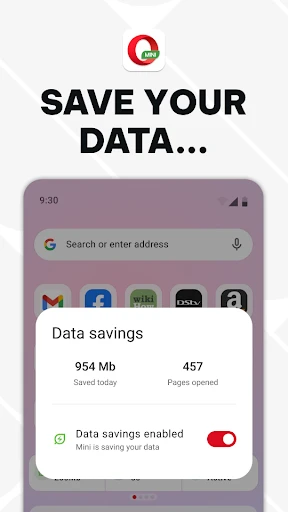
Opera Mini's data saving works by routing web traffic through Opera's compression servers. Images and text are compressed, reducing their file size before loading on your phone. You can adjust the compression level (e.g., High or Extreme) in settings. This process also blocks some ads and trackers by default, contributing to faster page loads and lower data consumption.
Does Opera Mini support downloading videos or extensions?
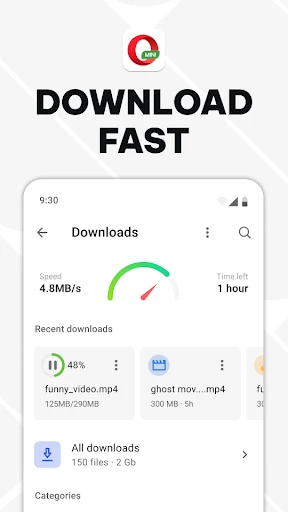
Opera Mini has a built-in download manager for standard files like documents and images. However, it does not support downloading videos from streaming sites like YouTube or Netflix. Unlike its desktop counterpart, Opera Mini does not support browser extensions or add-ons. Its focus remains on lightweight, fast core browsing with data compression.
App Info
Technical Info
Recommended For You

Readict -One Click Away Novels
Books & Reference

Truth Bible: Audio+Verse
Books & Reference

Audubon Bird Guide
Books & Reference

Christmas Photo Frames & Cards
Beauty

ElevenReader - Text to Speech
Books & Reference

Google Voice
Communication

Repixel: AI Photo Enhancer
Art & Design

Wonolo
Business

Veryable: Work. Next Day Pay
Business

Fresha for customers
Beauty

USAA DriveSafe
Auto & Vehicles

Resume Builder - CV Engineer
Business

Holafly eSIM Prepaid Card
Communication

AlphaNovel — Books & Stories
Books & Reference

Video Call
Communication

Reverso Translate and Learn
Books & Reference

Amazon Flex
Business

Fongo World Edition
Communication

Comic Book Reader (cbz/cbr)
Comics

Cheogram (Jabber, Call, Text)
Communication