
Portable WiFi - Mobile Hotspot
Screenshots
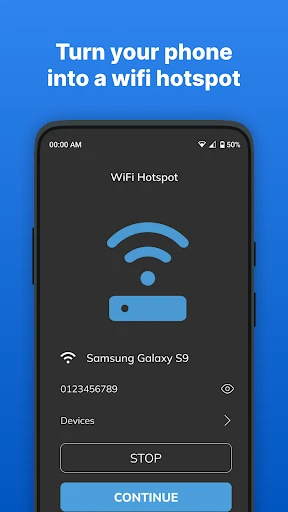
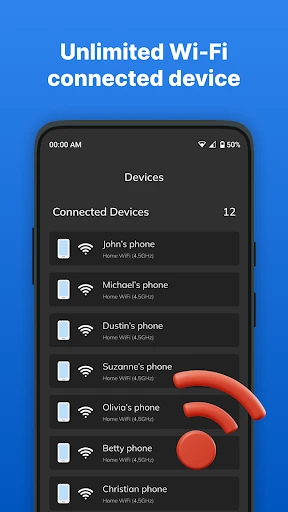
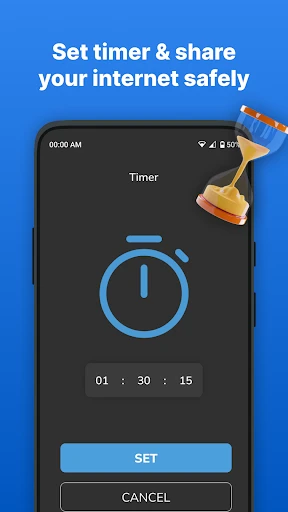


Description
About Portable WiFi - Mobile Hotspot Feature
Portable WiFi - Mobile Hotspot is a utility application designed to transform a smartphone into a portable internet access point. It enables users to share their device's cellular data connection with other gadgets such as laptops, tablets, and other phones via WiFi, Bluetooth, or USB tethering. This app typically provides an intuitive interface for managing the hotspot's settings, monitoring data usage, and securing the connection with a password. It serves as a crucial tool for individuals who require reliable internet connectivity on the go, bypassing the need for public WiFi networks or dedicated mobile hotspot hardware. By leveraging the existing data plan on the host device, it offers a convenient and often cost-effective solution for multi-device internet access in various mobile scenarios.
Chapter 1: Function
The core function of the Portable WiFi - Mobile Hotspot app is to facilitate the creation and management of a personal WiFi hotspot from a user's smartphone. Upon activation, the app utilizes the phone's cellular data connection to broadcast a WiFi signal, allowing nearby devices to connect and access the internet. Users can configure the network name (SSID) and set a secure password to prevent unauthorized access. The application includes real-time monitoring tools that display the number of connected devices, data consumption rates, and overall usage statistics. Furthermore, it often supports multiple connection methods beyond WiFi, including Bluetooth pairing and USB tethering for direct wired connections to computers. Additional features may consist of data usage alerts to avoid overage charges, a connection timeout setting to conserve battery, and the ability to whitelist specific devices for enhanced security. Essentially, it puts comprehensive control over personal hotspot functionality directly into the user's hands with enhanced visibility and management options compared to basic built-in OS settings.
Chapter 2: Value
The primary value proposition of the Portable WiFi - Mobile Hotspot app lies in its empowerment of mobile productivity and connectivity. Its key advantage is providing a secure, private, and controllable internet source anywhere there is cellular coverage, eliminating the risks and inconsistencies associated with public WiFi networks. For users with limited or shared data plans, the app's detailed monitoring and alert features are invaluable, helping to manage data expenditure effectively and avoid unexpected charges. It enhances convenience by simplifying the setup process, often offering one-touch activation and easier configuration than native smartphone settings. The app delivers significant cost savings by obviating the need to purchase separate mobile WiFi dongles or subscribe to additional dedicated mobile broadband plans. It also extends connectivity to devices that lack cellular capabilities, such as standard laptops or WiFi-only tablets, seamlessly integrating them into the user's mobile ecosystem. From a security standpoint, it allows for the enforcement of strong encryption protocols, ensuring that all transmitted data is protected. The value is further amplified for travelers, remote workers, and individuals in areas with unstable fixed-line internet, as it provides a reliable and immediate backup or primary connection. Ultimately, the app transforms a single data connection into a versatile hub for all a user's devices, maximizing the utility of their mobile data subscription and fostering uninterrupted digital access.
Chapter 3: Scenarios
The primary target users for the Portable WiFi - Mobile Hotspot app are professionals, students, travelers, and households needing flexible internet solutions. Business professionals frequently use it during travel, client visits, or commuting to create a secure workspace for their laptops, ensuring they can access corporate networks, join video conferences, and complete tasks without relying on potentially unsafe airport or cafe WiFi. Students find it essential for group study sessions in libraries or cafes where institutional WiFi may be weak or restrictive, allowing multiple peers to connect their devices to a single stable source. Travelers, both domestic and international, rely on the app to share a local SIM card's data connection across all their gadgets, avoiding expensive international roaming fees for each device. In domestic settings, it serves as an immediate backup during home broadband outages, keeping families connected. Additionally, it is invaluable for individuals living in temporary accommodations or areas with poor fixed-line infrastructure, providing a primary means of internet access. Field researchers, journalists, and outdoor enthusiasts also benefit by establishing connectivity in remote locations for data uploads and communication. The app seamlessly supports everyday scenarios like sharing a connection for in-car entertainment systems during road trips or providing internet for a gaming console in a hotel room.
Uninstall Instructions
For step-by-step guidance on how to safely remove this application from your device, please refer to our 《Uninstall Instructions》 document.
Pros
- creates a secure
- private hotspot from any wired connection
- no cellular data plan required
- uses existing ethernet or wifi
- extremely low latency for mobile gaming on the go
- bypasses public wifi congestion with a personal network
- simple one-tap connection process for all devices
Cons
- completely dependent on finding a pre-existing internet source
- requires carrying a dedicated secondary device always
- ethernet port dependency limits use in purely wireless environments
- no built-in data backup like a cellular sim card provides
- adds another device to manage for battery and charging
Frequently Asked Questions
What is Portable WiFi - Mobile Hotspot?
Portable WiFi - Mobile Hotspot is a utility app that turns your Android device into a portable wireless hotspot, allowing you to share your mobile data connection with other devices like laptops, tablets, or other phones. It provides a software-based solution to create a Wi-Fi network without needing additional hardware. The core function is to facilitate internet sharing securely and conveniently when on the go.
Is Portable WiFi - Mobile Hotspot free to use?
The app itself is typically free to download and use for basic hotspot functionality. However, it may offer in-app purchases for advanced features like ad removal, enhanced security protocols, or network management tools. Please note that using the hotspot consumes your mobile data plan from your carrier, and standard data charges from your service provider apply. No additional physical equipment is required.
What devices and systems is this app compatible with?
Portable WiFi - Mobile Hotspot is designed for Android devices. Compatibility depends on your device's hardware capabilities and Android OS version, as hotspot functionality requires system-level support. It is not available for iOS due to platform restrictions. The app is generally suited for individual users or small groups needing to share a connection, but performance may vary across different device models and Android implementations.
How secure is the Wi-Fi hotspot created by this app?
The app uses your device's built-in Wi-Fi sharing capabilities, which typically support standard security protocols like WPA2 to encrypt the connection. You can set a custom password to prevent unauthorized access. However, the specific security features depend on your device's Android version and manufacturer. For optimal security, it is recommended to use a strong password and keep your device's operating system updated.
Why can't other devices detect my created hotspot?
This common issue can stem from several factors: your device's hardware may not support hotspot mode, your mobile carrier might restrict tethering, or necessary permissions (like Location) may be disabled. Ensure the hotspot is correctly activated in the app, your data connection is active, and check for any carrier-specific limitations. If problems persist, consulting your device's support resources or carrier information is advised, as the app relies on your device's underlying system functions.
App Info
Technical Info
Recommended For You

NHRA.TV
Auto & Vehicles

ZoiPer Pro - SIP Softphone
Communication

Blink Charging Mobile App
Auto & Vehicles

Snapchat
Communication

My Firestone
Auto & Vehicles

Motive Driver
Business

StyleKorean
Beauty

Ancestry: Family History & DNA
Books & Reference

WASticker-Sticker for WhatsApp
Comics

BlueDriver OBD2 Scan Tool
Auto & Vehicles

Link Messenger
Communication

Watchgram for Telegram
Communication

OBD Auto Doctor: OBD2 Scanner
Auto & Vehicles

Messenger - SMS Messages
Communication

Guide For Stardew
Books & Reference

Customuse: Skins Maker Roblox
Art & Design

Receipt Scanner: Easy Expense
Business

TrueCar Used Cars and New Cars
Auto & Vehicles

NuFACE
Beauty

Tappytoon Manhwa & Novels
Comics