
Tor Browser
Screenshots
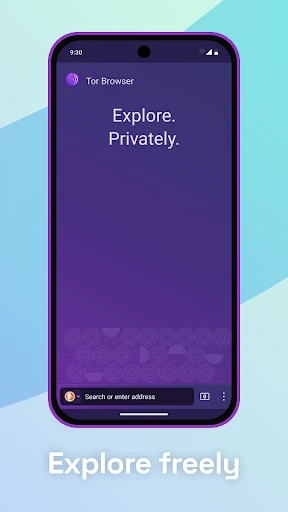
Description
About Tor Browser Feature – Navigating the Web with Anonymity
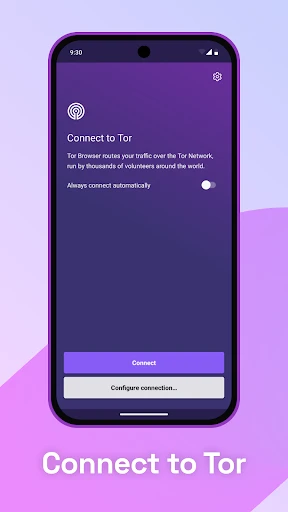
Tor Browser is a free, open-source web browser specifically designed to protect user privacy and anonymity online. Built upon a modified version of Mozilla Firefox, it routes internet traffic through the global Tor network, a decentralized system of volunteer-operated servers. This process obscures a user's IP address and location, making it extremely difficult for websites, advertisers, and network observers to track online activities. While often associated with accessing the dark web, its primary function is to provide robust privacy for everyday internet users, journalists, activists, and anyone seeking to circumvent censorship or surveillance.
Chapter 1: Function
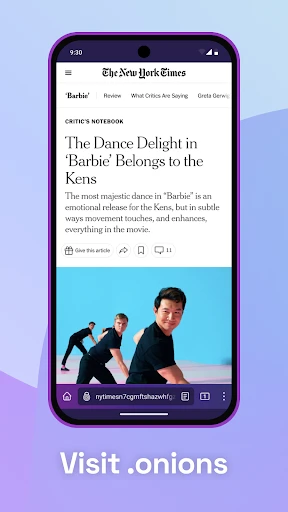
The core function of Tor Browser is to enable anonymous web browsing by encrypting and redirecting traffic through the Tor network. When a user visits a website, their request is wrapped in multiple layers of encryption and randomly routed through at least three different Tor relays before exiting to the public internet. This process, known as onion routing, effectively separates the user's identity from their online destination. The browser itself includes built-in privacy features such as automatic blocking of trackers and scripts, resistance to browser fingerprinting, and the use of the DuckDuckGo search engine by default. It also provides access to .onion websites, which are services hosted within the Tor network itself for enhanced security and anonymity, often referred to as the dark web.
Chapter 2: Value
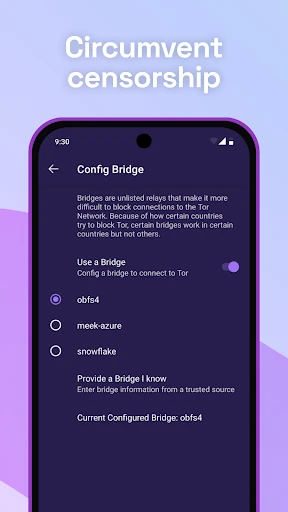
The primary value proposition of Tor Browser lies in its unparalleled commitment to user privacy and freedom from surveillance. In an era of pervasive data collection, it empowers individuals to reclaim control over their digital footprints. Its key advantages are multi-faceted. First, it offers strong anonymity by masking IP addresses, preventing websites and internet service providers from pinpointing a user's physical location or identity. Second, it is a powerful tool for circumventing censorship, allowing users in restrictive regions to access information blocked by governments or organizations. Third, as open-source software, its code is publicly auditable, fostering trust and continuous security improvements by a global community. Unlike VPNs, which typically channel all traffic through a single corporate server, Tor's decentralized relay model eliminates a single point of failure or trust. However, users must understand its trade-offs: browsing speed is generally slower due to the multi-hop routing, and some websites may block traffic from known Tor exit nodes. Ultimately, Tor Browser provides a critical, free service for privacy-conscious individuals, serving as a vital shield against mass surveillance and a gateway to uncensored information.
Chapter 3: Scenarios
Tor Browser serves a diverse range of user groups with specific privacy needs. Journalists and whistleblowers utilize it to securely communicate with sources and access sensitive information without revealing their location or research activities. Activists and dissidents in politically oppressive regimes rely on it to organize, share information, and access blocked news outlets, safeguarding themselves from government retaliation. Everyday users concerned about corporate tracking and data profiling employ Tor for private web searches and browsing to avoid targeted advertising and data aggregation. Academics, researchers, and law enforcement personnel may use it to anonymously gather publicly available data or investigate .onion services. Furthermore, individuals in countries with heavy internet censorship use Tor to bypass firewalls and access global social media platforms, news sites, and communication tools. In daily use, scenarios include checking personal email from a public Wi-Fi hotspot without risking interception, reading news articles from international perspectives, or simply conducting web searches without the results being influenced by past browsing history and personal data.
Uninstall Instructions
For step-by-step guidance on how to safely remove this application from your device, please refer to our 《Uninstall Instructions》 document.
Pros
- routing traffic through multiple encrypted global nodes
- blocks trackers and fingerprinting scripts by default
- accesses .onion sites unavailable on standard browsers
- built on a hardened fork of Firefox ESR
- no installation required for portable version use
Cons
- noticeably slower page loading due to onion routing
- some websites block or restrict Tor connections
- limited support for modern web features and extensions
- requires learning to safely adjust security levels
- portable version leaves no trace but stores no history
Frequently Asked Questions
What is Tor Browser and what does it do?
Tor Browser is a free, open-source web browser designed for privacy and anonymity. It routes your internet traffic through a global volunteer-run network of servers (the Tor network), which encrypts and bounces your connection multiple times to conceal your location and usage from network surveillance and traffic analysis. Its core function is to enable private browsing, allowing access to both the regular internet and .onion sites (often called the 'deep web') while masking your IP address.
Is Tor Browser completely free to use?
Yes, Tor Browser is completely free to download and use. There are no in-app purchases, subscription fees, or premium tiers. It is developed by The Tor Project, a non-profit organization, and is funded through donations and grants. The software itself does not require any payment. Users should be aware that while the browser is free, using the internet through it does not exempt them from potential costs from their own internet service provider.
What are the main limitations of using Tor Browser?
Tor Browser prioritizes anonymity over speed. Browsing is significantly slower than on conventional browsers due to multi-layered encryption and routing. Some websites may block or restrict access from known Tor exit nodes. Also, to maintain anonymity, certain browser features (like some video codecs or browser plugins) are disabled by default, which can limit media playback and interactive web functionality. It is not designed for high-bandwidth activities like torrenting.
How do I troubleshoot a slow or stuck connection in Tor Browser?
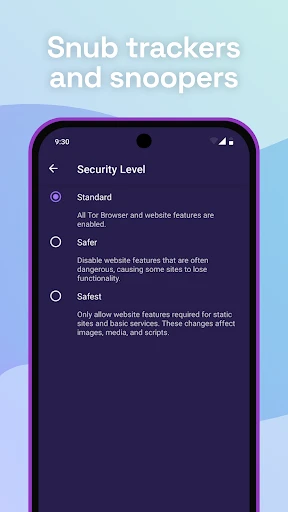
Slow speeds are common. First, ensure you are using the latest version. If a site fails to load, try clicking the 'New Tor Circuit for this Site' button (the onion icon near the address bar). Avoid opening multiple heavy tabs simultaneously. You can also try changing the Tor network's security level from 'Standard' to 'Safer', but this may further disable some website features. Persistent connection failures may be due to local network restrictions or temporary issues with the Tor network itself.
On which devices and operating systems can I run Tor Browser?
Tor Browser is officially available for desktop operating systems including Windows, macOS, and Linux. For mobile devices, The Tor Project maintains an official 'Tor Browser for Android' on the Google Play Store and via direct APK download. For iOS, the official recommendation is to use the 'Onion Browser' app, which is a separate but endorsed project that utilizes the Tor network. It is not officially available on other platforms like ChromeOS.
App Info
Technical Info
Recommended For You

My Best Colors
Beauty

Cartoon Photo Editor ・Toon AI
Art & Design

Ancestry: Family History & DNA
Books & Reference

BeautifyX - AI Makeover Studio
Beauty

Librera PRO - Book reader
Books & Reference

Housecall Pro
Business

Motive Driver
Business

Outlined Watch Face
Art & Design

Watch Duty (Wildfire)
Communication

MySubaru
Auto & Vehicles

Dwell: Audio Bible
Books & Reference

Picture Editor
Beauty

Legion Workforce Engagement
Business

Fonto - story font for IG
Art & Design

aesthetic background
Art & Design

Infinite Painter
Art & Design

Bible Daily, KJV Bible + Audio
Books & Reference

Maverik Rewards
Business

Tattoo Design & Tattoo Maker
Beauty

Spark Driver
Business