
Castle - Make and Play
Screenshots


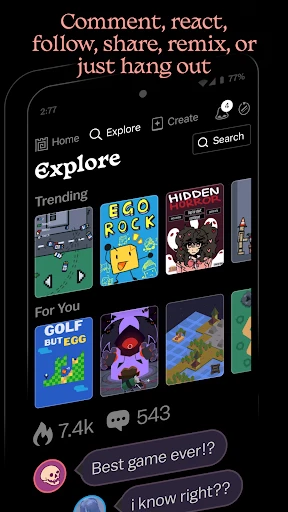
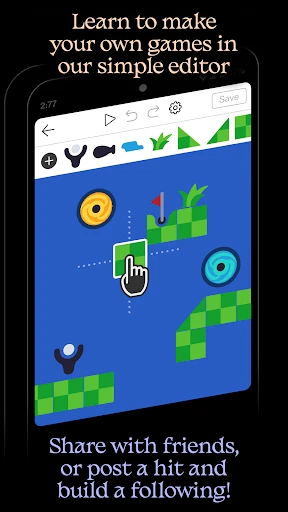
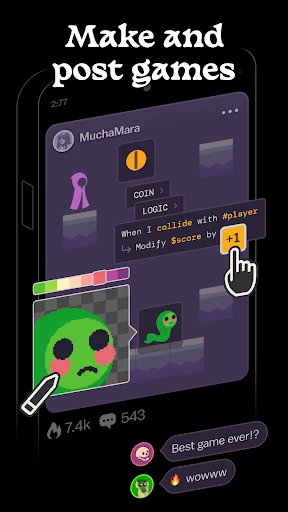
Description
About Castle - Make and Play Features
Castle - Make and Play is a creative sandbox game application that empowers users to design, build, and explore their own unique castle worlds. Merging intuitive construction tools with engaging gameplay elements, it serves as a digital playground for imagination. The app transcends simple block-building by integrating interactive characters, resource management, and adventure scenarios into the creative process. It provides a safe, offline-friendly environment suitable for a wide age range, fostering both unstructured creative expression and goal-oriented play. By placing the tools of world creation directly into the user's hands, Castle - Make and Play transforms players from mere participants into architects of their own stories and adventures.
Chapter 1: Function
The core function of Castle - Make and Play revolves around a dual-pillar system of creation and interaction. The primary function is a robust building mode where users can construct elaborate castles and landscapes from a vast library of blocks, decorations, and environmental elements. This mode offers free-form placement, terrain editing, and structural design tools. The secondary, interconnected function is a play mode where these creations come to life. Users can populate their castles with various characters, assign them roles, and interact with them directly. They can gather resources like wood and stone, craft new items, and defend their castle from creatures. The app seamlessly blends these modes, allowing players to switch instantly between building new structures and embarking on adventures within them, creating a continuous loop of design, exploration, and gameplay.
Chapter 2: Value
The primary value proposition of Castle - Make and Play lies in its seamless fusion of unrestricted creativity with tangible, engaging gameplay. Unlike many creative apps where creations remain static, this app gives purpose to construction by making every built environment a stage for interactive stories and challenges. Its key advantages are multifaceted. First, it promotes cognitive development through spatial reasoning, problem-solving during complex builds, and resource management. Second, it offers immense replayability; the possibilities for castle designs and the adventures within them are virtually limitless, driven by user imagination rather than predetermined levels. Third, the app is highly accessible, featuring an intuitive interface suitable for younger users while offering enough depth to captivate older players. The offline functionality ensures entertainment is always available, free from interruptions or dependency on internet connectivity. Furthermore, it provides a safe digital sandbox, encouraging experimentation without risk. By satisfying both the instinct to create and the desire to play within one's creations, it delivers a uniquely fulfilling and self-directed entertainment experience that stands out in the mobile gaming landscape.
Chapter 3: Scenarios
Castle - Make and Play primarily targets younger audiences, including children and pre-teens, with a strong appeal for creative-minded individuals and fans of sandbox-style games. Its intuitive design makes it an excellent tool for parents seeking constructive, screen-based activities that stimulate imagination rather than passive consumption. Everyday use cases are diverse. A child might use it during a car journey to quietly design a fantasy fortress, then explore its halls. In a family setting, siblings can collaborate on a single castle, discussing designs and taking on different in-game roles together. For a student needing a creative break, the app serves as a digital stress-reliever, offering a satisfying outlet for building and casual adventure. Educators or parents might also utilize it as a storytelling prompt, where building a castle sets the scene for a narrative the child then acts out in play mode. It is ideally suited for scenarios requiring portable, engaging, and open-ended play, filling moments of downtime with productive creativity and interactive fun.
Uninstall Instructions
For step-by-step guidance on how to safely remove this application from your device, please refer to our 《Uninstall Instructions》 document.
Pros
- instantly generates playable castles from text prompts
- unique voxel-based building system for easy block sculpting
- exports creations as shareable
- interactive 3D model links
- no engineering skills required for structural integrity
- cloud-based platform enables access across devices
Cons
- limited to fantasy castle themes
- lacks modern structures
- requires stable internet for all creation and saving
- voxel aesthetic may not appeal to users seeking realism
- text-to-model feature can misinterpret complex descriptions
- minimal interior detailing tools for created castles
Frequently Asked Questions
What is Castle and what does it do?
Castle is a mobile app in the gaming and creativity category that allows users to design, build, and play within their own custom 3D castles. Its core function is to provide a sandbox environment for creating interactive castle layouts, populating them with characters and objects, and then exploring or playing games within those creations. It positions itself as a tool for imaginative play and digital world-building.
Is Castle free to use or does it have in-app purchases?
Castle is free to download and offers core building and playing functionality. However, it does include optional in-app purchases. These purchases typically provide access to expanded asset libraries, such as additional building blocks, decorative items, character skins, or special gameplay items, to enhance the creative possibilities within the app.
What devices and operating systems is Castle available on?
Castle is primarily available as a mobile application. It is designed for iOS and Android devices. For specific version requirements, such as the minimum iOS or Android version needed for optimal performance, users should check the current listing on their device's official app store (Apple App Store or Google Play Store) for the most accurate and up-to-date system compatibility information.
How does the 'Make and Play' feature work technically?
The 'Make and Play' feature combines a 3D editor with a real-time simulation engine. Technically, users utilize intuitive touch controls to place and manipulate pre-made 3D assets in a physics-enabled environment. Once the castle is built, the app allows users to switch to a play mode, where they can control characters, interact with objects, and experience their creation as a simple, immersive game world without needing coding skills.
Can I share the castles I create with others?
Yes, sharing creations is a core social feature of Castle. Users can typically export or publish their castle designs within the app's community or to their device's storage. This allows them to share a file or a code with friends, who can then import the castle into their own version of the app to explore and play in the user-created environment, fostering collaborative creativity.
App Info
Technical Info
Recommended For You

Sky Map
Books & Reference

Hairstyles for short hair
Beauty

EasyTether Pro
Communication

Marvel Unlimited
Comics

DMV Prueba de Práctica 2024
Auto & Vehicles

Dress Up Royal Princess Doll
Beauty

Genmoji - AI Emojis™
Art & Design

MangaRise - Manga Reader
Comics

2ndLine - Second Phone Number
Communication

Fuel Forward
Auto & Vehicles

Wattpad - Read & Write Stories
Books & Reference

СL Theme Line
Auto & Vehicles

Textra SMS
Communication

GIF Sticker & WAsticker
Communication

Meeting - Video Meeting
Communication

AR Drawing: Sketch, Art, Paint
Art & Design

Magic Beauty Makeup Camera
Beauty

Cortes de Pelo Hombre 2024
Beauty

USPS MOBILE®
Business

Meta Business Suite
Business