
iDraw
Screenshots


Description
About iDraw Feature – A Professional Digital Sketchpad for Creative Expression
iDraw is a professional-grade digital drawing and painting application designed for artists, designers, and illustration enthusiasts. It transforms tablets and smartphones into powerful portable studios, offering a comprehensive suite of tools that simulate real-world artistic mediums. With its intuitive interface and robust feature set, iDraw bridges the gap between traditional art techniques and digital convenience, enabling users to create intricate sketches, detailed illustrations, and stunning paintings anywhere, anytime. It stands out as a versatile platform that caters to both hobbyists seeking a creative outlet and professionals requiring precision and advanced capabilities for their projects.
Chapter 1: Function
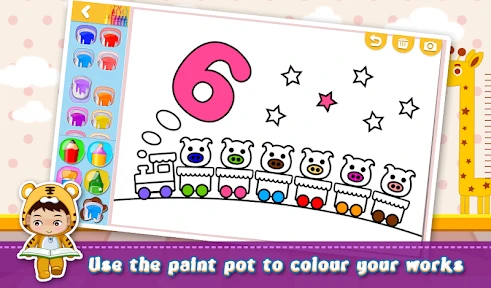
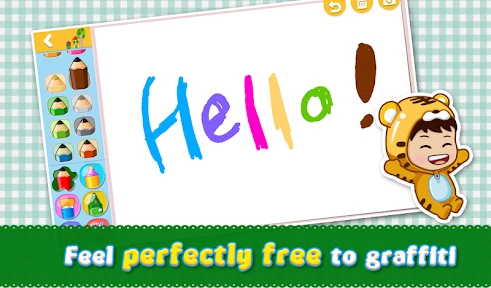
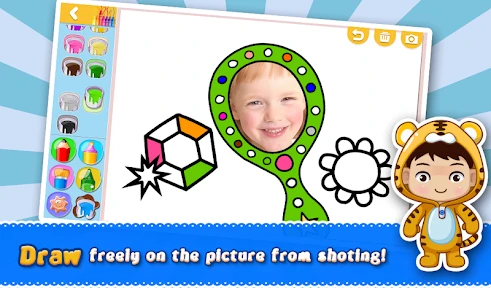
iDraw's core functionality revolves around providing a realistic and fluid digital drawing experience. The app features an extensive brush library, including pencils, inks, markers, watercolors, and oil paints, each with customizable parameters like size, opacity, flow, and texture. It supports multiple layers with blend modes, offering non-destructive editing and complex composition management. Key tools include advanced selection options, transformation controls, gradient fills, and text integration. The app ensures precision with palm rejection and pressure sensitivity support for compatible styluses. It also includes essential utilities such as color pickers, symmetry drawing guides, and various canvas presets. File management allows for export in common formats like PSD, JPEG, and PNG, facilitating seamless workflow integration.
Chapter 2: Value
The primary value proposition of iDraw lies in its exceptional balance of professional depth and approachable design. Unlike many simplistic drawing apps, iDraw delivers desktop-level functionality in a mobile package, empowering serious creation without compromise. Its key advantage is the highly responsive and natural drawing engine, which minimizes lag and accurately translates stylus pressure and tilt into nuanced brush strokes, closely mimicking the tactile feedback of physical tools. The app's layer system, complete with grouping and clipping masks, provides organizational power typically found in premium software, making it ideal for complex illustrations and design work. Furthermore, iDraw offers tremendous cost efficiency, providing a one-time purchase or affordable subscription model compared to expensive desktop alternatives. Its continuous updates introduce new brushes and features based on user feedback, ensuring long-term value. The ability to work offline and sync projects across devices via cloud services enhances productivity and flexibility. Ultimately, iDraw democratizes high-quality digital art creation, removing barriers of cost and location, and serving as a reliable, all-in-one creative suite that fosters skill development and professional output.
Chapter 3: Scenarios
iDraw primarily targets a diverse range of users centered around visual creativity. Professional illustrators and graphic designers utilize it for client work, creating concept art, logos, and marketing materials on the go. Hobbyist artists and sketching enthusiasts find it perfect for daily practice, journaling, and exploring artistic ideas without the need for physical supplies. It is also highly valuable for students in art and design programs, serving as a practical tool for assignments and portfolio development. In educational settings, teachers can use it to demonstrate techniques during lessons. Additionally, content creators, such as social media managers and bloggers, employ iDraw to craft custom graphics, annotated images, and unique visual content directly from their tablets. Common use cases include creating digital portraits, designing custom T-shirt graphics, storyboarding for videos, sketching architectural ideas, painting landscapes, and producing assets for game development. Its portability makes it ideal for capturing inspiration during travel or commuting, turning idle moments into productive creative sessions.
Uninstall Instructions
For step-by-step guidance on how to safely remove this application from your device, please refer to our 《Uninstall Instructions》 document.
Pros
- vector drawing with infinite canvas on mobile
- real-time sync across devices via iCloud
- supports Apple Pencil tilt and pressure sensitivity
- exports in SVG
- and PNG formats
- minimalist UI focused on drawing gestures
Cons
- requires iCloud for full cross-device functionality
- no native support for Android or Windows platforms
- advanced layer blending modes are limited
- liveshare collaboration lacks version history
- offline mode restricts access to cloud brushes
Frequently Asked Questions
What is iDraw and what can I do with it?
iDraw is a professional vector graphics and illustration application for iPad and iPhone. Its core function is to provide a full-featured digital drawing studio, allowing users to create precise illustrations, logos, typography, and complex designs. It utilizes vector-based technology, meaning all artwork is scalable without loss of quality. The app is positioned as a powerful yet accessible tool for designers, artists, students, and hobbyists seeking a serious mobile design solution.
Is iDraw free to use or does it require purchases?
iDraw is a paid application with a one-time purchase price. There is no free version or subscription model. The initial download provides the complete app with its core set of professional vector drawing tools. The developer may occasionally release major updates as separate, new app versions for purchase, but the version you buy remains fully functional. There are no in-app purchases for core tools, but some additional brush or asset packs might be offered separately.
What devices and systems is iDraw compatible with?
iDraw is specifically designed for Apple's mobile ecosystem. It requires an iPad or iPhone running a supported version of iOS or iPadOS. The app is optimized to take advantage of Apple Pencil for pressure-sensitive drawing and touch gestures. It is not available for Android devices, Windows, or macOS desktops. For file sharing, it supports standard formats like SVG, PDF, and PNG for export to other platforms and software.
What are the unique technical features of iDraw?
iDraw's key technical characteristics center on its vector engine and precision tools. It features non-destructive Boolean operations for shape combining, a full layer system with blending modes, and advanced pen tools for creating and editing Bezier curves. It supports pressure sensitivity with the Apple Pencil. A standout feature is its extensive support for importing and exporting SVG files, making it a viable mobile tool for web and graphic design workflows that require clean, scalable vector assets.
How do I troubleshoot common file export issues?
For issues exporting files, first ensure your device has sufficient storage space. When exporting to SVG or PDF, check that all used fonts are outlined or embedded if sharing with systems that may not have those fonts. For complex designs, simplifying paths can reduce file size and compatibility problems. If the app becomes unresponsive, force-closing and restarting it often resolves temporary glitches. For persistent technical problems, you can contact the developer's support through the official website listed on the App Store page.
App Info
Technical Info
Recommended For You

Time Clock: Easy Tracker
Business

Rebtel: Recharges And Calls
Communication

Perfect365 Makeup Photo Editor
Beauty

Shopify - Your Ecommerce Store
Business

StoryFont for Instagram Story
Art & Design

Samsung Accessory Service
Communication

Sunoco: Pay fast & save
Auto & Vehicles

Invitation Maker & Card Design
Art & Design

CarLink: MirrorLink & Car Play
Auto & Vehicles

Groundwire: VoIP SIP Softphone
Communication

Universalis
Books & Reference

UKG Ready
Business

Bible Homescreen - Read Now
Books & Reference

AI Phone: Phone Call Translate
Communication

DScanner - Camera Scanner
Business

Freelancer: Hire & Find Jobs
Business

NavRadio+
Auto & Vehicles

Grubhub for Drivers
Business

Amazon Kindle
Books & Reference

Canva: AI Photo & Video Editor
Art & Design