CarLink: MirrorLink & Car Play
Screenshots

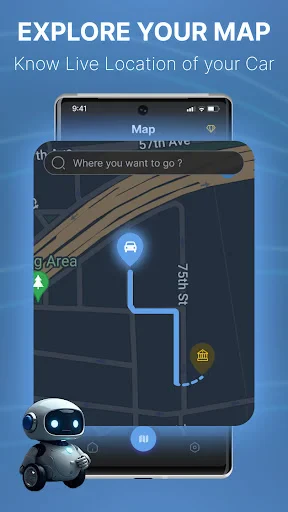
Description
About CarLink: MirrorLink & Car Play Feature – Seamless Smartphone Integration for Your Drive
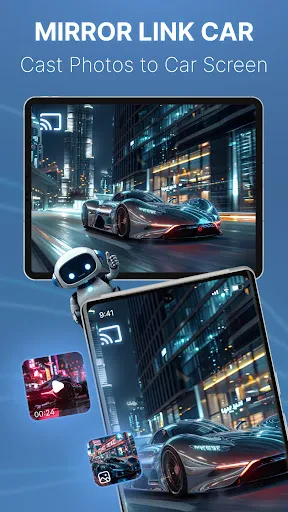
CarLink: MirrorLink & Car Play is a dedicated mobile application designed to bridge the gap between your smartphone and your vehicle's infotainment system. It facilitates a seamless connection, allowing users to mirror their phone's interface onto the car's display, thereby enabling safe and convenient access to navigation, communication, and entertainment features while on the road. The app supports various connection protocols, aiming to provide a unified and enhanced in-car experience by integrating the smartphone's ecosystem directly into the dashboard, promoting hands-free operation and minimizing distractions.
Chapter 1: Function
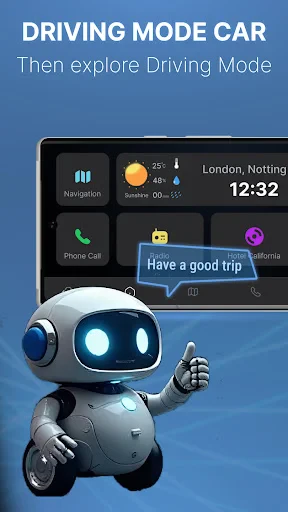
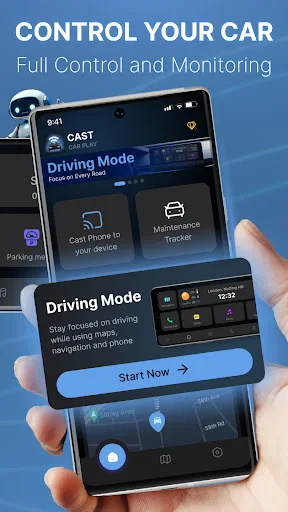
The core function of CarLink is to establish a stable and responsive mirroring link between an Android or iOS smartphone and a compatible vehicle head unit. Once connected via USB or wireless protocols, the app projects a driver-optimized version of the phone's screen onto the car's display. This allows users to access and control key applications directly from the dashboard touchscreen or through steering wheel controls. Primary functionalities include displaying and interacting with navigation apps like Google Maps or Waze for real-time guidance, managing music and podcast playback from media libraries or streaming services, and handling phone calls and messages through voice commands or simplified interfaces. The app essentially transforms the car's built-in screen into an extension of the smartphone, prioritizing essential driving-related functions within an intuitive layout.
Chapter 2: Value
The primary value proposition of CarLink lies in its ability to enhance driving safety, convenience, and overall connectivity. By mirroring a familiar smartphone interface onto a larger, dashboard-integrated screen, it significantly reduces the need for drivers to physically handle their phones, a major source of distraction. This hands-free paradigm is crucial for safer driving practices. Furthermore, the app delivers substantial convenience by centralizing control. Drivers can effortlessly switch between turn-by-turn navigation, their favorite music playlists, and incoming communication without fumbling with multiple devices. The integration often provides a cleaner, more streamlined interface than many native car systems, which may be outdated or lack support for popular apps. Another key advantage is its potential to upgrade older vehicles that lack built-in Apple CarPlay or Android Auto compatibility, offering a cost-effective way to modernize the in-car experience. The app strives for broad compatibility across various car models and phone versions, adding value through versatility. Ultimately, CarLink transforms the cabin into a connected, intelligent space where the driver's digital life integrates smoothly with the task of driving, making every journey more efficient and enjoyable.
Chapter 3: Scenarios
CarLink is ideally suited for a wide range of drivers who seek a smarter, more integrated driving experience. The primary target users include commuters who spend significant time in their cars and rely heavily on navigation apps to navigate traffic and find optimal routes. It is equally valuable for frequent travelers and ride-share drivers who depend on seamless access to maps and passenger communication tools. Music enthusiasts and podcast listeners who want easy, safe control over their audio content during drives will find the app particularly beneficial. Furthermore, it serves owners of vehicles with basic or outdated infotainment systems that do not natively support modern smartphone projection standards. Everyday use cases are manifold: a daily commute becomes smoother with voice-guided navigation and hands-free call management; a road trip is enhanced by easy access to entertainment and route planning on a large screen; and running errands is simplified with quick glances at maps for store locations. For professionals, it allows for safe management of important calls while on the move. In essence, any driver wishing to leverage their smartphone's capabilities safely and effectively within their vehicle represents the core user scenario for CarLink.
Uninstall Instructions
For step-by-step guidance on how to safely remove this application from your device, please refer to our 《Uninstall Instructions》 document.
Pros
- mirrors phone screen to car display with low latency
- supports both wired and wireless connection modes
- integrates navigation and media controls on one interface
- works with a wide range of car models and head units
- requires no complex setup for basic mirroring function
Cons
- wireless mode drains phone battery significantly
- audio may desync from video during wireless streaming
- interface not optimized for all car screen resolutions
- advanced features require specific phone models
- frequent connection drops in areas with rf interference
Frequently Asked Questions
What is CarLink and what does it do?
CarLink is a mobile app designed to mirror your smartphone's screen onto your car's infotainment display. It primarily supports Android Screen Mirroring (similar to MirrorLink) and aims to provide an Apple CarPlay-like experience for Android and iPhone users. Its core function is to project navigation, music, calls, and select apps from your phone to the car's larger screen for safer and more convenient access while driving.
Is CarLink free to use or are there in-app purchases?
CarLink is typically free to download and install. However, to access its full functionality or to use it without limitations, the app may require a one-time purchase or a subscription. Some advanced features or prolonged use might be locked behind a paywall. It is recommended to check the current in-app purchase details within the app's description on your device's app store for the most accurate pricing model.
What are the technical requirements to use CarLink?
Using CarLink requires specific technical conditions. Your car's infotainment system must support screen mirroring via USB, Wi-Fi, or Bluetooth. Your smartphone needs to be compatible, and you may require a specific USB cable or adapter. The app functions on both Android and iOS devices, but stable performance depends on your phone's model, operating system version, and your car's hardware compatibility. A stable connection is crucial.
Does CarLink support all apps on my phone?
No, CarLink does not support all phone apps. For safety reasons, it typically mirrors or interfaces only with driving-optimized applications such as navigation (e.g., Google Maps, Waze), music/podcast players, and phone/communication apps. Video streaming apps or complex games are generally not supported or are intentionally restricted to prevent driver distraction. The available app list is controlled by the CarLink interface.
What should I do if the screen mirroring fails to connect?
If connection fails, first ensure your car is in park mode and follow these steps: 1. Verify your phone and car system meet the compatibility requirements. 2. Use a high-quality, data-capable USB cable if connecting via USB. 3. Enable the required permissions on your phone (like USB debugging for Android). 4. Restart both your phone and the car's infotainment system. For persistent issues, consult the app's official support channel, as there is no direct phone-based after-sales service.
App Info
Technical Info
Recommended For You

Connecteam Team Management App
Business

Messenger Kids – The Messaging
Communication

Adobe Express: AI Photo, Video
Art & Design

Merlin Bird ID by Cornell Lab
Books & Reference

USAA DriveSafe
Auto & Vehicles

Blazing: Ignite Your Love Life
Communication

imo video calls and chat HD
Communication

Face scan - How old do I look
Beauty

Call Blocker - Block Numbers
Communication

delitoon
Comics

Sky Tonight - Star Gazer Guide
Books & Reference

Show My Colors: Color Palettes
Beauty

GIMP
Art & Design

Garmin Drive™
Auto & Vehicles

Cafe - Live video chat
Communication

Blend Photo Editor & Effect
Art & Design

Glorify: Devotional & Prayer
Books & Reference

WolframAlpha Classic
Books & Reference

Inkitt: Books, Novels, Stories
Books & Reference

YACReader Remote
Comics