
Groundwire: VoIP SIP Softphone
Screenshots

Description
About Groundwire: VoIP SIP Softphone Feature
Groundwire is a professional-grade VoIP SIP softphone application designed for iOS and Android devices. It enables users to make and receive phone calls over the internet using their existing SIP account or VoIP service provider, transforming smartphones into powerful business communication tools. Renowned for its high audio quality, robust security features, and extensive customization options, Groundwire caters primarily to professionals, remote workers, and businesses seeking a reliable and feature-rich alternative to traditional cellular calls. It stands out in the crowded softphone market by offering enterprise-level functionality wrapped in an intuitive mobile interface, bridging the gap between mobility and professional telephony.
Chapter 1: Function
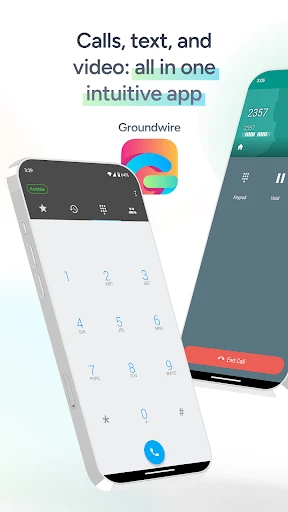
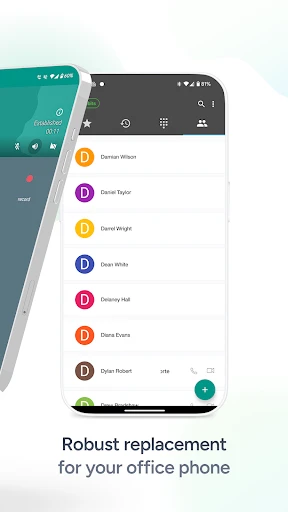
Groundwire's core functionality revolves around placing and receiving internet-based voice calls via Session Initiation Protocol (SIP). Users can configure one or multiple SIP accounts from various providers. The app features a sophisticated dialer, a comprehensive contact manager with presence detection, and supports high-definition voice codecs like Opus and G.722 for superior call clarity. It handles call management with capabilities for hold, transfer, and multiple active call lines. Furthermore, Groundwire supports critical telephony features such as visual voicemail, DTMF tone transmission, and call recording. Its advanced audio system allows fine-tuning for use with Bluetooth devices, headsets, and the phone's native speaker. The interface provides detailed call logs and status information, giving users full control over their communication session.
Chapter 2: Value
The primary value proposition of Groundwire lies in delivering a secure, high-fidelity, and professional telephony experience on a mobile platform. Its key advantage is exceptional audio quality, achieved through support for wideband codecs and sophisticated audio processing that minimizes latency and packet loss, ensuring conversations are crystal clear even on cellular data or Wi-Fi. Security is another cornerstone, with strong encryption for both signaling (SRTP) and media (ZRTP, TLS) protecting sensitive business communications from interception. For power users and administrators, Groundwire offers unparalleled customization through configurable dial plans, automated call rules (ACRs), and detailed analytics. This allows seamless integration into complex business phone systems and workflows. Unlike many free or consumer-oriented VoIP apps, Groundwire provides consistent reliability and a rich set of enterprise features without advertisements. The one-time purchase model offers long-term value compared to subscription-based services, making it a cost-effective solution for individuals and organizations that prioritize call quality, security, and professional functionality over basic free calling. It effectively turns any smartphone into a secure and powerful business extension.
Chapter 3: Scenarios
Groundwire's primary target users are professionals and organizations that require reliable, high-quality voice communication independent of traditional phone lines. This includes remote workers and telecommuters who need a business line on their personal device, freelancers and consultants managing client communications, and small to medium-sized businesses utilizing VoIP PBX systems like Asterisk or FreePBX. IT administrators and telecom professionals also use Groundwire for testing and managing SIP deployments. Everyday use cases are diverse. A sales representative can make client calls from anywhere with professional audio quality and log them directly into a CRM. A support agent working from home can receive customer calls on a business number with secure encryption. A frequent traveler can avoid international roaming charges by placing calls over Wi-Fi using a local SIP data plan. During fieldwork, an engineer can conduct clear conference calls with the office. Essentially, any scenario demanding secure, clear, and feature-rich telephony on a mobile device is an ideal scenario for Groundwire.
Uninstall Instructions
For step-by-step guidance on how to safely remove this application from your device, please refer to our 《Uninstall Instructions》 document.
Pros
- integrates business-grade sip voip with consumer app simplicity
- supports high-definition voice on low-bandwidth mobile networks
- offers granular call recording controls per contact or number
- enables seamless call handover between wi-fi and cellular data
- provides detailed
- real-time call quality metrics and diagnostics
Cons
- advanced pbx configuration requires substantial technical knowledge
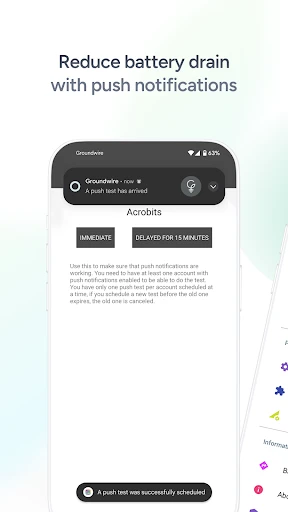
- persistent background connection can impact device battery life
- lacks built-in video calling found in some unified communication apps
- initial setup for multiple sip accounts is complex for novices
- interface prioritizes function over modern visual design aesthetics
Frequently Asked Questions
What is Groundwire and what does it do?
Groundwire is a professional VoIP SIP softphone application for iOS and Android. Its core function is to make and receive phone calls over the internet using your existing SIP account or VoIP service provider. It positions itself as a feature-rich mobile client for business and power users, offering high-quality voice calls, multiple account support, and advanced telephony features directly on your smartphone or tablet.
Is Groundwire free to use or are there in-app purchases?
Groundwire is a paid application with a one-time purchase price. It is not a free or freemium app. The initial purchase grants access to all core features. However, to make calls, you must separately subscribe to and configure a compatible SIP/VoIP service provider, which involves its own fees. The app itself does not have recurring in-app purchases or subscriptions for its functionality.
What are the unique technical features of Groundwire?
Groundwire's unique features include support for multiple SIP accounts and identities, high-definition voice codecs (like Opus and G.722), advanced call handling (transfer, recording, parking), and sophisticated audio routing options (Bluetooth, headset). It also offers detailed call logs, integration with native contacts, and robust security protocols like TLS and SRTP. Its interface is highly customizable for workflow efficiency.
What devices and systems is Groundwire compatible with?
Groundwire is primarily available for iOS (iPhone and iPad) and Android devices. It is designed to work on modern versions of these operating systems. The app is a software solution and does not require any specific additional hardware, though it works optimally with quality headphones or Bluetooth devices. It is suitable for individual professionals, remote workers, and businesses needing a mobile SIP client.
How do I set up my SIP account in Groundwire?
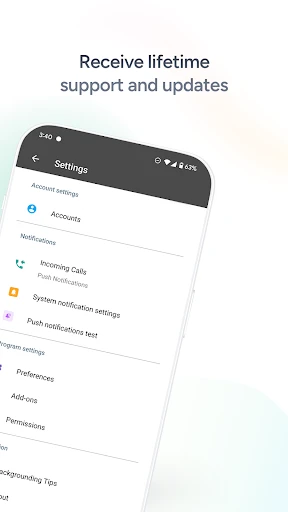
Setup requires account details from your SIP/VoIP provider (username, password, server domain/port). In the app, navigate to the accounts section, add a new account, and enter these credentials. Most providers use standard SIP settings. For advanced configuration like STUN servers or codec prioritization, consult your provider's documentation. Groundwire does not provide SIP service itself; you must arrange that separately.
App Info
Technical Info
Recommended For You

The Cepher
Books & Reference

Vault - Hide Pics, App Lock
Business

AlphaNovel — Books & Stories
Books & Reference

Shiftsmart - Find Work
Business

Invoice2go: Easy Invoice Maker
Business

Messenger Kids – The Messaging
Communication

Dashtoon: Comics & Manga
Comics

Monster Job Search
Business

10-4 by WEX
Auto & Vehicles

Driver Pulse by Tenstreet
Business

Mirror App - Beauty Mirror
Beauty

GetCode - Virtual Number SMS
Business

IAA Buyer Salvage Auctions
Business

Ulta Beauty: Makeup & Skincare
Beauty

KeyConnect Digital Car Key
Auto & Vehicles

MessengerX App
Books & Reference

Bible App by Olive Tree
Books & Reference

CVTz50
Auto & Vehicles

Photoleap: AI Photo Generator
Art & Design

漫画 ”Renta”マンガ レンタル漫画アプリ
Comics