
Samsung Accessory Service
Screenshots
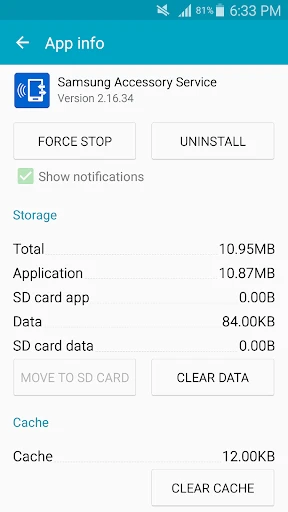
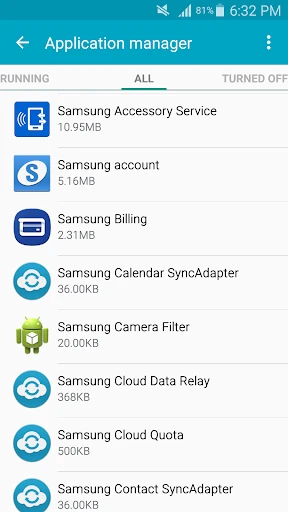
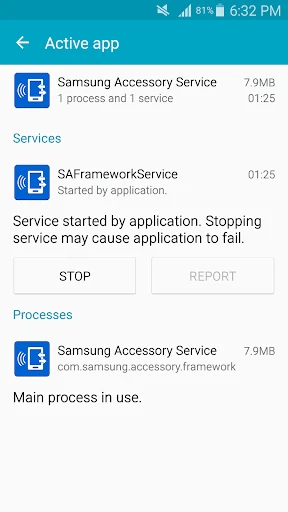
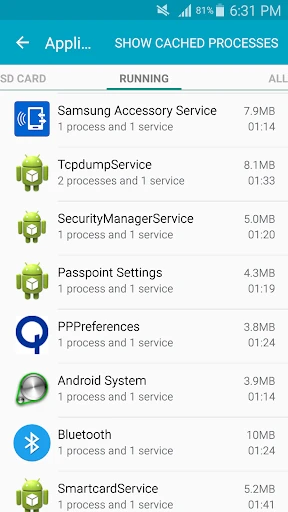
Description
About Samsung Accessory Service Feature
Samsung Accessory Service is a dedicated system application designed for Samsung Galaxy device users. It operates in the background to manage the seamless integration, functionality, and software updates for a wide range of official Samsung accessories. This service is not a standalone app for direct user interaction but a crucial support framework that ensures certified accessories like earbuds, watches, smart tags, and covers work optimally with the host device. By automatically handling connectivity protocols, feature enablement, and firmware maintenance, it provides a cohesive and reliable ecosystem experience, reinforcing the core Samsung philosophy of interconnected and intelligent device interaction.
Chapter 1: Function
The core function of Samsung Accessory Service is to act as a central management hub for Samsung-branded accessories. It primarily facilitates the initial pairing and stable Bluetooth or other wireless connections between the main device, such as a Galaxy smartphone or tablet, and its accessories. The service is responsible for pushing firmware updates directly to connected accessories, ensuring they operate with the latest features, performance improvements, and security patches. It also enables and manages specific accessory features, such as pop-up battery status alerts for earbuds, customizing button actions on wearable devices, or activating special modes for protective covers. Furthermore, it provides a unified interface within the device settings where users can view and manage all connected Samsung accessories, check their battery levels, and access individual settings menus, creating a centralized control point.
Chapter 2: Value
The primary value proposition of Samsung Accessory Service lies in its ability to deliver a frictionless, integrated, and premium ecosystem experience. Its key advantage is the elimination of compatibility concerns; by using official accessories with this service, users are guaranteed reliable performance and access to the full suite of advertised features without needing third-party apps or complex setup procedures. The automatic firmware update mechanism is a significant value-add, as it keeps accessories secure and functionally current, extending their useful life and enhancing user safety. This behind-the-scenes management simplifies the user experience dramatically, allowing users to enjoy the benefits of a connected device ecosystem without technical overhead. For Samsung, it strengthens brand loyalty by creating a seamless hardware-software synergy that is difficult to replicate with non-certified products. It ensures quality control and a consistent user interface across the accessory portfolio, making device interaction intuitive. Ultimately, the service transforms a collection of individual devices into a cohesive, intelligent network where each component is optimized to work in harmony, thereby protecting the investment users make in the Samsung ecosystem and delivering on the promise of a smart, interconnected lifestyle.
Chapter 3: Scenarios
The primary target users for the Samsung Accessory Service are owners of Samsung Galaxy smartphones and tablets who utilize or plan to utilize official Samsung accessories. It is particularly valuable for tech-savvy individuals and professionals who rely on a stable and feature-rich mobile ecosystem for productivity and entertainment. Everyday use cases are abundant. A user pairing their new Galaxy Buds will experience an instant, animated pop-up connection guided by this service. A Galaxy Watch owner receives a notification on their phone, pushed via this service, indicating a new wearable software update is available for installation. When a user opens the case of their earbuds, the service triggers the on-screen battery widget automatically. In a family setting, a user managing multiple Galaxy SmartTags for keys or bags can locate and configure them all through the integrated interface provided by this background service. It is also essential for users of specialized accessories like the S Pen for Note or S Ultra series, ensuring low-latency performance and feature parity. Essentially, any interaction between a Samsung host device and a certified accessory, from initial setup to daily feature use and maintenance, is smoothly orchestrated by the Samsung Accessory Service.
Uninstall Instructions
For step-by-step guidance on how to safely remove this application from your device, please refer to our 《Uninstall Instructions》 document.
Pros
- integrates accessory management across samsung ecosystem devices
- provides genuine battery and part certification for safety
- offers one-touch diagnostics for accessory performance issues
- delivers firmware updates for compatible smart accessories
- centralizes warranty status and repair service access
Cons
- exclusively limited to samsung-branded accessories and devices
- diagnostic features require latest one ui version to function
- minimal support for legacy or discontinued accessory models
- service availability varies by region and carrier firmware
- no proactive alerts for accessory battery health degradation
Frequently Asked Questions
What is Samsung Accessory Service app?
Samsung Accessory Service is a system utility app designed for Samsung Galaxy devices. Its core function is to manage and enable seamless connectivity and advanced features for official Samsung accessories, such as smart watches, earbuds, and cases. It operates in the background to ensure proper pairing, firmware updates, and functionality like battery status display or auto-unlock with specific accessories. The app is typically pre-installed and integrates deeply with the device's One UI system.
Is Samsung Accessory Service free to use?
Yes, the Samsung Accessory Service app is completely free. There are no in-app purchases or subscription fees. It is a supporting system application provided by Samsung for its hardware ecosystem. Its primary purpose is to facilitate the functionality of compatible Samsung accessories you own. No additional payment is required for the core management services, firmware updates, or feature enablement it provides.
Which devices and accessories are compatible?
This service is specifically designed for Samsung Galaxy smartphones and tablets running Android with One UI. It is not intended for non-Samsung devices. Compatibility depends on your device model, Android version, and the specific official Samsung accessory (e.g., Galaxy Buds, Galaxy Watch, S-Pen, or specific protective cases). For precise compatibility, please refer to the official Samsung website or your accessory's manual, as support can vary by product generation and region.
Can I disable or uninstall Samsung Accessory Service?
The app is a critical system component for accessory functionality on Samsung devices. It cannot be fully uninstalled without rooting the device. You may have the option to 'Disable' it through your device's application settings, but this is not recommended. Doing so will likely cause connected Samsung accessories to malfunction, lose features, or fail to update. It is designed to run efficiently in the background with minimal resource usage.
Why does the app request location permission?
The location permission is typically requested to enable Bluetooth-related features for certain accessories. For example, features like 'Find My Earbuds' or location-tracking functions for a smartwatch require this access to work correctly. The permission is used solely to provide these specific services within the accessory ecosystem. You can manage this permission in your device settings, but restricting it may disable related features for your connected Samsung accessories.
App Info
Technical Info
Recommended For You

Amazon Relay
Business

Holy Bible - KJV+Verse
Books & Reference

리디 - 웹툰, 만화, 웹소설, 전자책 모두 여기에!
Comics

WhatsApp Business
Communication

Truth Bible: Audio+Verse
Books & Reference

Duo Mobile
Business

RepairSolutions2
Auto & Vehicles

Kiwi Browser - Fast & Quiet
Communication

CaptionCall
Communication

Sketch Pro: Draw & Create Art
Art & Design

Veryable: Work. Next Day Pay
Business

Ink AI – Tattoo design maker
Art & Design

Xcel Energy
Business

Talk & Translate - Translator
Books & Reference

Oremus - Catholic Bible&Prayer
Books & Reference

Getcontact
Communication

LINE: Calls & Messages
Communication

Bible Chat: Holy Bible Study
Books & Reference

AppBarber: Cliente
Beauty

OBD Scanner ELM327: GaragePro
Auto & Vehicles