
Amazon Kindle
Screenshots
Description
About Amazon Kindle Feature – Your Portable Digital Library
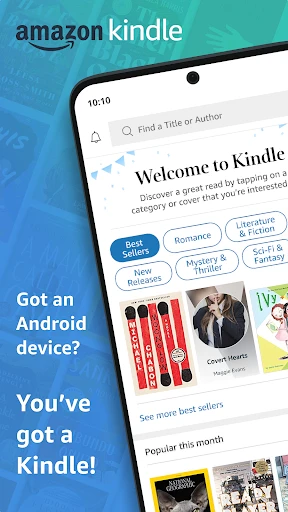
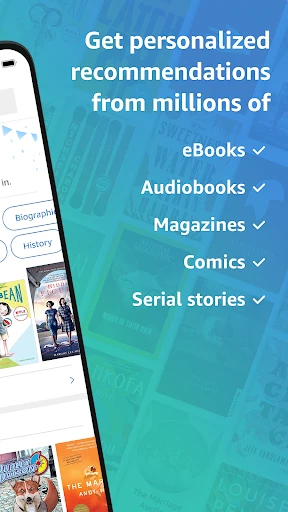
Amazon Kindle is a premier e-reading application developed by Amazon, designed to deliver a seamless and immersive book-reading experience across smartphones, tablets, and computers. It serves as a gateway to a vast digital ecosystem, granting users instant access to millions of e-books, magazines, newspapers, and audiobooks. The app synchronizes reading progress, notes, and highlights across all devices linked to an Amazon account, ensuring that your library and place in a book are always with you. Emulating the focused, distraction-free experience of reading a physical book, Kindle provides customizable settings for text and layout, alongside unique features like Word Wise and X-Ray, which enhance comprehension and engagement. It stands as an essential tool for avid readers and casual book lovers alike, transforming any device into a personal bookstore and a powerful knowledge companion.
Chapter 1: Function
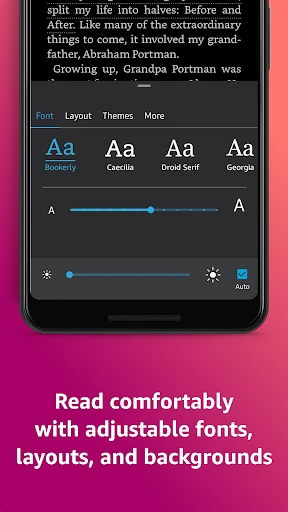
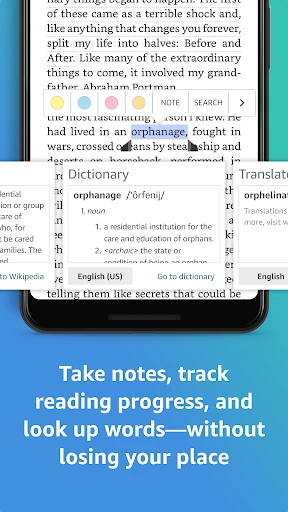
The Amazon Kindle app's core functionality revolves around providing a comprehensive and user-friendly e-reading experience. At its heart, it allows users to purchase, borrow, and download e-books directly from the integrated Kindle Store. Once a book is in the user's library, the app offers a clean, customizable reading interface. Users can adjust font size, typeface, margins, and background color (including a sepia or black mode) to suit their comfort. Key functional tools include the ability to highlight passages, add notes, and look up word definitions instantly with built-in dictionaries. The app supports seamless synchronization, meaning your last read page, highlights, and notes are updated across all your devices. It also incorporates features like Word Wise, which displays simple hints above challenging words, and X-Ray, which lets users explore key terms, characters, and ideas within the book. Furthermore, the app supports reading in multiple languages and offers integration with Goodreads for social sharing and tracking.
Chapter 2: Value
The value proposition of the Amazon Kindle app lies in its unparalleled convenience, extensive content ecosystem, and deep, feature-rich reading experience. Its primary advantage is instant access to one of the world's largest collections of digital written content, often at lower prices than physical books, with many classic titles available for free. This eliminates the need to visit a store or wait for delivery, putting an entire library in the user's pocket. The cross-platform synchronization is a significant value-add, allowing readers to switch from a phone during a commute to a tablet at home without losing their place. For serious readers and students, features like highlighting, note-taking, and search within books transform passive reading into an interactive study session. The integration with Wikipedia and dictionaries facilitates immediate learning without leaving the app. The Whispersync technology extends value by synchronizing with Kindle e-readers and even matching audiobook narration with text through Immersion Reading, catering to different learning styles. By reducing physical clutter, offering portability for thousands of books, and providing tools that enhance understanding and retention, the Kindle app delivers exceptional value by making reading more accessible, organized, and intellectually rewarding than ever before.
Chapter 3: Scenarios
The Amazon Kindle app caters to a diverse range of user groups across various everyday scenarios. The primary target audience includes avid book enthusiasts who consume multiple books monthly and appreciate the portability of carrying an entire library on their phone or tablet. Students and academics form another key group, utilizing the app for researching, annotating textbooks, and studying with the help of highlight and note export features. Commuters and travelers benefit immensely, as the app turns waiting times and journeys into productive reading sessions without the burden of carrying physical books. Professionals use it to stay updated with industry-related magazines, journals, and business books. Casual readers who enjoy bestsellers or novels during leisure time find the one-tap purchasing and comfortable reading interface perfectly suited to their needs. Everyday use cases include reading a few pages during a lunch break, listening to an audiobook while driving or exercising, using the dictionary to help a child with homework, a book club member preparing notes and searching for passages, or a researcher compiling references from multiple sources. In essence, any situation where information consumption, entertainment, or learning through written word is desired, the Kindle app provides a tailored and convenient solution.
Uninstall Instructions
For step-by-step guidance on how to safely remove this application from your device, please refer to our 《Uninstall Instructions》 document.
Pros
- seamless sync across devices via whispersync
- vast library with exclusive amazon first reads
- x-ray feature reveals character and term insights
- adjustable warm light for comfortable nighttime reading
- integration with goodreads for social tracking
Cons
- locked into amazon's azw and kfx formats
- ads on lock screen for cheaper device models
- limited epub support requires format conversion
- web browser experience is slow and clunky
- annotations export is restrictive and fragmented
Frequently Asked Questions
What is Amazon Kindle and what are its core functions?
Amazon Kindle is a digital reading application primarily designed for purchasing, downloading, and reading e-books, magazines, and other digital content. Its core functions include accessing a vast library from the Kindle Store, syncing reading progress across devices, and providing features like adjustable text size, built-in dictionary, and X-Ray for exploring book content. It positions itself as a portable personal library.
Is the Kindle app free to use, and are there in-app purchases?
The Amazon Kindle app itself is free to download and install. However, most books, magazines, and audiobooks in the Kindle Store require purchase. The app also supports reading borrowed books from public libraries via services like Libby. There is a subscription service, Kindle Unlimited, which offers unlimited access to a select catalog for a monthly fee.
On which devices and platforms can I use the Kindle app?
The Kindle app is highly adaptable and available across a wide range of devices and systems. You can use it on iOS and Android phones/tablets, Windows and macOS computers, and select Fire TV models. It synchronizes your library and reading position seamlessly across all devices logged into the same Amazon account, ensuring a continuous reading experience.
How does the Whispersync feature work, and what does it require?
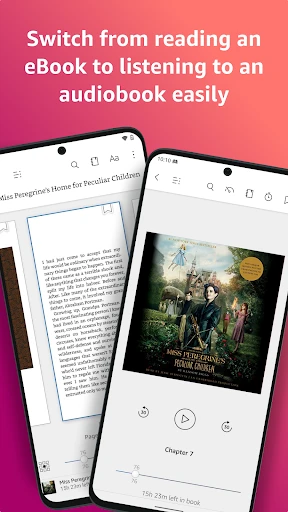
Whispersync automatically saves and synchronizes your furthest reading page, bookmarks, notes, and highlights across your devices. This requires your devices to be connected to the internet and logged into the same Amazon account. It works for most Kindle books and compatible audiobooks, allowing you to switch between reading and listening without losing your place.
Can I read Kindle books purchased from Amazon on other e-readers?
Kindle books purchased from Amazon are generally intended for use within the Kindle ecosystem, which includes Kindle e-readers, Fire tablets, and the Kindle app on various platforms. They use a proprietary format (AZW, KFX) and are not directly compatible with most other e-reader brands (like Kobo or Barnes & Noble Nook) that use different DRM protection or file formats like EPUB.
App Info
Technical Info
Recommended For You

Yaelokre OC Maker
Art & Design

TruckSmarter Load Board & Fuel
Business

Speak and Translate Languages
Communication

ATOM Store, Myanmar
Communication

Castle - Make and Play
Art & Design

Webex Meetings
Business

Whoscall - Caller ID & Block
Communication

Draw Animation - Anim Creator
Art & Design

BOMTOON - 正版授權網漫
Comics

PayPal Business
Business

imo video calls and chat HD
Communication

PDF Reader: Edit & Convert PDF
Business

Cortes de Pelo Hombre 2024
Beauty

Hallow: Prayer & Meditation
Books & Reference

FAX App: Send Faxes from Phone
Business

SAP Concur
Business

League of Comic Geeks
Comics

FPS Shooting Gun Games Offline
Comics

Genius: AI Photo Generator
Art & Design

Hair Color Changer: Change you
Beauty