
Messenger SMS - Text Messages
Screenshots
Description
About Messenger SMS - Text Messages Feature
Messenger SMS - Text Messages is a comprehensive messaging application designed to seamlessly integrate and enhance the traditional SMS texting experience on Android devices. It serves as a powerful replacement for the default messaging app, offering a clean, intuitive interface coupled with advanced organizational features, customization options, and reliable message delivery. The app focuses on bringing modern messaging conveniences to the universal SMS/MMS protocol, ensuring users can manage all their text-based communications efficiently from a single, feature-rich platform without requiring recipients to install the same app.
Chapter 1: Function
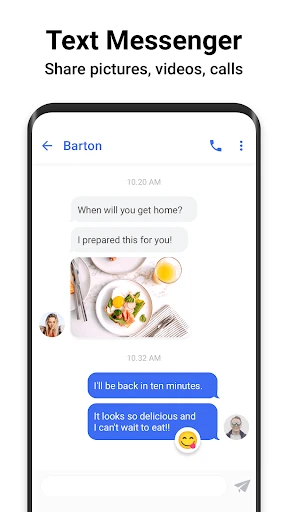
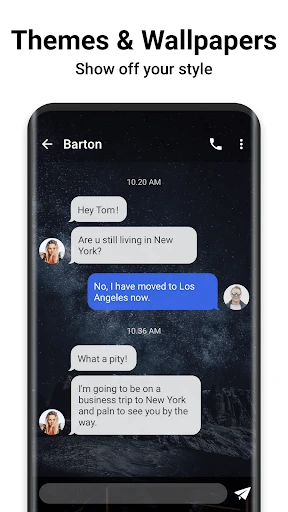
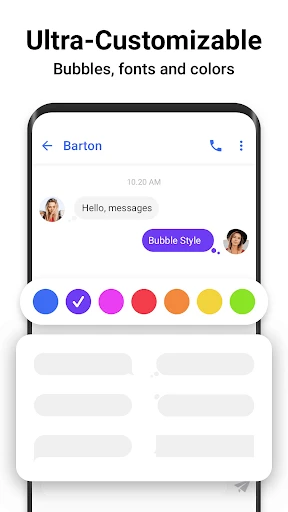
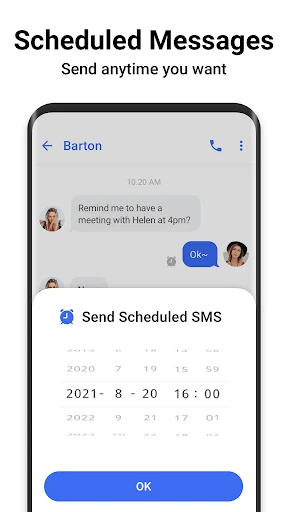
Messenger SMS - Text Messages centralizes core texting functionalities within a user-friendly environment. Its primary function is to send and receive standard SMS and MMS messages, including group texts and picture messages. The app provides robust conversation management, allowing users to easily search through message history, delete threads, and block unwanted numbers. It supports scheduled messaging, enabling users to compose texts and set a future time for automatic sending. A key functional highlight is its extensive customization capability; users can personalize the app's appearance with diverse themes, color schemes, and chat bubble styles. Furthermore, it includes practical tools like message backup and restore options to safeguard communication history, and quick-reply features for responding to messages directly from notifications without opening the full app.
Chapter 2: Value
The value proposition of Messenger SMS - Text Messages lies in its ability to modernize and streamline the essential yet often overlooked SMS experience. Its foremost advantage is delivering a highly customizable and visually appealing interface that transforms the utilitarian default messaging app into a personalized communication hub. Users gain significant control over the look and feel, enhancing daily interaction. The app adds substantial practical value through features like message scheduling, which aids in time management and remembering important communications, and reliable backup solutions that protect against data loss. Unlike many over-the-top messaging platforms, it operates on the universal cellular network standard, ensuring compatibility with every mobile number without dependency on internet connectivity or forcing contacts to join a new service. This universality, combined with enhanced organization tools such as advanced search and efficient spam management, makes it an indispensable tool for anyone who relies heavily on standard texting for personal or professional purposes. It effectively bridges the gap between the simplicity of SMS and the feature-rich expectations set by modern internet-based messengers.
Chapter 3: Scenarios
Messenger SMS - Text Messages is ideally suited for Android users who prioritize SMS as a primary or frequent communication channel. A key target group includes individuals who communicate regularly with contacts who may not use popular internet-based messaging apps, such as older family members, certain professional contacts, or in areas with limited data connectivity. It is highly valuable for organized professionals who benefit from scheduling texts for client reminders or team updates, and for anyone needing to manage high volumes of messages with efficient search and filtering. Everyday use cases are abundant: a parent customizing the app with a clear, large-font theme for easy readability while coordinating family logistics via group MMS; a small business owner scheduling appointment confirmations to be sent during business hours; or a traveler relying solely on SMS in areas with poor internet, using the app's backup feature to secure important local contact exchanges. It serves as a daily driver for users seeking a more powerful, personalized, and reliable texting tool than what their phone manufacturer provides.
Uninstall Instructions
For step-by-step guidance on how to safely remove this application from your device, please refer to our 《Uninstall Instructions》 document.
Pros
- merges sms and messenger chats into a single unified inbox
- offers end-to-end encryption for messenger conversations
- provides customizable chat bubbles for overlay multitasking
- supports high-quality photo and video sharing via messenger
- enables cross-device syncing for seamless conversation continuity
Cons
- requires facebook account for full messenger functionality
- sms organization lacks advanced sorting or tagging features
- chat bubbles can occasionally obscure other app interfaces
- larger app size due to dual messaging system integration
- potential notification complexity from two message types
Frequently Asked Questions
What is Messenger SMS - Text Messages?
Messenger SMS - Text Messages is a messaging app for Android that serves as an alternative to your phone's default SMS/MMS application. Its core function is to send and receive standard text messages. It positions itself with a focus on a clean, user-friendly interface and additional organizational features for your conversations, differentiating itself from basic system apps through its design and customization options.
Is Messenger SMS completely free to use?
The app is free to download and use for core SMS/MMS messaging functions. It may contain optional in-app purchases for premium themes or advanced customization features. It displays advertisements, which is a primary method for the free version's revenue. No information suggests it requires payment for sending standard texts, but carrier messaging rates may still apply.
What unique features does it offer over default apps?
Beyond basic texting, it offers features like message scheduling, SMS blocking for spam, customizable chat bubbles, themes, and varied notification settings. It provides enhanced organization through message backup/restore options and search functionality. These features aim to give users more control over the visual style and management of their SMS inbox compared to many default system applications.
Does it work on all Android devices and versions?
It is designed for Android devices. Specific compatibility depends on the developer's stated requirements, typically supporting a range of Android OS versions (e.g., Android 5.0 and above). It does not work on iOS (iPhone) or as a cross-platform internet messaging service like WhatsApp. Performance may vary by device model and manufacturer-specific system modifications.
How does it handle message backup and privacy?
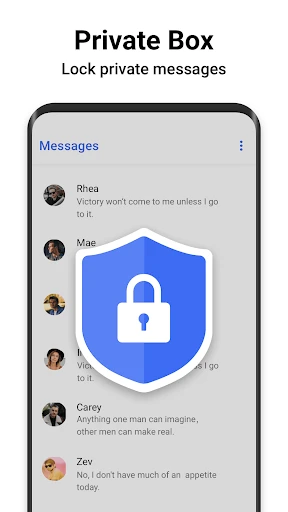
The app typically includes options to backup and restore your SMS/MMS history locally or to cloud storage like Google Drive, depending on its specific features. As an SMS app, it requires permissions to access your contacts, messages, and phone storage. Privacy practices, including data collection and sharing, are governed by its separate Privacy Policy, which should be reviewed for details on data handling.
App Info
Technical Info
Recommended For You

Animation Creator: Flipbook 2D
Art & Design

TMOLector: Manga and Stories
Comics

O'Reilly Pro
Business

Fuelio: gas log & gas prices
Auto & Vehicles

Hallow: Prayer & Meditation
Books & Reference

Biblia Reina Valera en español
Books & Reference

BUBBLE Comics. Russian heroes.
Comics

Lalatoon - Comics & Webtoon
Comics

Color by Letter: Sewing game
Art & Design

Face Shape & Color Analysis
Beauty

ESV Bible
Books & Reference

Carly — OBD2 car scanner
Auto & Vehicles

PDF Pro-View PDF
Business

Hair Color Changer: Change you
Beauty

DriveTime Used Cars for Sale
Auto & Vehicles

IPSY: Personalized Beauty
Beauty

My Mitsubishi Connect
Auto & Vehicles

EasyTether Pro
Communication

HiPaint -Sketch Draw Paint it!
Art & Design

Shipt: Shopper and Driver
Business