Car play/Android Auto Sync
Screenshots



Description
About CarPlay/Android Auto Sync Feature – Seamless Integration for the Modern Driver
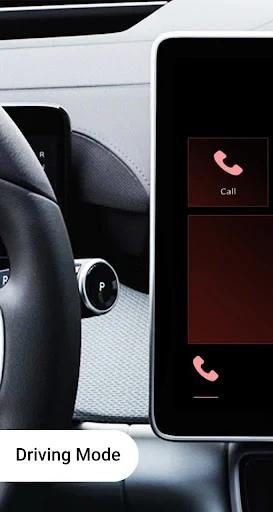
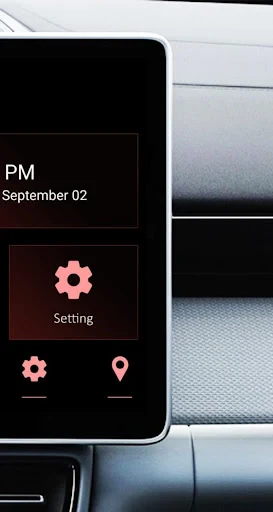
CarPlay/Android Auto Sync is a pivotal in-car connectivity feature that bridges smartphones with vehicle infotainment systems. It allows users to mirror and interact with select apps from their iPhone or Android device directly through the car's built-in display, using either a wired or wireless connection. This technology transforms the standard dashboard into a familiar, smartphone-like interface, prioritizing safety and convenience by minimizing distractions. It provides access to navigation, communication, music, and audio content through voice commands, steering wheel controls, or touchscreen interactions, creating a unified and intelligent driving companion tailored for the road ahead.
Chapter 1: Function
The core function of CarPlay/Android Auto Sync is to project a driver-optimized version of a smartphone's interface onto the vehicle's central screen. Once connected, the system integrates key applications for navigation like Apple Maps or Google Maps, music and podcast services such as Spotify or Apple Music, and communication tools including phone calls and messaging apps. It supports intuitive control methods: drivers can use Siri or Google Assistant voice commands for hands-free operation, interact via the car's touchscreen, or use physical buttons on the steering wheel. The interface is simplified with large, easy-to-read icons and a focus on essential information, ensuring that drivers can access needed functions with minimal glance time away from the road. This seamless mirroring and interaction framework forms the foundational utility of the sync feature.
Chapter 2: Value
The primary value of CarPlay/Android Auto Sync lies in its profound enhancement of driving safety, convenience, and overall in-car experience. By centralizing control through a familiar, streamlined interface, it significantly reduces cognitive load and physical distraction. Drivers no longer need to fumble with their phones; instead, they can use natural voice commands to get directions, send messages, or play music, keeping their eyes on the road and hands on the wheel. This directly contributes to safer driving practices. Beyond safety, it offers immense convenience through deep ecosystem integration. Users enjoy access to their personal content, preferred navigation with real-time traffic, and personalized audio playlists seamlessly within their car's environment. The system also future-proofs the vehicle to some extent, as smartphone updates and new app integrations refresh the in-car experience without requiring costly hardware upgrades. For automakers, it provides a standardized, high-quality software interface that enhances vehicle appeal. Ultimately, it transforms the car from a mere transport tool into a connected hub, merging the power and personalization of the user's digital life with the demands of the driving task, delivering a smarter, safer, and more enjoyable journey.
Chapter 3: Scenarios
CarPlay/Android Auto Sync is ideally suited for modern drivers who rely heavily on their smartphones for navigation, communication, and entertainment. The primary user groups include daily commuters navigating city traffic, who benefit from real-time route guidance and hands-free call management. It is equally valuable for frequent travelers and sales professionals who depend on reliable maps and audio communication for long-distance drives. Families on road trips can leverage the feature for shared music playlists and audiobooks, while also staying connected safely. The technology is also a boon for users with older vehicle models that lack advanced built-in infotainment, offering an affordable upgrade path to a smart, connected dashboard. Everyday use cases are manifold: using voice commands to reply to a text message, asking for the nearest gas station while on a highway, controlling a podcast during the morning commute, or having incoming call information read aloud without taking out the phone. It serves anyone seeking a safer, more integrated, and personalized way to stay connected and informed while driving.
Uninstall Instructions
For step-by-step guidance on how to safely remove this application from your device, please refer to our 《Uninstall Instructions》 document.
Pros
- mirrors phone maps and media to car display seamlessly
- integrates with car's steering wheel controls for safety
- supports voice commands for hands-free operation
- works with major navigation and audio streaming apps
- minimal setup required for most modern vehicles
Cons
- requires a compatible car stereo or aftermarket unit
- wireless connection can drain phone battery quickly
- interface responsiveness varies by phone model
- limited customization options for on-screen layout
- some app functions restricted while driving for safety
Frequently Asked Questions
What is Car Play/Android Auto Sync?
Car Play/Android Auto Sync is a mobile application designed to mirror and control your smartphone's interface on your vehicle's infotainment display. It primarily functions by projecting a simplified, driver-friendly version of your phone's apps (like maps, music, and messaging) onto your car's screen, allowing for safer interaction while driving. The app facilitates this connection typically via USB or wireless protocols, depending on your car and phone compatibility.
Is the app free to use or are there in-app purchases?
null
What devices and systems are compatible with this app?
The app requires a smartphone running a compatible version of iOS or Android. For CarPlay functionality, an iPhone and a vehicle or receiver supporting CarPlay are needed. For Android Auto, an Android phone and compatible vehicle or receiver are required. The app itself acts as a facilitator and must be installed on the phone. Compatibility ultimately depends on your specific car model and phone OS version.
How do I troubleshoot a failed connection to my car?
First, ensure you are using a certified, high-quality USB cable if connecting wired. Check that both your phone's OS and your car's firmware are updated. Enable the required permissions on your phone, such as USB debugging for Android. Restart both your phone and car's infotainment system. If using wireless, verify that Bluetooth and Wi-Fi are enabled. Consult your vehicle's manual for specific projection mode activation steps.
Does using this app drain my phone battery quickly?
Using the app for projection, especially over a wireless connection, can increase battery consumption as it uses Bluetooth, Wi-Fi, and screen rendering simultaneously. For extended trips, it is recommended to keep your phone plugged into a power source via your car's USB port or a charger. This not only powers the phone but also often ensures a more stable data connection for the projection.
App Info
Technical Info
Recommended For You

Animic AI: Anime Generator
Art & Design

Translate Now: All Languages
Business

Holy Quran - Deeper journey
Books & Reference

CreArt - AI Image Generator
Art & Design

StyleKorean
Beauty

Picify: AI Art Editor
Art & Design

Magic Doodle: Glow Art Drawing
Art & Design

Kiwi Browser - Fast & Quiet
Communication

Spirit Fanfiction and Stories
Books & Reference

eBird by Cornell Lab
Books & Reference

MangaToon: Comic & Manga
Comics

Face scan - How old do I look
Beauty

Color Wheel
Art & Design

Papercopy - Tracer
Art & Design

Tracer (Donation Package)
Art & Design

Picture Editor
Beauty

WhatColors: AI Color Analysis
Beauty

Amazon A to Z
Business

Torque Pro (OBD 2 & Car)
Communication

Google Messages
Communication