
Photo Editor - Retouch Photos
Screenshots
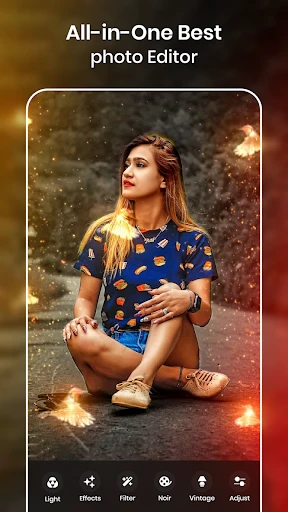


Description
About Photo Editor - Retouch Photos Feature
Photo Editor - Retouch Photos is a comprehensive mobile application designed for on-the-go image enhancement and creative editing. It empowers users to transform ordinary snapshots into polished, professional-looking photographs directly from their smartphones. The app combines a wide array of essential tools for basic adjustments with advanced retouching capabilities, catering to both casual photographers and social media enthusiasts. Its intuitive interface ensures that sophisticated editing techniques are accessible without a steep learning curve. By providing a powerful yet user-friendly toolkit, the app serves as a versatile digital darkroom, enabling users to correct flaws, enhance details, and apply artistic effects to their photos with precision and ease.
Chapter 1: Function
The core functionality of Photo Editor - Retouch Photos centers on providing a robust suite of editing tools. Users can perform fundamental adjustments such as cropping, rotating, and straightening images. The app offers precise control over color parameters including brightness, contrast, saturation, and temperature. Its retouch toolkit is particularly notable, featuring tools for blemish removal, skin smoothing, whitening teeth, and red-eye correction. Advanced functions include selective editing with a brush, background eraser and changer capabilities, and the application of various filters and artistic effects. The app supports working with layers, adding text with multiple fonts, and applying frames and stickers. It also includes collage-making functionality, allowing users to combine multiple photos into a single creative layout. All these operations are designed to be performed seamlessly on a mobile device, with options to save in high resolution and share directly to social platforms.
Chapter 2: Value
The primary value proposition of Photo Editor - Retouch Photos lies in democratizing professional-grade photo editing. It delivers high-end retouching results typically associated with desktop software, packaged within a convenient and affordable mobile application. A key advantage is its all-in-one nature, eliminating the need to switch between multiple apps for different editing tasks. The interface is logically organized, making complex features like selective adjustment and object removal accessible to non-professionals. Unlike many competitors, it often provides these advanced tools without requiring a subscription, offering a compelling one-time purchase model or a generous free tier with optional purchases. The processing algorithms are optimized for mobile hardware, ensuring speedy rendering without excessive battery drain or lag. The output quality maintains high fidelity, preserving image details even after significant edits. Furthermore, the app continuously updates its filter libraries and tool sets in response to trends, ensuring users have access to current styles. This combination of power, convenience, and cost-effectiveness provides exceptional value, enabling users to elevate their visual content for personal archives, social media presence, or even professional portfolios directly from their pocket.
Chapter 3: Scenarios
The app primarily targets smartphone photographers who are active on social media platforms like Instagram, Facebook, and TikTok. This includes influencers, bloggers, and small business owners who need to create attractive visual content for branding and engagement without investing in expensive software or equipment. It is equally valuable for travel enthusiasts who wish to enhance their vacation photos, correcting lighting issues or removing unwanted bystanders from scenic shots. Parents and family members find it useful for touching up portraits, smoothing skin, and creating beautiful collages for sharing with relatives. Real estate agents or online sellers can utilize its object removal and enhancement tools to clean up and improve photos of properties or products for listings. Students and young professionals might use it to refine profile pictures for LinkedIn or academic submissions. In everyday use, a user might quickly brighten a dimly lit dinner photo, remove a skin imperfection from a selfie, create a festive collage for a holiday greeting, or apply a cohesive filter theme to a series of images before posting to a social media story. The app serves as the go-to solution for any immediate, quality-focused photo refinement need.
Uninstall Instructions
For step-by-step guidance on how to safely remove this application from your device, please refer to our 《Uninstall Instructions》 document.
Pros
- one-tap object removal with contextual fill
- portrait relighting adjusts lighting post-capture
- non-destructive layer editing on mobile
- raw file support for high-end phone cameras
- batch processes retain original metadata
Cons
- advanced relighting requires uniform initial light
- object removal struggles with complex patterns
- layer system has limited blend modes
- raw processing slows on older devices
- no cloud sync for edited layer projects
Frequently Asked Questions
What is Photo Editor - Retouch Photos?
Photo Editor - Retouch Photos is a mobile application designed for photo enhancement and manipulation. Its core functions include basic editing (crop, rotate, adjust lighting/color), advanced retouching tools for removing blemishes or objects, and applying filters or effects. It positions itself as an all-in-one, user-friendly tool for quick photo fixes and creative edits directly on your device, without requiring professional skills.
Is the app free to use, or are there in-app purchases?
Yes, the app features a multi-step undo/redo function, allowing you to revert recent edits step by step. It is crucial to use the 'Save a Copy' option instead of overwriting the original file to preserve the source photo. For after-sales or technical support, users should contact the developer directly through the support links provided in the app's description on the Google Play Store or Apple App Store.
What devices and systems does this photo editor support?
The app is free to download and use with a basic set of editing tools. However, it offers in-app purchases to unlock premium features. These typically include advanced filters, more sophisticated retouching tools (like object removal or selective edits), and the removal of watermarks from exported images. No additional physical equipment is required to use the app.
How does the object removal or blemish retouch tool work?
Photo Editor - Retouch Photos is primarily available for Android and iOS mobile devices (smartphones and tablets). You can download it from the Google Play Store or the Apple App Store. It is designed for general consumers and photography enthusiasts. Specific version requirements for the operating systems (e.g., iOS 13.0+ or Android 8.0+) are detailed on the respective app store listing pages.
Can I recover an edited photo if I make a mistake?
The app includes a 'Healing' or 'Clone Stamp' tool for object removal and blemish retouching. You manually select the unwanted object or spot, and the tool samples the surrounding pixels to blend and cover the selected area. The effectiveness depends on the complexity of the background. For best results, use it on small objects or blemishes against relatively uniform backgrounds.
App Info
Technical Info
Recommended For You

Flowbird Parking
Auto & Vehicles

TeamSpeak 3 - Voice Chat
Communication

Boat Trader
Auto & Vehicles

Pentacomix
Comics

Whitepages - Find People
Communication

Car Launcher
Auto & Vehicles

XBrowser - Mini & Super fast
Communication

2nd Line+ Phone Number & eSIM
Communication

Kelley Blue Book: We Know Cars
Auto & Vehicles

Receipt Scanner: Easy Expense
Business

MySubaru
Auto & Vehicles

AnyDesk Remote Desktop
Business

WOMBO Dream - AI Art Generator
Art & Design

Conversations (Jabber / XMPP)
Communication

Cross Stitch Thread Organizer
Art & Design

EAGLE Security UNLIMITED
Communication

Beauty Camera - Selfie Camera
Beauty

ArtistAI: AI Photo Generator
Art & Design

Webfic - Fantastic Reading
Books & Reference

Picify: AI Art Editor
Art & Design