
Picture Editor
Screenshots


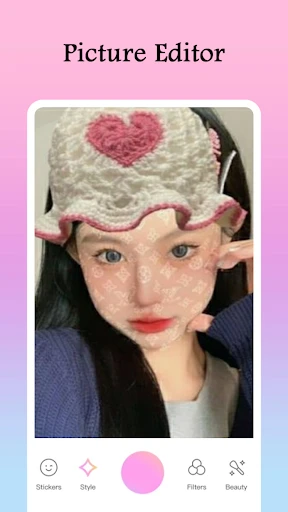

Description
About Picture Editor Feature – Your All-in-One Mobile Photo Enhancement Tool
Picture Editor is a comprehensive mobile application designed for quick and powerful photo editing. It integrates a wide array of tools and effects, allowing users to transform ordinary images into visually striking creations directly from their smartphones. Catering to both casual photographers and social media enthusiasts, the app emphasizes user-friendliness without compromising on advanced editing capabilities. Its intuitive interface ensures that tasks from basic cropping to applying complex filters are seamless and accessible. As a versatile solution in the digital imaging space, Picture Editor bridges the gap between simplicity and professional-grade results, making sophisticated photo manipulation available to everyone.
Chapter 1: Function
Picture Editor provides a robust suite of core editing functions to handle every aspect of photo manipulation. Users can perform fundamental adjustments such as cropping, rotating, and straightening images. The app includes precise tools for tuning color balance, brightness, contrast, saturation, and sharpness. It offers a rich library of artistic filters and visual effects to instantly alter a photo's mood and style. Retouching features like blemish removal, red-eye correction, and skin smoothing are available for portrait enhancement. Additionally, the app supports advanced operations including background editing, object removal, and the application of text overlays with various fonts. The functionality is rounded out by collage makers, frame additions, and direct sharing to social platforms, consolidating the entire editing workflow within a single application.
Chapter 2: Value
The primary value proposition of Picture Editor lies in its powerful, all-in-one functionality delivered through an exceptionally accessible platform. Its key advantage is the democratization of advanced photo editing; features that once required desktop software and technical expertise are now simplified for mobile use. This empowers users to achieve high-quality results without a steep learning curve. The app offers exceptional cost-effectiveness, providing a vast range of tools, filters, and updates for free or at a significantly lower cost than professional alternatives. It saves considerable time by enabling on-the-go edits, eliminating the need for computer transfers. Furthermore, the constant addition of new filters and trends keeps content fresh and aligned with social media aesthetics. For businesses and content creators, this translates into the ability to produce professional-looking marketing visuals and engaging social content rapidly and with minimal resource investment. The app's reliability and regular performance updates ensure a smooth user experience, making it a dependable tool in the user's daily digital toolkit. Ultimately, Picture Editor delivers creative freedom and professional outcomes, enhancing personal memories and boosting digital presence alike.
Chapter 3: Scenarios
Picture Editor primarily targets a broad spectrum of users, from everyday individuals to digital content professionals. Casual users, such as travel enthusiasts and parents, utilize the app to quickly enhance vacation photos or touch up family portraits before sharing with friends and family. Social media influencers and bloggers rely on its filters and tuning tools to maintain a consistent, appealing visual theme across their platforms, crucial for audience engagement and growth. Small business owners and online marketers use the app to create eye-catching product photos, promotional graphics, and advertisements without the expense of hiring a designer. Students and educators find it useful for creating visually compelling project materials and presentations. In everyday scenarios, the app is employed to correct poorly lit shots, remove unwanted objects from an image, create personalized greeting cards, or design collages for special occasions. Its simplicity and depth make it equally suitable for a teenager editing a selfie and a small entrepreneur crafting a brand logo, proving its utility across countless personal and professional contexts.
Uninstall Instructions
For step-by-step guidance on how to safely remove this application from your device, please refer to our 《Uninstall Instructions》 document.
Pros
- one-tap background removal with AI precision
- batch editing for multiple photos simultaneously
- offline functionality for core editing tools
- specialized object relighting tool in editor
- non-destructive layer editing for complex compositions
Cons
- high-resolution exports require subscription
- advanced relighting limited to newer device GPUs
- batch processing lacks selective filter application
- AI cutout struggles with fine hair details
- project files incompatible with other editors
Frequently Asked Questions
What is Picture Editor and what does it do?
Picture Editor is a mobile photo editing application. Its core function is to provide tools for adjusting, cropping, and applying filters to images. Basic usage involves importing a photo from your gallery, using intuitive sliders and buttons for edits, and exporting the final image. It positions itself as a straightforward tool for quick enhancements rather than professional-grade editing.
Is Picture Editor free to use, or does it have in-app purchases?
Picture Editor is free to download and use for its basic editing functions. However, it offers optional in-app purchases. These purchases typically unlock premium features such as an expanded library of advanced filters, special effects, and the removal of watermark branding from exported images. The app may display advertisements in the free version.
What devices and operating systems is Picture Editor compatible with?
Picture Editor is primarily designed for smartphones. It is available for both Android and iOS mobile operating systems. The specific minimum version requirements (e.g., iOS 13 or Android 8.0) are listed on its official app store pages. It is generally not adapted for desktop or tablet-optimized use, focusing on mobile photo editing on the go.
How can I remove the watermark from my edited photos?
The watermark is automatically applied to photos exported using the free version of Picture Editor. To remove it, you need to purchase the 'Pro' or 'Premium' upgrade via an in-app purchase. This one-time or subscription payment will disable the watermark on all future exports. The process is managed through the app's settings or store section.
Does the app require special permissions or hardware to function?
Picture Editor requires access to your device's photo gallery to import images for editing. This is its primary permission. It does not require or utilize special external hardware. The app functions using your phone's standard camera and storage. Performance may vary based on your device's processor and available memory when handling very high-resolution images.
App Info
Technical Info
Recommended For You

Sky Tonight - Star Gazer Guide
Books & Reference

Pashto short stories پښتو قیصی
Comics

Beauty Makeup Editor & Camera
Beauty

Logos Bible Study App
Books & Reference

Microsoft Authenticator
Business

Google Ads
Business

Zebra Comics: Webtoons & Manga
Comics

Comicle Manga: Manhwa & Manga
Comics

FoxEyes - Change Eye Color
Beauty

Blue Letter Bible
Books & Reference

Samsung Accessory Service
Communication

Freepik: Design & edit with AI
Art & Design

CamCard-Digital business card
Business

PDF Pro-View PDF
Business

AI Hairstyle Try On・Wigs・Bangs
Beauty

Blessed - Bible verse & Prayer
Books & Reference

Yolla: International Calling
Communication

ArcStory - AI Comic generator
Comics

CL Theme Road
Auto & Vehicles

리디 - 웹툰, 만화, 웹소설, 전자책 모두 여기에!
Comics