
Color Wheel
Screenshots

Description
About Color Wheel Feature - The Ultimate Tool for Harmonious Color Schemes
Color Wheel is a professional yet accessible mobile application designed for anyone who works with color. It serves as a digital companion for creating, exploring, and applying harmonious color palettes. By leveraging established color theory principles, the app transforms the complex science of color relationships into an intuitive visual tool. Users can generate complementary, analogous, triadic, and other classic schemes with a simple tap, making it indispensable for designers, artists, hobbyists, and students. Its clean interface and powerful functionality bridge the gap between theoretical knowledge and practical application, enabling users to make confident color choices for any project directly from their smartphone or tablet.
Chapter 1: Function
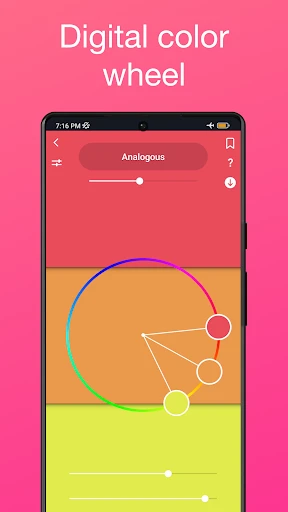
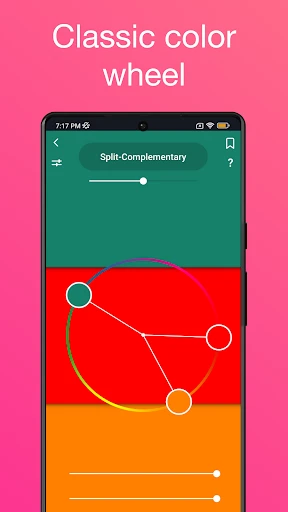
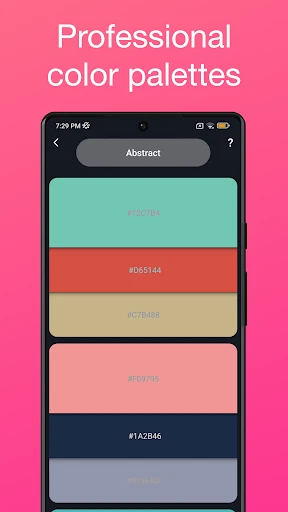
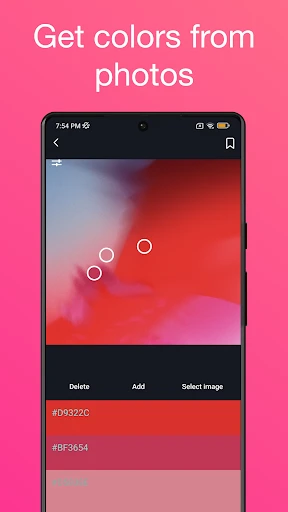
The core function of the Color Wheel app is to provide an interactive color wheel that allows users to dynamically generate and customize color schemes based on fundamental rules of color harmony. Upon launching the app, users are presented with a precise, rotatable color wheel. Selecting a base hue triggers the automatic calculation and display of related color combinations such as complementary, split-complementary, analogous, triadic, and tetradic schemes. Each color within a generated palette is displayed with its HEX, RGB, and sometimes CMYK values for accurate use. Additional key functions include the ability to adjust saturation and brightness to create tints, tones, and shades; save and organize favorite palettes into projects; and export schemes for use in other digital design tools. Some versions may also offer a camera or image import feature to extract dominant colors from photos, providing real-world inspiration.
Chapter 2: Value
The primary value proposition of the Color Wheel app lies in its ability to democratize professional color theory and significantly streamline the creative workflow. For professionals like graphic designers, UI/UX designers, and digital artists, the app saves considerable time that would otherwise be spent manually calculating color relationships or switching between desktop tools. It ensures accuracy and adherence to design principles, reducing the risk of poor color choices that can undermine a project's effectiveness. For students, artists, and DIY enthusiasts, the app serves as an engaging educational tool, making abstract concepts tangible and easy to experiment with, thereby accelerating the learning process. Its key advantages include portability—having a robust color tool always in your pocket—and simplicity, offering immediate visual feedback that fosters experimentation. Unlike static reference charts, the interactive nature of the app encourages exploration, helping users discover unique and sophisticated color combinations they might not have conceived otherwise. This leads to more cohesive, visually appealing, and purposeful designs in everything from websites and marketing materials to interior decor and personal artwork, ultimately enhancing the quality and impact of the user's creative output.
Chapter 3: Scenarios
The Color Wheel app caters to a diverse range of user groups across various creative and practical fields. Its primary target users include graphic and UI/UX designers who require quick, reliable color scheme generation for client projects, branding, and digital interfaces. Artists, both traditional and digital, use it to plan paintings, illustrations, and color compositions before applying them to canvas or screen. Hobbyists engaged in crafts, interior decorating, or fashion styling find it invaluable for coordinating colors in physical projects. Students studying art, design, or related disciplines use it as a supplementary learning aid to reinforce classroom theory. In everyday use, a freelance designer might use the app during a client meeting to instantly propose brand color options. An amateur painter could use it in a garden to find harmonious colors for a landscape painting based on the surroundings. A homeowner renovating a room might snap a picture of their existing furniture and use the app to extract a base color and build a complementary palette for new wall paint and accessories. In each scenario, the app acts as an on-the-spot creative advisor, turning moments of inspiration into actionable, principled color decisions.
Uninstall Instructions
For step-by-step guidance on how to safely remove this application from your device, please refer to our 《Uninstall Instructions》 document.
Pros
- generates color palettes from real-world photos instantly
- extracts precise hex codes using phone camera in real time
- creates harmonious schemes via complementary color algorithms
- exports palettes directly to design software formats
- works offline for color capture and basic palette creation
Cons
- color accuracy varies under low or artificial lighting
- limited to five-color palettes in the free version
- no community library for sharing or browsing palettes
- advanced palette editing requires separate pro tools
- real-time capture drains battery faster than static input
Frequently Asked Questions
What is Color Wheel and what does it do?
Color Wheel is a professional color scheme and palette generation tool designed for designers, artists, and creators. Its core function is to help users generate harmonious color combinations based on color theory principles like complementary, analogous, and triadic schemes. You can input a base color, and the app provides matching palettes, along with codes like HEX, RGB, and CMYK for direct use in projects. It serves as a practical utility for brainstorming and applying color in design work.
Is Color Wheel free to use or does it have in-app purchases?
Color Wheel is free to download and use for basic color scheme generation and palette exploration. However, it offers optional in-app purchases for advanced features. These may include exporting high-resolution palette images, accessing premium color libraries or historical palettes, saving an unlimited number of custom palettes, and removing advertisements. The free version is fully functional for fundamental color matching tasks.
On which devices and operating systems is Color Wheel available?
Color Wheel is primarily available as a mobile application for both iOS and Android devices, including smartphones and tablets. It is optimized for touch interfaces, allowing easy interaction with the color wheel. There is no information regarding a dedicated desktop version (Windows/macOS) or a web app. The app is designed for general use and does not require specialized hardware, making it accessible to a wide range of users.
How does Color Wheel's color harmony feature work?
The color harmony feature is based on standard color theory models. You select a base hue on the interactive wheel. The app then automatically calculates and displays colors that form specific harmonious relationships, such as complementary (opposite colors), split-complementary, triadic (three evenly spaced colors), and analogous (adjacent colors). It provides visual results and precise color values instantly, aiding in creating balanced and aesthetically pleasing color schemes without manual calculation.
Can I export my color palettes to design software?
Yes, Color Wheel allows you to export your created color palettes. The standard method is to copy individual color codes (HEX, RGB, etc.) directly from the app. With premium features unlocked via in-app purchase, you can typically export the entire palette as an image file (e.g., PNG) or possibly in formats compatible with specific design software. For direct integration, you would manually input the provided codes into your preferred design application like Adobe Creative Suite, Figma, or Sketch.
App Info
Technical Info
Recommended For You

Bazaart AI Photo Editor Design
Art & Design

Luvme Hair
Beauty

AirTalk Wireless
Business

Bible Study - Verse & Audio
Books & Reference

AR Drawing: Sketch, Art, Trace
Art & Design

Slack
Business

Castle - Make and Play
Art & Design

CloudLibrary
Books & Reference

Phoner 2nd Phone Number + Text
Communication

AnyDesk Remote Desktop
Business

Freewave: Romance Audiobooks
Books & Reference

Avigilon Alta Open
Business

Messenger - Texting App
Communication

漫畫集 - 追漫神器
Comics

Holy Quran - Deeper journey
Books & Reference

Botim - Video and Voice Call
Communication

Carvana: Buy/Sell Used Cars
Auto & Vehicles

Wavy: Photo Editor & AI Art
Art & Design

AlphaNovel — Books & Stories
Books & Reference

Manga Renta
Comics