WhatColors: AI Color Analysis
Screenshots


Description
About WhatColors: AI Color Analysis Feature – A Digital Color Consultant at Your Fingertips
WhatColors: AI Color Analysis is a mobile application that leverages artificial intelligence to simplify color matching and analysis for everyday life. By utilizing the smartphone's camera, the app instantly identifies colors from real-world objects, clothing, or digital images, providing users with precise color names, hex codes, and practical coordination advice. It serves as a personal color consultant, bridging the gap between professional color theory and daily decision-making, making color selection accessible and informed for a wide range of personal and creative projects.
Chapter 1: Function
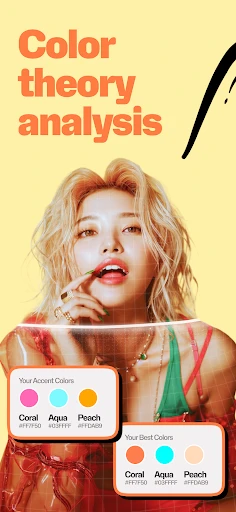
WhatColors operates primarily as a real-time color detection and analysis tool. Its core function is to capture colors through the device's camera or from uploaded photos. Upon detection, the app's AI engine accurately identifies the color, displaying its official name, hexadecimal code, RGB values, and sometimes Pantone references. Beyond simple identification, it offers palette suggestions, showing complementary, analogous, or triadic color schemes based on the detected hue. The app may include features like creating and saving custom color palettes, analyzing the color composition of an image, and providing basic guidance on color harmony. This transforms the smartphone into a powerful, portable colorimeter, enabling users to decode the color information of anything they see around them instantly.
Chapter 2: Value
The primary value proposition of WhatColors lies in democratizing color expertise. It eliminates the guesswork and subjective judgment often associated with color matching, providing objective, data-driven results. For professionals in design, fashion, or interior decorating, it is a time-saving tool for on-site inspiration capture and client communication. For amateurs and hobbyists, it offers an educational gateway to understanding color theory, improving their aesthetic choices in outfits, home decor, or digital content creation. A key advantage is its immediacy and accuracy; instead of manually comparing swatches or searching online, users get instant, reliable color data. Furthermore, by suggesting harmonious palettes, it fosters creativity and confidence in color combination, reducing the fear of clashing choices. The app's value extends to accessibility, aiding individuals with color vision deficiencies by providing definitive color names. It essentially packages the knowledge of a color consultant into an affordable, always-available digital tool, enhancing personal style, creative projects, and commercial work with a foundation of precise color intelligence.
Chapter 3: Scenarios
WhatColors caters to a diverse spectrum of users driven by color-sensitive needs. Primary user groups include fashion enthusiasts and shoppers who use the app to identify clothing colors online or in-store, plan outfits, and ensure new purchases match their existing wardrobe. Interior designers, DIY home decorators, and painters utilize it to capture inspiration from environments, match paint colors accurately, and coordinate room palettes seamlessly. Graphic designers, digital artists, and social media content creators employ it to extract color schemes from photographs for branding materials, illustrations, and themed posts. Another significant group comprises students and educators in art and design fields, who use the app as a practical learning aid. Everyday scenarios involve settling debates about a color's name, choosing the perfect shade for a craft project, analyzing the color profile of a product for a review, or simply helping a user decide which color curtains would best complement their wall paint during a shopping trip. In essence, any situation requiring precise color identification, matching, or inspired coordination becomes a practical use case for WhatColors.
Uninstall Instructions
For step-by-step guidance on how to safely remove this application from your device, please refer to our 《Uninstall Instructions》 document.
Pros
- identifies exact pantone codes from any photo
- suggests harmonious color palettes instantly
- works offline for on-the-spot color matching
- extracts colors from live camera feed in real-time
- provides accessibility ratings for color combinations
Cons
- requires high-contrast images for accurate analysis
- palette suggestions lack context for interior design
- advanced pantone details locked behind subscription
- struggles with subtle gradients in low-light conditions
- no integration with design software for direct export
Frequently Asked Questions
What is WhatColors: AI Color Analysis?
WhatColors is a mobile application that uses artificial intelligence to analyze colors in real-time through your device's camera. Its core function is to identify and name colors from objects, surfaces, or images, providing precise color codes like HEX, RGB, and Pantone values. It is positioned as a tool for designers, artists, hobbyists, and professionals who need accurate color matching and identification in their work or daily activities.
Is WhatColors free to use or does it have in-app purchases?
WhatColors operates on a freemium model. The app can be downloaded and used with basic color analysis features for free. However, advanced functionalities such as saving unlimited color palettes, accessing historical analysis, or using high-precision professional tools typically require a subscription or one-time in-app purchase. Specific pricing tiers and features are detailed within the app's settings or store page.
What devices and systems is WhatColors compatible with?
WhatColors is primarily designed for modern smartphones. It is available for both iOS and Android operating systems. The app requires a device with a functioning camera for real-time analysis. For optimal performance, a relatively recent OS version is recommended. It is adapted for general use by adults and professionals; no additional specialized hardware is needed for its core functions.
How accurate is the AI color analysis in real-world conditions?
The AI color analysis is designed for high accuracy under good lighting conditions. However, accuracy can be affected by factors such as poor lighting, screen glare, shadows, or highly reflective surfaces. For the most precise results, it is recommended to analyze colors in consistent, natural light and hold the camera steady. The app provides technical color values, but exact matches may vary based on your device's camera calibration and ambient light.
Can I export or share the color palettes I create?
Yes, a key feature of WhatColors is the ability to save and manage color palettes. Within the app, users can typically export color codes or share palettes via standard sharing options like email, messaging apps, or social media. Export formats often include standard color values. This functionality may be part of the premium features. For specific export formats and sharing capabilities, please refer to the in-app instructions or the developer's official documentation.
App Info
Technical Info
Recommended For You

Whistle Express Car Wash
Auto & Vehicles

Protection 360™
Business

King James Bible Study KJV
Books & Reference

OpenDocument Reader Pro
Business

Color by Number for Adults
Art & Design

Carrier Services
Communication

AutoZone Auto Parts & Repair
Auto & Vehicles

Sideline: 2nd Phone Line App
Communication

KeyConnect Digital Car Key
Auto & Vehicles

Translateasy Lingual Assistant
Books & Reference

Grubhub for Drivers
Business

TrustDial: Caller, SMS & Block
Communication

Public Storage
Business

Buenos días tardes y noches
Comics

네이버 - NAVER
Books & Reference

Al Quran MP3 Audio Offline App
Books & Reference

Color by Letter: Sewing game
Art & Design

MangaToon: Comic & Manga
Comics

VIZ Manga
Comics

MySpot Driver
Auto & Vehicles