All Document Reader:PDF Viewer
Screenshots



Description
About All Document Reader:PDF Viewer Feature
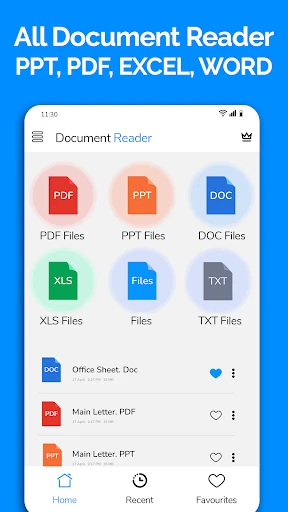
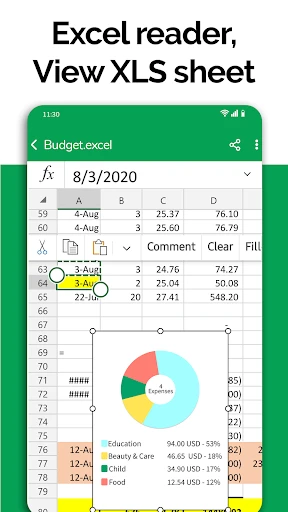
All Document Reader: PDF Viewer is a versatile mobile application designed to serve as a comprehensive document management and viewing tool. It primarily supports the PDF format while extending compatibility to a wide array of other file types, including Word, Excel, PowerPoint, ePub, and image files. The app positions itself as a one-stop solution for users who need to open, read, annotate, and organize documents directly on their smartphones or tablets. With a focus on accessibility and user-friendly operation, it eliminates the need for multiple specialized viewers, offering a unified platform for handling diverse digital documents encountered in personal, academic, and professional contexts. Its core promise is to deliver a smooth, reliable, and feature-rich reading experience on the go.
Chapter 1: Function
The core functionality of All Document Reader: PDF Viewer centers on robust document handling and viewing. Firstly, it acts as a universal file opener, allowing users to import and display documents from various sources such as device storage, cloud services, email attachments, or via direct download links within the app. For PDFs, the app provides essential viewing tools like zoom, scroll, text reflow, and night mode for comfortable reading. Beyond passive viewing, it includes interactive features such as text search within documents, bookmarking for quick access to important pages, and outline navigation for structured files. Basic annotation tools are also integrated, enabling users to highlight text, add notes, or draw directly onto the document. Furthermore, the app offers fundamental file management capabilities, letting users create folders, rename files, and sort their document library for better organization.
Chapter 2: Value
The primary value proposition of All Document Reader: PDF Viewer lies in its consolidation of multiple document handling needs into a single, efficient application. Its key advantage is extensive format compatibility, which removes the friction of searching for different apps to open different file types, thereby saving time and device storage space. The app delivers significant practical value through its reliability and speed in rendering documents, ensuring that files appear accurately without formatting issues, which is crucial for professional and academic use. The inclusion of annotation and bookmarking tools adds a layer of utility for students and professionals who need to study or review documents actively. Its straightforward, intuitive interface lowers the learning curve, making it accessible to users of all technical levels. By facilitating easy import from clouds and local storage, it enhances workflow continuity. Compared to basic built-in file viewers, this app offers a more powerful and dedicated set of features focused on the reading experience, such as text search and night mode, without the complexity and subscription costs often associated with high-end desktop PDF editors. It represents an optimal balance between functionality and simplicity for everyday document tasks.
Chapter 3: Scenarios
The app primarily targets a broad spectrum of mobile users who regularly interact with digital documents. Key user groups include students and academics who need to read lecture notes, research papers, and e-books in various formats; they benefit from annotation tools and organized libraries for study materials. Professionals and office workers form another core group, using the app to review reports, contracts, presentations, and manuals while commuting or in meetings, valuing the reliable viewing and quick search functionality. Casual users who occasionally receive documents via email or download forms, such as tax documents or guides, appreciate the app's ability to open anything without hassle. Everyday use cases are diverse: a student annotating a PDF textbook on a tablet, a manager quickly scanning a Word document attached to an email before a call, a traveler accessing a saved boarding pass or itinerary, or an elderly individual comfortably reading an ePub book with adjusted text size and brightness. The app serves as a digital document wallet, ready for any scenario that requires viewing or light interaction with files across personal, educational, and professional spheres.
Uninstall Instructions
For step-by-step guidance on how to safely remove this application from your device, please refer to our 《Uninstall Instructions》 document.
Pros
- opens diverse file formats including epub and mobi
- integrated text-to-speech with adjustable voices
- annotates pdfs without requiring sign-in
- organizes files using a built-in folder system
- supports dark mode for low-light reading
Cons
- free version includes intermittent banner advertisements
- advanced editing requires a separate pro upgrade
- large file processing can slow on older devices
- cloud sync limited to own storage services
- speech synthesis sounds robotic for some languages
Frequently Asked Questions
What is All Document Reader: PDF Viewer?
All Document Reader: PDF Viewer is a mobile application designed for viewing, managing, and organizing various document formats. Its core function is to serve as a universal file viewer, primarily for PDFs, but it also supports formats like Word, Excel, PowerPoint, and images. It positions itself as a convenient, all-in-one tool for opening documents received via email or stored on your device without needing multiple specialized apps.
Is this app free to use or are there in-app purchases?
The app is typically free to download and use for basic viewing and file management functions. However, it may offer in-app purchases to unlock advanced features. These premium features often include document editing, format conversion (e.g., to PDF), advanced organization tools, or ad removal. The specific pricing and features for purchases are detailed within the app's store listing and its in-app purchase screens.
What devices and systems is this app compatible with?
All Document Reader: PDF Viewer is primarily available for Android and iOS mobile devices (smartphones and tablets). It is designed to work on various versions of these operating systems, though specific minimum version requirements (like Android 8.0 or iOS 13.0) are listed on the app store page. It generally does not require additional external hardware to function for basic viewing tasks.
How can I organize or find files within the app?
The app typically provides a built-in file manager to browse local device storage and cloud services. You can often create folders, rename files, sort documents by date, name, or size, and use a search function to locate specific files. For efficient organization, it's recommended to use clear filenames and utilize the app's categorization features, as it primarily manages files already present on your device or imported into its local space.
Can I edit or annotate PDFs with this viewer?
Basic viewing and navigation are the core free features. Advanced editing like modifying text or images within a PDF is usually not supported. Some annotation features, such as adding text comments, highlights, or drawings, may be available, but these are often part of the premium (in-app purchase) functionality. For detailed editing of PDF content, a dedicated PDF editor application is typically required.
App Info
Technical Info
Recommended For You

Hyundai Digital Key
Auto & Vehicles

Pray Daily - KJV Bible & Verse
Books & Reference

Soul EV Spy
Auto & Vehicles

Dual App - Web Scanner App
Communication

PDF Pro-View PDF
Business

AutoZone Auto Parts & Repair
Auto & Vehicles

Pokepix Color By Number
Art & Design

Messenger: Text Messages, SMS
Communication

Webmotors: comprar carro
Auto & Vehicles

Booktime
Books & Reference

Glorify: Devotional & Prayer
Books & Reference

Draw Cartoons 2
Comics

PixAI: AI Anime Art Generator
Art & Design
Daily Bible Study: Audio, Plan
Books & Reference

Jotform - Form, Sign & Survey
Business

Advent Magnificat 2024
Books & Reference

AR Drawing - Sketchar App
Art & Design

Draw Cartoon - AR Drawing App
Art & Design

Manobook - Los Besos de Jacob
Books & Reference

Phoner 2nd Phone Number + Text
Communication