
Etsy Seller: Manage Your Shop
Screenshots


Description
About Etsy Seller: Manage Your Shop Feature
Etsy Seller: Manage Your Shop is the official mobile application designed for entrepreneurs and artisans who operate stores on the Etsy marketplace. This dedicated tool transforms a smartphone into a portable command center, enabling sellers to oversee and grow their creative businesses from anywhere. It provides a streamlined, intuitive interface that mirrors essential functionalities of the Etsy desktop platform, tailored for on-the-go management. The app serves as a critical bridge between sellers and their shops, ensuring they remain connected to their customers and operations at all times, thereby fostering a responsive and dynamic online business environment.
Chapter 1: Function
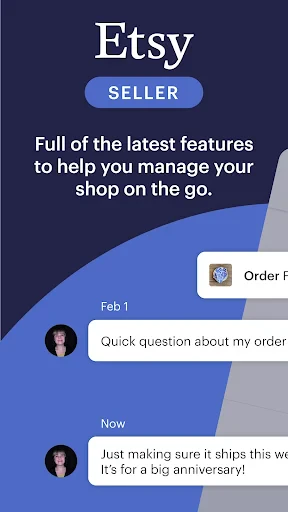
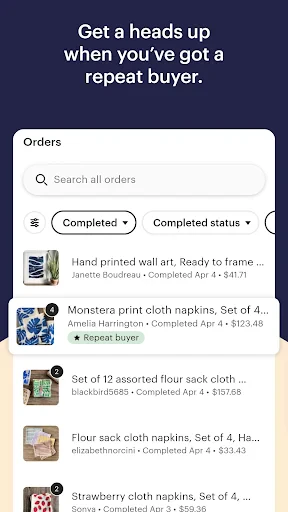
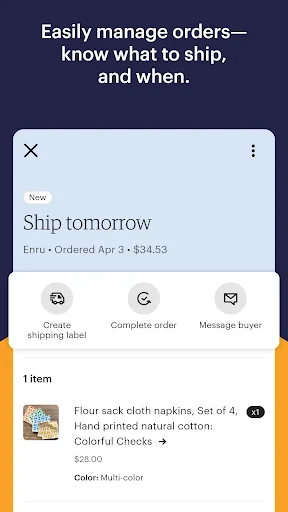
The Etsy Seller app consolidates core shop management tasks into a mobile-friendly dashboard. Users can efficiently process orders, including printing shipping labels, updating statuses, and managing cancellations or refunds. Inventory control is simplified, allowing for quick edits to listings, adjustments to quantities, and creation of new product drafts directly from a mobile device. The app facilitates seamless communication by centralizing the messaging system, enabling sellers to respond promptly to customer inquiries and convos. Furthermore, it offers real-time notifications for sales, messages, and reviews, ensuring sellers never miss important updates. Basic analytics and stats are also accessible, providing insights into shop visits, orders, and revenue trends at a glance.
Chapter 2: Value
The primary value of the Etsy Seller app lies in its empowerment of micro-entrepreneurs and creative business owners with unparalleled flexibility and time efficiency. By untethering shop management from a desktop computer, it grants sellers the freedom to engage with their business during moments that would otherwise be unproductive, effectively turning downtime into productive work sessions. This mobility is a key advantage, reducing operational delays and enhancing customer service through faster response times. The app's focused design eliminates the clutter of the full website, presenting only the most crucial tools, which reduces cognitive load and simplifies daily tasks. For sellers, this translates to more time dedicated to their craft rather than administrative overhead. Another significant advantage is the immediacy of notifications, which helps build stronger customer relationships by enabling quick interactions. The ability to quickly update listings or process orders from anywhere also means sellers can capitalize on trends and manage stock in real-time, preventing lost sales. Ultimately, the app is not just a tool for management but a strategic asset that supports business agility, growth, and a healthier work-life balance for independent creators in a competitive digital marketplace.
Chapter 3: Scenarios
The Etsy Seller app is ideally suited for a diverse range of users within the creative economy. Its primary audience includes handmade artisans, vintage item curators, and craft supply sellers who often manage their businesses as solo endeavors or small teams. For a full-time ceramicist working from a studio, the app allows them to confirm orders and communicate with buyers between kiln loads. A parent running a boutique sticker shop can efficiently manage orders during their child's activities, seamlessly integrating business into family life. Vintage resellers sourcing items at flea markets or estate sales can instantly check inventory, calculate pricing, or even list new finds on the spot. Part-time sellers with day jobs benefit immensely, as they can handle customer messages during breaks and process orders in the evening without needing to boot up a computer. The app is also invaluable during travel or at craft fairs, enabling sellers to manage their online shop while simultaneously engaging in offline sales. Essentially, any Etsy seller seeking to maintain a responsive, professional, and growing business without being confined to a traditional office will find this application an indispensable part of their daily routine.
Uninstall Instructions
For step-by-step guidance on how to safely remove this application from your device, please refer to our 《Uninstall Instructions》 document.
Pros
- integrates shop stats
- messages
- and orders in one dashboard
- push notifications for new orders and customer inquiries
- mobile listing creation with photo upload and draft saving
- offline functionality for reviewing stats and orders
- quick price and inventory adjustments from the home screen
Cons
- limited marketing tool access compared to web version
- no bulk editing for listings or order fulfillment
- shop customization options are restricted on mobile
- occasional sync delays with the main Etsy platform
- advanced sales reports require desktop browser access
Frequently Asked Questions
What is Etsy Seller: Manage Your Shop?
Etsy Seller is the official mobile app for Etsy shop owners. Its core function is to provide on-the-go management of your Etsy store. You can track orders, process shipments, communicate with buyers, and get sales notifications. It's designed as a companion tool to the main Etsy website, offering key shop management features optimized for mobile use. The app is specifically for sellers, not for browsing or buying items as a customer.
Is the Etsy Seller app free to use?
Yes, downloading and using the Etsy Seller: Manage Your Shop app is free. There are no in-app purchases to access its core management features. However, standard Etsy seller fees apply to your shop transactions, such as listing fees, transaction fees, and payment processing fees. These are charged by Etsy per their policies and are not handled through the app itself. The app requires an existing Etsy seller account to log in.
What can I do with this app's unique features?
Unique mobile features include instant push notifications for new orders and messages, allowing for quick response. You can use your device's camera to easily create and upload listing photos. The app also provides a simplified dashboard for real-time stats on views, orders, and revenue. Key actions like printing shipping labels, marking orders as complete, and replying to buyer conversations are optimized for mobile, streamlining shop management away from your desktop.
How do I handle shipping and order issues on the app?
The app allows you to purchase and print shipping labels directly, mark orders as shipped, and add tracking information. For common issues like order modifications or cancellations, you should communicate with the buyer via the built-in Conversations tool first. For complex problems such as refunds, case resolution, or detailed shop settings, you typically need to access the full Etsy website on a desktop browser, as the app's functionality is more focused on core daily tasks.
Can I create new product listings using this app?
Yes, you can create and publish new listings entirely within the app. This includes taking photos with your camera, writing titles and descriptions, setting prices and inventory, selecting shipping profiles, and choosing tags. The process is streamlined for mobile, though some sellers may find advanced formatting or bulk editing easier on the desktop site. The app supports drafting listings to finish later and editing existing live listings as well.
App Info
Technical Info
Recommended For You

Blinq: Digital Business Card
Business

مانجا بلاير - Manga Player
Comics

ExtraMile Rewards®
Auto & Vehicles

VirtuNum - Virtual Number
Communication

Animagic: Anime Art Generator
Art & Design

Learn how to draw - ArtWorkout
Art & Design

Mark - AI Logo Generator
Art & Design

Beauty Calculator Pretty Scale
Beauty

Messenger: Text Messages
Communication

AMarkets: Trade & Invest
Business

Fiverr - Freelance Service
Business

ThriftBooks: New & Used Books
Books & Reference

Manga Renta
Comics

FAB Adblocker Browser:Adblock
Communication

Holafly eSIM Prepaid Card
Communication

Stitch Photos: Long Screenshot
Art & Design

Spanish English Translator
Books & Reference

Text, Call & Phone number
Communication

Ancestry: Family History & DNA
Books & Reference

StoryFont for Instagram Story
Art & Design