
Messenger Kids – The Messaging
Screenshots



Description
About Messenger Kids Features – Safe Messaging for Young Users
Messenger Kids is a standalone messaging application developed by Meta Platforms, Inc., designed specifically for children under the age of 13. It provides a controlled and parent-managed environment for young users to connect with family and approved friends through video calls and messaging. The app operates under a parent's Facebook account, granting adults full oversight over their child's contact list and usage. With a colorful, child-friendly interface and robust safety features, it aims to offer a fun, introductory digital communication experience while prioritizing privacy and parental control.
Chapter 1: Function
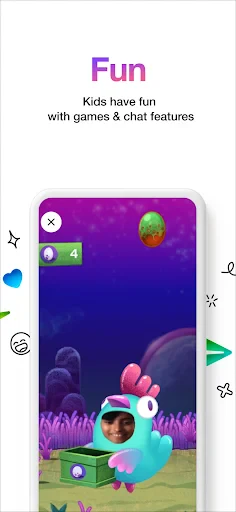
Messenger Kids delivers a simplified set of core communication functions tailored for a younger audience. Its primary feature is secure text messaging, allowing children to exchange messages with parent-approved contacts. The app supports one-on-one and group video calling, enriched with playful masks, effects, and stickers to make interactions engaging. A key functional pillar is the parental control dashboard, accessible from the parent's Facebook account, where adults can fully manage the child's friend list, monitor activity, and set sleep mode schedules to limit app usage. The platform does not require the child to have a separate Facebook account and is designed to be ad-free. All communications are intended to remain within the closed, approved circle, providing a sandboxed environment for digital socialization.
Chapter 2: Value
The fundamental value proposition of Messenger Kids lies in its balanced approach to enabling digital connection for children while rigorously addressing safety and parental oversight concerns. Its foremost advantage is the comprehensive parental control system, which places adults firmly in charge of their child's social experience. Parents must explicitly approve every contact before communication can begin, ensuring that interactions are limited to known and trusted individuals. This mitigates risks associated with unsupervised contact with strangers. Furthermore, the app is built with privacy in mind; it does not collect data for advertising purposes, and children's information is not used to create a Facebook profile later on. The interface is intentionally designed to be intuitive and engaging for children, featuring large buttons, vibrant visuals, and creative tools that foster positive communication. For parents, it offers peace of mind by providing a transparent window into their child's online interactions and the tools to set healthy boundaries, such as usage time limits. By creating a walled garden for communication, Messenger Kids serves as a valuable tool for families to safely introduce the concepts of digital literacy and responsible online behavior in a protected setting.
Chapter 3: Scenarios
Messenger Kids is primarily targeted at families with children aged approximately 6 to 12 years old who are beginning to explore digital communication. Its everyday use cases are centered around supervised, real-world social connections. A common scenario is for children to stay in touch with close family members, such as grandparents, cousins, or a parent who is traveling, through scheduled video calls. It is also used for small, parent-managed friend groups, allowing classmates or teammates to collaborate on homework, plan playdates, or simply chat in a safe environment after school. The app is particularly valuable for separated or long-distance families, providing a dedicated and fun channel for maintaining strong bonds. Parents seeking to delay their child's entry into mainstream social media but who recognize the value of controlled digital interaction find this app a practical solution. It facilitates important social development and communication skills within a framework that aligns with parental comfort and safety standards.
Uninstall Instructions
For step-by-step guidance on how to safely remove this application from your device, please refer to our 《Uninstall Instructions》 document.
Pros
- parent dashboard offers granular contact and time controls
- video chat includes playful masks and interactive effects
- no ads or in-app purchases within the child's interface
- requires parent's facebook account for account creation
- blocking and reporting features are prominently accessible
Cons
- limited to connections explicitly approved by a parent
- lacks direct integration with non-facebook messaging services
- content library for drawings and stickers is relatively basic
- parental dashboard is separate from the child's app experience
- requires a stable internet connection for all functionality
Frequently Asked Questions
What is Messenger Kids and what does it do?
Messenger Kids is a standalone messaging and video calling app designed specifically for children under 13. It allows kids to connect with parent-approved contacts. Core functions include one-on-one and group video calls, messaging with kid-friendly GIFs, stickers, and filters. The app is positioned as a controlled environment where parents manage the contact list and monitor activity through a linked parental dashboard, aiming to provide a safer social experience.
Is Messenger Kids completely free to use?
Yes, Messenger Kids is completely free to download and use. There are no in-app purchases, subscriptions, or ads. The app operates under the parent's existing Facebook account, requiring no separate payment. However, it does require a stable internet connection. Parents should review the app's privacy policy to understand data usage, as it collects information necessary for operation under Facebook's broader data practices.
What devices and systems does Messenger Kids support?
Messenger Kids is available for iOS devices (iPhone, iPad) via the App Store and for Android devices via Google Play. It can also be used on Amazon Fire tablets. The app requires a compatible operating system version, typically recent updates of iOS or Android. It is designed for children but requires a parent's Facebook account for setup and supervision. The service is widely available in numerous countries, but regional restrictions may apply.
How do parents control who their child talks to?
Parents maintain full control through the Parent Dashboard in their own Facebook account. A child cannot add any contact without explicit parental approval. Parents approve every contact request, can view the child's contact list, and see a log of recent interactions (including messages and call history). This feature is central to the app's design, ensuring that a child's communication circle is strictly limited to people vetted and authorized by their parents.
Can my child's messages and data be deleted?
Yes. Parents can manage their child's information through the Parent Dashboard. They can download the child's information or delete the child's Messenger Kids account at any time. Deleting the account will permanently remove the child's messages, contacts, and associated data. For specific data retention policies or detailed steps on account deletion, parents are directed to the app's Help Center or Facebook's Privacy settings for the most current and official information.
App Info
Technical Info
Recommended For You

Textra SMS
Communication

Wattpad - Read & Write Stories
Books & Reference

Papercopy - Tracer
Art & Design

Stickers and Emoji - WASticker
Comics

Resume Builder - CV Maker
Business

My Bible - Verse+Audio
Books & Reference

Job Hai - Search Job, Vacancy
Business

Text, Call & Phone number
Communication

Meeting - Video Meeting
Communication

GigSmart Get Gigs
Business

starryai - AI Art Generator
Art & Design

WhenToWork Employee Scheduling
Business

PDF Scanner app - TapScanner
Business

Clay Box
Art & Design

Jotform - Form, Sign & Survey
Business

Messenger: Text Messages, SMS
Communication

Hiya: Spam Blocker & Caller ID
Communication

Skincare Routine: FeelinMySkin
Beauty

Driving Instructor-Theory Test
Auto & Vehicles

Hinovel
Books & Reference