
Slack
Screenshots

Description
About Slack Feature - Streamlining Team Communication and Collaboration
Slack is a leading digital hub designed for modern workplaces, transforming how teams communicate and collaborate. It consolidates conversations, tools, and files into a single, searchable platform, moving beyond the limitations of scattered emails and disjointed messaging apps. By organizing work into dedicated channels for projects, topics, or teams, Slack provides clarity and context, ensuring the right people have access to the right information. It integrates seamlessly with a vast ecosystem of other workplace applications, from Google Drive and Salesforce to GitHub and Zoom, creating a centralized command center for productivity. Trusted by organizations of all sizes, from small startups to large enterprises, Slack aims to reduce friction, accelerate decision-making, and foster a more connected and efficient work environment, whether teams are in the office, remote, or operating on a hybrid model.
Chapter 1: Function
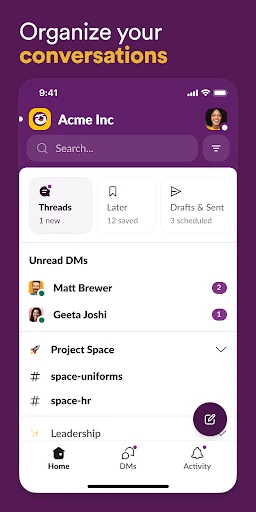
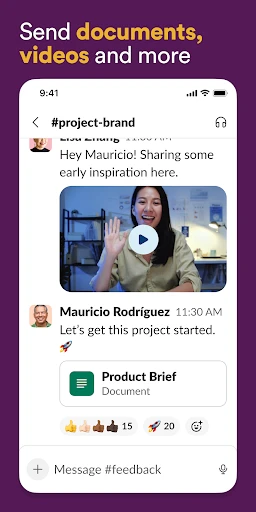
At its core, Slack functions as a powerful, channel-based messaging platform. Work is organized into public or private channels, each dedicated to a specific project, department, or topic, allowing focused discussions and reducing inbox clutter. Within these channels, users can send direct messages, share files of any type, and hold audio or video huddles for quick conversations. A robust search function indexes every message and file, making past information instantly retrievable. Slack's functionality is supercharged by its ability to integrate with over 2,600 other apps and services. Notifications from these connected apps—like code commits, support tickets, or calendar alerts—are piped into relevant channels, creating automated workflows. Furthermore, Slack supports threaded replies to keep side discussions orderly, offers customizable notifications to minimize distractions, and provides enterprise-grade security and administrative controls to manage data and user access effectively.
Chapter 2: Value
Slack's primary value proposition lies in its capacity to create a 'digital headquarters' that breaks down silos and enhances organizational agility. Its key advantage is the significant reduction of internal email and meeting overload, as asynchronous communication in channels becomes the default. This leads to faster information discovery and decision-making, as conversations are transparent and searchable by all authorized members. The deep integration ecosystem is a monumental value driver; by bringing notifications and actions from critical tools like Jira, Asana, or Salesforce directly into Slack, it eliminates constant context-switching between apps, keeping teams in a productive flow state. For leadership, Slack provides visibility into project momentum and team alignment without disruptive check-in meetings. The platform also champions inclusivity and knowledge retention; remote or hybrid team members have equal access to conversations, and new employees can search historical channels to get up to speed rapidly. Ultimately, Slack's value is measured in saved time, reduced friction, strengthened company culture, and the empowerment of teams to collaborate more intelligently and responsively, turning collective effort into tangible business outcomes.
Chapter 3: Scenarios
Slack is ideally suited for knowledge workers and teams that rely on collaboration, information sharing, and project coordination. Its primary user groups span across industries, including technology, marketing, customer support, education, and non-profits. For software development teams, Slack channels integrate with GitHub for code review alerts and with incident management tools for rapid response. Marketing departments use it to coordinate campaign launches, share design assets from Creative Cloud, and track analytics reports. Customer support teams create channels to escalate and discuss complex tickets, integrating with helpdesk software like Zendesk. In everyday use, a project manager might pin key documents in a project channel, a team lead might launch a quick huddle to solve an urgent blocker, and an executive might glance at automated daily digest channels from various departments. For remote and distributed teams, Slack serves as the virtual office watercooler, with social channels fostering community. It is equally valuable for in-office teams to reduce email clutter and for cross-functional groups to collaborate without scheduling formal meetings, making it a versatile tool for any collaborative work scenario.
Uninstall Instructions
For step-by-step guidance on how to safely remove this application from your device, please refer to our 《Uninstall Instructions》 document.
Pros
- organizes conversations into dedicated topic channels
- deep integrations with tools like google drive and figma
- powerful search across all messages and shared files
- supports real-time huddles for quick voice chats
- customizable workflows with automation via slack apps
Cons
- free plan limits message history search to 90 days
- can become noisy with many active channels for new users
- requires team-wide adoption for maximum communication benefit
- advanced analytics and ssO require a paid enterprise plan
- persistent sidebar notifications may demand manual management
Frequently Asked Questions
What is Slack and what are its core functions?
Slack is a cloud-based collaboration hub designed for teams and workplaces. Its core functions center around organized communication through channels for different topics, direct messaging, and file sharing. It integrates with numerous third-party services like Google Drive, Salesforce, and Zoom, centralizing notifications and workflows. Slack is positioned to reduce email reliance and streamline team collaboration by keeping conversations, tools, and files in a searchable, accessible workspace.
Is Slack free to use, and what are the upgrade options?
Slack features a powerful, unified search that scans messages, files, channels, and people. In the free version, you can search through the most recent 90 days of your workspace's history. Upgraded plans offer unlimited searchable history. Search results can be filtered by person, channel, date, and file type. This functionality is core to organizing and retrieving past discussions and shared documents efficiently.
What devices and operating systems does Slack support?
Slack offers a free tier with access to the most recent 90 days of message history, 10 app integrations, and 1:1 video calls. Paid plans (Pro, Business+, and Enterprise Grid) provide unlimited message history, more integrations, group video calls, enhanced security features, and dedicated support. All plans, including free, support essential features like channel-based messaging and file sharing. Upgrades are managed through Slack's website and are billed per active user, per month.
How does Slack's search and message history work?
Slack is widely accessible across devices and platforms. It offers dedicated native apps for desktop (Windows, macOS, and Linux) and mobile (iOS and Android). A web browser version is also fully functional. The experience is synchronized across all devices. Slack is adapted for professional groups and teams of all sizes, from small startups to large enterprises, with features scaling accordingly.
How can I manage notifications and focus in busy workspaces?
Slack provides granular notification controls. You can set notification schedules for Do Not Disturb hours, customize alerts per channel (all messages, mentions only, or none), and use keyword notifications. The 'Mute channel' feature helps reduce noise. For focused work, you can pause notifications or mark channels as read. These settings sync across all your devices, allowing you to tailor the information flow to your needs.
App Info
Technical Info
Recommended For You

Square Point of Sale: Payment
Business

PrinterShare Premium Key
Business

ThriftBooks: New & Used Books
Books & Reference

Zangi Private Messenger
Communication

Samsung Accessory Service
Communication

Sling: Employee Scheduling App
Communication

TeslaMirror
Auto & Vehicles

Lyft Driver
Business

Marathon ARCO Rewards
Auto & Vehicles

delitoon
Comics

CL Theme Card
Auto & Vehicles

FOREO For You
Beauty

Mister Car Wash
Auto & Vehicles

Kling AI: AI Image&Video Maker
Art & Design

Protection 360™
Business

Picky - Beauty Community
Beauty

GizmoHub
Communication

Birthday Invitation Card Maker
Art & Design

2nd Phone Number - Call & Text
Communication

Bible Hub
Books & Reference