
Carrier Services
Screenshots

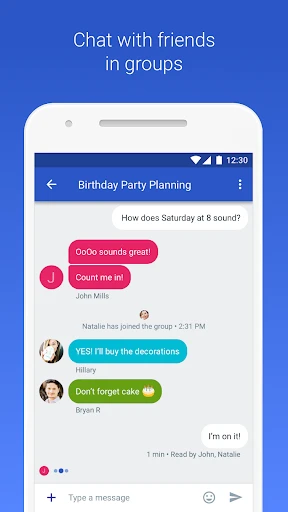
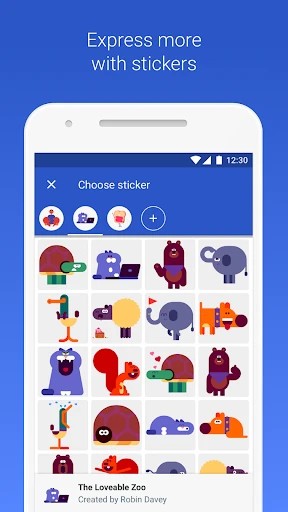
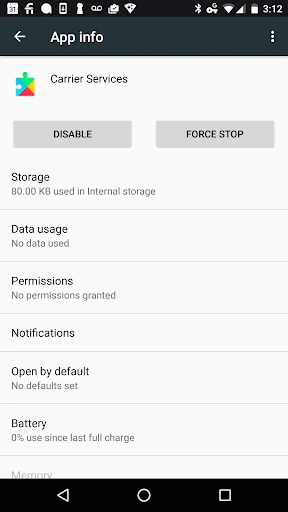
Description
About Carrier Services Feature – The Silent Engine of Your Mobile Connectivity
Carrier Services is a critical background application developed by Google for Android devices, designed to enhance and optimize communication between your phone and your mobile network provider. It works in tandem with the Android operating system and your default messaging app to improve the performance, reliability, and security of carrier-based services, particularly Rich Communication Services (RCS). Unlike user-facing apps, it operates silently, managing the technical protocols that enable advanced messaging features, seamless carrier configuration updates, and improved voice and data connectivity. Its presence ensures that your device can leverage the latest network capabilities provided by your carrier without requiring manual intervention.
Chapter 1: Function
The core function of Carrier Services is to act as a dedicated communication framework for modern network protocols, primarily focusing on the implementation and management of RCS messaging, the next-generation successor to traditional SMS. It handles the complex authentication, encryption, and real-time data exchange required for features like read receipts, high-resolution photo and video sharing, typing indicators, and group chats over mobile data or Wi-Fi. Beyond RCS, the app facilitates the automatic download and installation of carrier-specific configuration updates. These updates ensure optimal network settings for services like visual voicemail, Wi-Fi calling, and 4G/5G data connectivity are correctly applied. It also provides essential backend support for voice-over-LTE (VoLTE) and other IP-based communication services, ensuring stable and high-quality call connections. In essence, it is the technical bridge that translates carrier network features into a functional reality on your Android device.
Chapter 2: Value
The primary value proposition of Carrier Services lies in its ability to deliver a superior, seamless, and more secure communication experience by unlocking modern network features that are otherwise inaccessible. Its key advantage is the empowerment of RCS messaging, which transforms the basic texting experience into something comparable to popular internet-based messaging platforms, all while using your phone number and operating interoperably between different carriers and devices that support the standard. This elevates native texting without forcing users to switch to a third-party app. Furthermore, the app significantly enhances device reliability and user convenience. By automatically managing critical carrier configurations, it eliminates the need for users to manually input complex settings or contact customer support for network troubleshooting. This leads to fewer dropped calls, faster data connections, and quicker access to new carrier features as they are rolled out. From a security perspective, Carrier Services strengthens RCS conversations with end-to-end encryption when both parties use Google Messages, offering privacy that standard SMS lacks. Its silent, background operation means these substantial benefits come with zero daily maintenance or learning curve for the end-user. It is a foundational component that future-proofs the device, ensuring it can adapt to evolving network technologies and maintain peak performance throughout its lifecycle, thereby protecting the user's investment in their smartphone and mobile service.
Chapter 3: Scenarios
The primary target user for Carrier Services is any individual using an Android smartphone on a network that supports RCS and advanced carrier features. It is particularly valuable for tech-savvy users and communication-heavy professionals who rely on robust, feature-rich texting as a primary tool for both personal and work-related conversations. Everyday use cases are woven into daily digital communication. For instance, a project manager can use RCS-enabled group chats via Carrier Services to coordinate with their team, sharing large project files and seeing real-time read receipts to confirm message delivery. Families can create vibrant group chats where they seamlessly share live location data and high-quality videos of their children's milestones. Customer service representatives benefit from more reliable Wi-Fi calling in areas with weak cellular signals, ensured by the app's configuration management. Travelers also gain value; when inserting a local SIM card abroad, Carrier Services can automatically configure the correct access points for data and MMS, avoiding connectivity issues. Even in simpler scenarios, such as when a carrier upgrades its network infrastructure, the app works behind the scenes to apply necessary updates, ensuring the user's phone continues to operate smoothly without any service interruption or required action on their part.
Uninstall Instructions
For step-by-step guidance on how to safely remove this application from your device, please refer to our 《Uninstall Instructions》 document.
Pros
- silently updates RCS and network configurations in background
- improves message delivery and call connectivity reliability
- requires no manual setup or user intervention
- optimizes battery usage during network switching
- enhances SMS fallback when RCS is unavailable
Cons
- no user controls or settings interface provided
- update process lacks transparency or change logs
- may conflict with some carrier-branded companion apps
- requires Google Play Services to function fully
- cannot be disabled on some Android implementations
Frequently Asked Questions
What is the Carrier Services app used for?
Carrier Services is a system-level app from Google that works with your mobile carrier and phone to improve the reliability and functionality of communication services, particularly for Rich Communication Services (RCS) and Wi-Fi calling. It operates in the background to manage network connectivity and enhance message delivery for supported carriers, without providing a direct user interface or standalone functions.
Is Carrier Services a free app or does it have in-app purchases?
Carrier Services is completely free. It does not contain any in-app purchases, subscriptions, or advertisements. It is a utility app provided by Google to facilitate better communication between your device's operating system and your mobile carrier's network infrastructure at no cost to the end user.
On which devices and Android versions does Carrier Services work?
Carrier Services is designed for Android devices. It is compatible with a wide range of Android phones and tablets, typically requiring Android 5.0 (Lollipop) or later. Its specific features and level of support depend on partnerships between Google, your device manufacturer, and your mobile carrier.
Does Carrier Services collect my personal data or messages?
The app itself does not read your personal messages or call content. It processes technical data related to network communication to improve connectivity and message delivery. For detailed information on data handling, you should review the privacy policy provided by Google for the Carrier Services app, which outlines any data collection and usage practices.
Can I disable or uninstall the Carrier Services app?
You can disable Carrier Services, but it is not recommended if you use RCS Chat (via Messages by Google) or carrier-enhanced features. Disabling it may cause these services to revert to basic SMS/MMS or fail. Pre-installed versions often cannot be fully uninstalled, only disabled or updated. User-installed versions can typically be uninstalled.
App Info
Technical Info
Recommended For You

WhatColors: AI Color Analysis
Beauty

Pocket Toons
Comics

ヘア&ビューティーサロン検索/ホットペッパービューティー
Beauty

FantacyStory: novels, fictions
Books & Reference

ComicScreen - PDF, ComicReader
Comics

Valvoline Instant Oil Change
Auto & Vehicles

GroupMe
Communication

SMS Auto Reply - Autoresponder
Communication

Pentacomix
Comics

KeyConnect Digital Car Key
Auto & Vehicles

Paylocity
Business

GoTo
Business

AI Clothes Try-On: DressTry
Beauty

Oremus - Catholic Bible&Prayer
Books & Reference

Auto Sync for Android/Car Play
Auto & Vehicles

Trace Drawing-Sketch and Paint
Art & Design

InnoCaption Live Call Captions
Communication

Fable: Books & TV
Books & Reference

starryai - AI Art Generator
Art & Design

Second Phone Number - 2Number
Communication