Beauty Camera -AI Photo Editor
Screenshots
Description
About Beauty Camera - AI Photo Editor Features
Beauty Camera - AI Photo Editor is a comprehensive mobile application designed for photo enhancement and creative editing. Leveraging advanced artificial intelligence technology, it provides users with a powerful yet user-friendly toolkit to retouch portraits, apply artistic effects, and transform ordinary pictures into stunning visual content. The app caters to the growing demand for high-quality, share-ready images directly from a smartphone, positioning itself as an all-in-one solution for both casual photography enthusiasts and social media content creators.
Chapter 1: Function
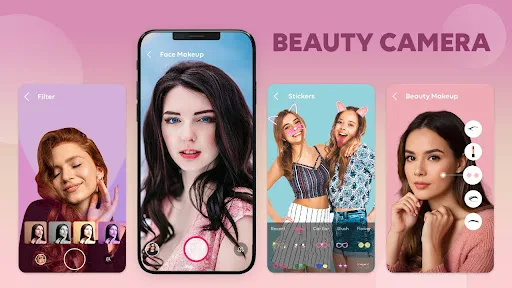
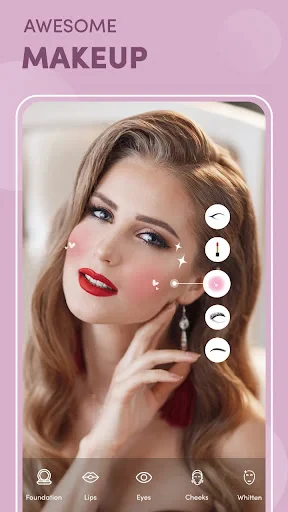
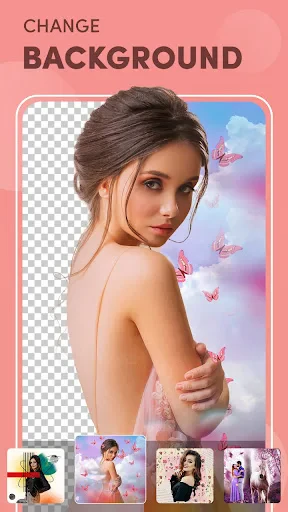
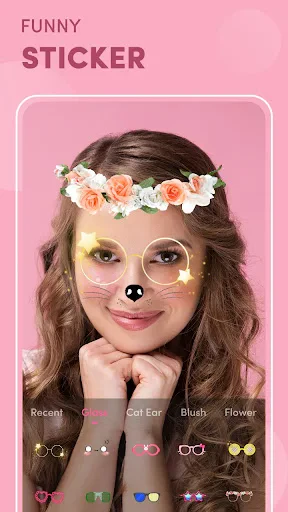
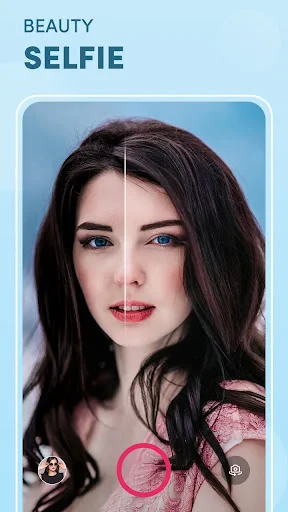
Beauty Camera - AI Photo Editor's core functionality revolves around intelligent, automated photo beautification and versatile editing. The app features one-touch AI beauty enhancement that automatically smoothens skin, brightens complexion, reshapes facial features, and applies makeup digitally. It includes a robust set of manual editing tools for adjusting parameters like brightness, contrast, and saturation. Users can access a vast library of filters, stickers, frames, and thematic templates. Additional key functions encompass background editing and replacement, collage making with multiple layout options, and specific modes for portrait, selfie, and landscape photography, all powered by AI to deliver professional-grade results with minimal effort.
Chapter 2: Value
The primary value proposition of Beauty Camera - AI Photo Editor lies in its democratization of professional photo editing through accessible AI technology. Its key advantage is the sophisticated AI engine that intelligently analyzes each photo to apply context-aware enhancements, saving users significant time and technical learning compared to complex desktop software. The app offers exceptional convenience by consolidating numerous editing features—from basic corrections to advanced artistic transformations—into a single, mobile platform. It provides immense creative freedom with a constantly updated collection of trendy filters, effects, and beauty standards. Furthermore, it processes images at high speed while maintaining quality, ensuring outputs are ready for social media platforms. This combination of automation, power, and ease-of-use delivers superior user satisfaction, empowering anyone to create visually impressive content that boosts personal and social branding without requiring professional skills or equipment.
Chapter 3: Scenarios
The primary target users for Beauty Camera - AI Photo Editor are social media active individuals, including influencers, bloggers, and everyday users who regularly share visual content on platforms like Instagram, TikTok, and Facebook. It is equally valuable for photography enthusiasts seeking to quickly polish their snapshots and for professionals in need of a rapid, on-the-go editing tool for previews or casual content. Everyday use cases are abundant: a user preparing a profile picture by retouching skin and applying a subtle glow; a traveler enhancing landscape photos with vibrant filters; a friend group creating a fun collage with themed stickers for a shared post; or an online seller beautifying product photos to attract more customers. It serves as an essential digital companion for preparing images for personal diaries, communication, and any scenario where presenting an aesthetically pleasing image is desired.
Uninstall Instructions
For step-by-step guidance on how to safely remove this application from your device, please refer to our 《Uninstall Instructions》 document.
Pros
- one-tap AI beautification for realistic skin retouching
- offers advanced pose guidance via augmented reality overlays
- background replacement works with complex hair details
- lightweight operation on mid-range devices without lag
- custom makeup presets adapt to facial contours precisely
Cons
- requires consistent lighting for optimal AR makeup try-on
- high-resolution exports limited in free version
- some advanced filters need frequent online model updates
- pose guidance may misrecognize uncommon body angles
- background editing struggles with fast-moving subjects
Frequently Asked Questions
What is Beauty Camera - AI Photo Editor?
Beauty Camera - AI Photo Editor is a photo editing application focused on AI-powered portrait enhancement and creative filters. Its core function is to provide one-touch beautification, skin retouching, face reshaping, and a variety of AI-driven effects and makeup tools for selfies and portraits. The app positions itself as an all-in-one tool for quick, professional-looking photo edits directly on a mobile device.
Is Beauty Camera free to use with in-app purchases?
The app is free to download and use basic editing features. It operates on a freemium model, offering numerous in-app purchases. These purchases typically unlock premium filters, advanced AI editing tools, remove watermarks, and provide an ad-free experience. Subscription plans or one-time payments for specific feature packs are common.
What devices and systems does this app support?
Beauty Camera - AI Photo Editor is primarily designed for mobile platforms. It supports both iOS and Android operating systems. Specific version requirements can vary, but it generally adapts to mainstream smartphones and tablets. There is no information indicating support for desktop operating systems or that it requires any additional external hardware.
How does the AI photo editing feature work?
The app uses artificial intelligence algorithms to automatically detect faces and facial features in photos. It then applies targeted adjustments such as smoothing skin, removing blemishes, brightening eyes, and reshaping facial contours. Users typically have sliders or intensity controls to customize the level of AI enhancement. The technology aims to simplify complex manual edits into one-touch operations.
Can edited photos be saved without a watermark?
Saving high-resolution photos without a branded watermark is generally a premium feature. In the free version, exported images may include a watermark. To remove it, users usually need to make an in-app purchase, such as buying a specific filter pack or subscribing to a premium plan. The app's settings or export screen should provide clear prompts regarding watermark status and removal options.
App Info
Technical Info
Recommended For You

Filtre for Selfie
Beauty

Shiftsmart - Find Work
Business

Bimma EWD - Wiring Diagrams
Auto & Vehicles

Sweet Camera Selfie
Beauty

Autolist: Used Car Marketplace
Auto & Vehicles

Caller ID - Block Spam Call
Communication

TMOLector: Manga and Stories
Comics

Shipt: Shopper and Driver
Business

WhatsApp Business
Communication

HD Camera for Android
Beauty

ReadEra – book reader pdf epub
Books & Reference

Amazon A to Z
Business

Photo Editor - Retouch Photos
Art & Design

Kelley Blue Book: We Know Cars
Auto & Vehicles

AR Drawing: Art, Trace, Sketch
Art & Design

Blue Yonder Workforce
Business

CL Theme C1
Auto & Vehicles

Bible Hub
Books & Reference

Cast Phone to TV, Chromecast
Business

Infocar - OBD2 ELM Scanner
Auto & Vehicles