
Cryptoguru: Trading Simulator
Screenshots




Description
About Cryptoguru: Trading Simulator Features – A Risk-Free Gateway to Crypto Markets
Cryptoguru: Trading Simulator is an innovative mobile application designed to provide users with a realistic, risk-free environment to learn and practice cryptocurrency trading. By simulating live market conditions with virtual currency, it demystifies the volatile world of digital assets for beginners and offers a strategic sandbox for experienced traders to test new approaches without financial jeopardy. The app stands as an educational bridge, transforming complex market mechanics into an accessible and practical learning experience.
Chapter 1: Function
Cryptoguru: Trading Simulator replicates the core functionalities of a genuine cryptocurrency exchange within a safe, simulated framework. Upon starting, users receive a substantial amount of virtual money to build and manage a portfolio. The app provides real-time or delayed price feeds for major cryptocurrencies like Bitcoin and Ethereum, allowing users to execute buy and sell orders, set limit orders, and monitor market trends. It features a comprehensive dashboard displaying portfolio allocation, profit and loss statements, and transaction history. Advanced tools such as interactive charts with various technical indicators, price alerts, and a watchlist are integral, enabling detailed market analysis. The simulation encompasses key trading aspects including order book dynamics, liquidity considerations, and the impact of market volatility, thereby offering a holistic practice platform that mirrors actual trading psychology and decision-making processes.
Chapter 2: Value
The primary value proposition of Cryptoguru lies in its capacity to eliminate the steep financial risks associated with learning cryptocurrency trading. For novices, this is invaluable; it allows them to understand market terminology, order types, and chart analysis without the fear of losing real capital. The app accelerates the learning curve through hands-on experience, fostering financial literacy and disciplined trading habits from the outset. For seasoned traders, it serves as a vital testing ground for new strategies, indicators, or trading algorithms under real-market conditions, which can be refined before deploying real funds. This significantly reduces costly trial-and-error in live markets. Furthermore, the app's educational merit extends beyond mere simulation—it builds user confidence and emotional resilience against market FOMO (Fear Of Missing Out) and panic selling by normalizing market fluctuations in a consequence-free setting. Compared to paper trading on actual exchanges, which may still induce psychological pressure or require initial deposits, Cryptoguru offers a purely educational, accessible, and pressure-free alternative. Its design prioritizes user education and strategic development, making it a powerful tool for anyone looking to navigate the complex crypto ecosystem with greater competence and preparedness.
Chapter 3: Scenarios
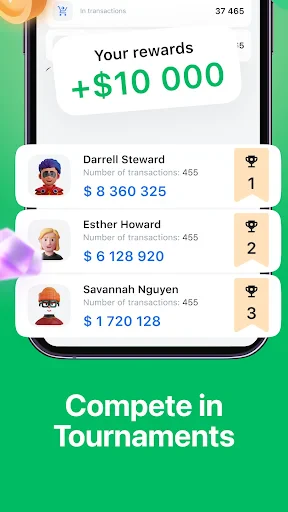
Cryptoguru: Trading Simulator primarily targets three user groups. First are absolute beginners and students of finance who possess theoretical knowledge but lack practical exposure. They use the app to familiarize themselves with trading interfaces, execute their first 'trades,' and connect economic events to market movements in a tangible way. Second are aspiring retail investors planning to enter the cryptocurrency market. They utilize the simulator to develop and backtest their investment hypotheses, risk management rules, and get a feel for market volatility before committing real savings. Daily, they might use the app to track a watchlist, practice responding to simulated news events, or experiment with different asset allocations. The third group comprises experienced traders and enthusiasts. They employ the app to experiment with advanced techniques like swing trading strategies or scalping in a simulated crypto environment, or to stay engaged with the market during downtime from their primary trading activities. Common use cases include using the app's charting tools for technical analysis practice, participating in virtual trading challenges with friends to foster healthy competition, and using the simulated portfolio as a discussion point in investment clubs or online forums to exchange ideas without financial stakes.
Uninstall Instructions
For step-by-step guidance on how to safely remove this application from your device, please refer to our 《Uninstall Instructions》 document.
Pros
- real-time simulation with live crypto market data feeds
- risk-free practice using virtual currency across major exchanges
- detailed post-trade analytics and strategy performance breakdown
- supports advanced order types like stop-loss and limit orders
- no registration or personal data required for immediate access
Cons
- simulated trading latency may differ from real exchange speeds
- lacks emotional stakes compared to real capital investment
- advanced charting tools are limited compared to professional platforms
- no direct integration for executing real trades after simulation
- virtual portfolio size may not reflect realistic capital constraints
Frequently Asked Questions
What is Cryptoguru: Trading Simulator?
Cryptoguru is a mobile app that simulates cryptocurrency trading. It provides a risk-free environment where users can practice buying and selling various digital assets using virtual money. The app replicates real market conditions, charts, and order types to help users learn trading strategies and market analysis without financial risk. It is positioned as an educational tool for beginners and a testing ground for experienced traders.
Is Cryptoguru free to use, and are there in-app purchases?
The app uses real-time or delayed price data from major cryptocurrency exchanges to drive its simulation. It features realistic trading interfaces with candlestick charts, order books, and various order types like limit and market orders. The virtual portfolio allows users to track performance, but all funds and trades are confined within the app's simulated environment.
What devices and systems does Cryptoguru support?
Cryptoguru is free to download and use its core simulation features. However, it may offer optional in-app purchases, such as premium subscriptions for advanced analytics, additional virtual currency packs, or access to exclusive market data and tutorials. No real cryptocurrency or money can be earned or withdrawn from the app, as it is purely a simulator.
How does the simulator replicate real market conditions?
Cryptoguru is primarily designed for mobile devices. It is available for both iOS and Android operating systems. The app is optimized for smartphones and may also be compatible with tablets. It does not require any additional external hardware to function. Specific version requirements can be found on the respective app store listings.
Can I sync my progress or data across multiple devices?
Typically, progress in Cryptoguru is saved locally on your device. For data synchronization across devices, the app may require you to create an account and use cloud save functionality, if this feature is supported. It is recommended to check the app's settings or official documentation for specific information on account creation and cross-device support.
App Info
Technical Info
Recommended For You

AutoZen-Car Dashboard&Launcher
Auto & Vehicles

Solo: Your Gig Business App
Business

GigU
Auto & Vehicles

Google Voice
Communication

Fuelio: gas log & gas prices
Auto & Vehicles

Azar: 1 on 1 Video Chat Online
Communication

CLZ Comics comic book database
Comics

SmartWatch & BT Sync Watch App
Communication

YouMail: Block Spam on Android
Communication

Shipt: Shopper and Driver
Business

Zello PTT Walkie Talkie
Communication

OpenDocument Reader Pro
Business

Grubhub for Drivers
Business

Messages: SMS Messaging
Communication

Wonder Beauties
Beauty

BOSS Revolution: Call & Top up
Communication

AI Art Generator: Photo, Draw
Art & Design

Toonsutra: Webtoon & Comics
Comics

Bible Offline-KJV Holy Bible
Books & Reference

Upwork for Freelancers
Business