
FoxFi Key (supports PdaNet)
Screenshots

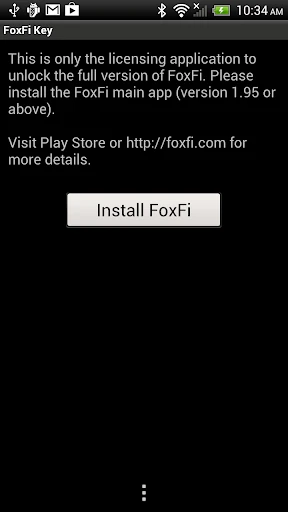
Description
About FoxFi Key (supports PdaNet) Feature – Unlocking Seamless Mobile Internet Sharing
FoxFi Key, in conjunction with the PdaNet+ application, is a specialized software solution designed to enable wireless tethering and internet sharing from Android smartphones to other devices such as laptops, tablets, and gaming consoles. It addresses a common limitation where many mobile carriers restrict or block the built-in mobile hotspot functionality on phones, often requiring additional tethering plans. FoxFi Key acts as an unlock key or premium upgrade to the free PdaNet+ app, granting full access to its advanced wireless sharing features without the need for rooting the device. This combination provides a reliable and convenient alternative for users seeking to utilize their phone's cellular data connection across multiple devices efficiently and without carrier-imposed barriers.
Chapter 1: Function
The core function of FoxFi Key is to activate the premium wireless hotspot capabilities within the PdaNet+ ecosystem. Without this key, the free PdaNet+ app primarily offers USB tethering and limited Bluetooth tethering. Upon purchasing and activating FoxFi Key, users unlock the ability to create a secure Wi-Fi hotspot directly from their Android phone. This hotspot allows other Wi-Fi-enabled devices to connect and share the phone's mobile data connection as if they were on a standard wireless network. The setup process is straightforward: users install the free PdaNet+ app, then purchase and activate FoxFi Key within it. Once enabled, they can configure their hotspot name (SSID), set a password, and initiate sharing with a single tap. The app also manages the connection, showing connected devices and data usage, ensuring the primary function of internet gateway is performed smoothly and stably.
Chapter 2: Value
The primary value proposition of FoxFi Key lies in its empowerment of users to bypass carrier restrictions on tethering, offering significant cost savings and enhanced flexibility. Many users are locked into data plans that either prohibit tethering or charge exorbitant fees for the feature. FoxFi Key, by leveraging the underlying technology of PdaNet+, provides a one-time purchase alternative to recurring carrier fees, representing substantial long-term savings. Its key advantages include broad compatibility with a wide range of Android devices and carriers, a no-root-required operation that preserves device warranty and security, and a reliable connection that supports various internet activities from browsing to streaming. Unlike some workaround methods, it creates a genuine Wi-Fi hotspot, ensuring compatibility with all devices that support Wi-Fi connectivity, including gadgets that cannot use USB or Bluetooth tethering. Furthermore, it includes features like connection encryption and the option to hide the tethering usage from some carriers through its 'Hide Tether Usage' function, adding a layer of practicality and discretion. For users in areas with limited broadband options or those who travel frequently, it transforms their smartphone into a truly portable and personal internet hub, maximizing the utility of their existing mobile data subscription.
Chapter 3: Scenarios
FoxFi Key is ideally suited for several specific user groups and everyday scenarios. Frequent travelers and digital nomads constitute a primary audience, as the app allows them to create an instant internet hotspot in hotels, airports, or remote locations, providing connectivity for their laptops without relying on often expensive or unsecured public Wi-Fi. Students and budget-conscious individuals who cannot afford separate home broadband or a costly tethering add-on from their carrier can use their phone's unlimited or large data plan to power all their devices at home or in dormitories. Remote workers and professionals needing a reliable backup internet connection during outages or while working from cafes will find it an indispensable tool for business continuity. Additionally, it serves users in rural areas where traditional wired internet is unavailable or unreliable, making their cellular data the primary home internet source shared across family devices. Everyday use cases include sharing internet with a tablet for media consumption, connecting a laptop for urgent work tasks on the go, or providing online access for a gaming console during travel. It is a practical solution for anyone needing to efficiently distribute their mobile data connection freely and without carrier limitations.
Uninstall Instructions
For step-by-step guidance on how to safely remove this application from your device, please refer to our 《Uninstall Instructions》 document.
Pros
- enables wifi hotspot without carrier plan restrictions
- uses direct bluetooth/usb tethering for lower latency
- bypasses carrier detection on many android devices
- no root required for its core tethering function
- works as a standalone key for pdanet desktop software
Cons
- requires separate desktop client for full functionality
- setup process is non-standard versus typical hotspot apps
- interface feels technical and not user-friendly
- may trigger carrier scrutiny with high data usage
- primarily designed for legacy android versions
Frequently Asked Questions
What is FoxFi Key and what does it do?
FoxFi Key is a paid Android app that unlocks the full tethering features within the PdaNet+ application. Its core function is to enable Wi-Fi hotspot or USB tethering from your Android phone to share its mobile data connection with other devices like laptops or tablets, without requiring a carrier-specific tethering plan. It works by activating the hidden tethering capabilities already present on the phone.
Is FoxFi Key a free app or does it require payment?
FoxFi Key is not a free app. It is a one-time purchase license key that activates the full, unrestricted tethering functionality within the free PdaNet+ application. You must install the free PdaNet+ app first, and then purchase the FoxFi Key from the Google Play Store to remove usage limits and enable persistent Wi-Fi hotspot mode.
What are the common problems when using FoxFi Key?
Common issues include Wi-Fi hotspot not appearing for other devices, connection drops, or the hotspot turning off automatically. These are often related to specific phone models, Android OS versions, or manufacturer skins that restrict tethering. Solutions typically involve adjusting PdaNet+ settings, enabling USB debugging, or using alternative connection modes like USB or Bluetooth tethering provided within the app.
Does FoxFi Key work on all Android phones and carriers?
No, FoxFi Key does not guarantee universal compatibility. Its functionality depends on your specific Android device model, operating system version, and carrier network restrictions. While it works on many phones to bypass carrier tethering blocks, some devices or newer Android versions may have technical limitations. Checking the official PdaNet website for a compatibility list is recommended before purchase.
How do I get support or a refund for FoxFi Key?
Support is primarily provided through the developer's (PdaNet+) official website forums and contact forms, not typically via the Play Store. For technical issues, consult the detailed FAQs and troubleshooting guides on their site. Refunds are subject to the Google Play Store's payment policy, as the key is a digital purchase. Direct refunds from the developer are not standard; you must process refund requests through your Google Play account.
App Info
Technical Info
Recommended For You

Color Analysis - Dressika
Beauty

CloudLibrary
Books & Reference

Duo Mobile
Business

Hairstyles for short hair
Beauty

NuFACE
Beauty

The Bible in pictures
Comics

Carly — OBD2 car scanner
Auto & Vehicles

GIMP
Art & Design

eBird by Cornell Lab
Books & Reference

Mary Kay® MirrorMe™
Beauty

Sweet Camera Selfie
Beauty

Joist Invoices for Contractors
Business

FunSwap - AI Face Swap
Beauty

Samsung Internet Browser
Communication

Bible-Daily Bible Verse
Books & Reference

Brave Private Web Browser, VPN
Communication

Instawork: Be your own boss
Business

ExtraMile Rewards®
Auto & Vehicles

WhisperFM - Romance Novels
Books & Reference

Glitter Beauty Coloring Pages
Art & Design