
Stickers and Emoji - WASticker
Screenshots
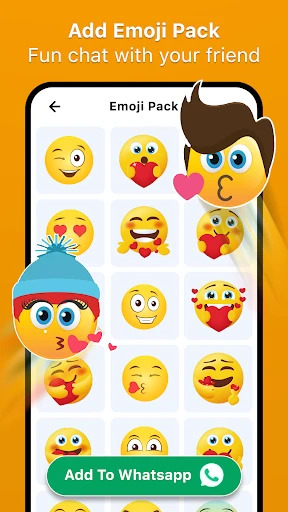
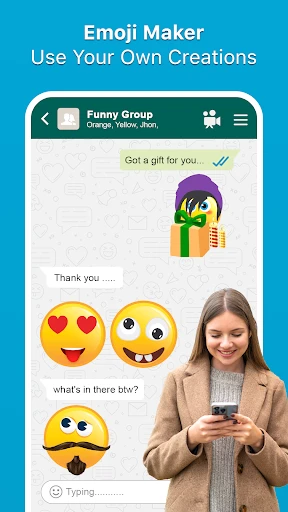
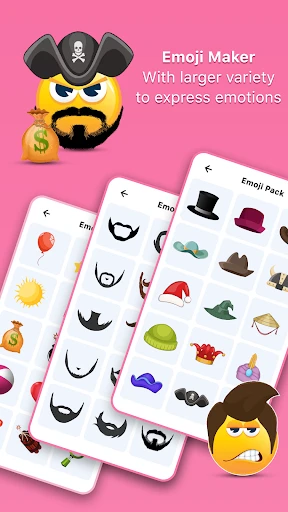
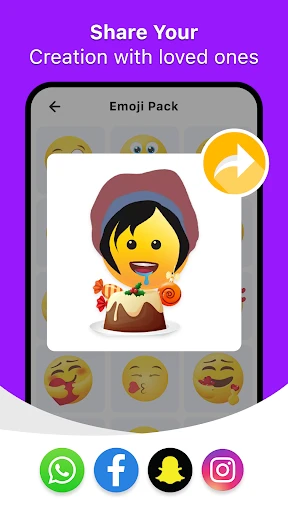
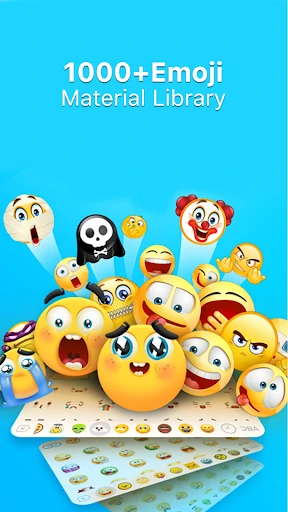
Description
About WASticker App Features – Your Gateway to Expressive Messaging
WASticker is a dedicated application designed to enhance the user experience of WhatsApp messaging by providing a vast, ever-growing library of custom stickers and emojis. It serves as a creative toolkit, allowing users to easily find, download, and apply unique sticker packs directly to their WhatsApp conversations. The app simplifies the process of personalizing chats, moving beyond the platform's default options to offer more nuanced, humorous, and culturally relevant visual expressions. With its user-friendly interface and seamless integration with WhatsApp, WASticker has become a popular companion app for millions seeking to add more color, emotion, and personality to their daily digital communication.
Chapter 1: Function
The core function of the WASticker app is to act as a centralized hub for discovering and managing custom stickers for WhatsApp. Users can browse through an extensive categorized collection of sticker packs, which range from cute animals and popular memes to artistic designs and festive themes. Upon selecting a pack, the app provides a straightforward one-tap installation process. Once installed, these sticker packs automatically and instantly become available within the WhatsApp sticker tray, requiring no further configuration. The app also allows users to preview entire packs, manage their downloaded collections by removing unused packs to free up space, and regularly updates its catalog with fresh content to reflect trends, seasons, and global events, ensuring users always have new ways to express themselves.
Chapter 2: Value
The primary value proposition of WASticker lies in its ability to dramatically enrich non-verbal communication within WhatsApp, a platform where text alone can often fall short in conveying tone and emotion. By offering a specialized, massive repository of stickers, it saves users significant time and effort that would otherwise be spent searching the internet for compatible sticker files or creating them manually. Its key advantages are multifaceted. First is convenience and seamless integration; the app is built specifically for WhatsApp, ensuring a hassle-free, error-free addition of stickers. Second is the quality and variety of content; curated and community-driven packs mean users access unique, high-quality visuals not available in the standard set. Third, it fosters personal expression and connection, enabling users to communicate feelings, jokes, and support in a more vivid and relatable way, thus strengthening social bonds. Furthermore, by constantly updating its library, the app provides sustained value, keeping conversations fresh and engaging over time. It essentially transforms standard messaging into a more dynamic, visual, and emotionally resonant interaction, all through a free, lightweight, and intuitive application.
Chapter 3: Scenarios
WASticker primarily targets everyday WhatsApp users who seek to personalize and enhance their messaging experience. This includes a broad demographic, from teenagers and young adults who heavily rely on visual slang and memes for social interaction, to families and friends groups who use stickers for playful banter and sharing inside jokes. Professionals in informal work groups may also use it to lighten the mood with appropriate humorous packs. Key usage scenarios are abundant in daily life. In casual chats, users might send a specific sticker to perfectly react to a friend's story without typing a word. During festivals like Christmas or Diwali, festive sticker packs become a popular way to share greetings. In long-distance relationships or family groups, cute and affectionate stickers help convey love and closeness across miles. When words are insufficient—to show laughter, frustration, excitement, or comfort—a well-chosen sticker from WASticker provides the ideal, immediate visual supplement, making every conversation more engaging and expressive.
Uninstall Instructions
For step-by-step guidance on how to safely remove this application from your device, please refer to our 《Uninstall Instructions》 document.
Pros
- directly integrates sticker packs into WhatsApp interface
- one-tap download without manual image saving
- curated collections updated weekly by artists
- organizes stickers by mood and occasion tags
- lightweight app under 5MB with offline access
Cons
- requires WhatsApp installation to function
- limited to WhatsApp
- no cross-platform support
- premium artist packs require in-app purchases
- no custom sticker creation tools included
- occasional sync delay with WhatsApp sticker tray
Frequently Asked Questions
What is WASticker and what does it do?
WASticker is a sticker and emoji management app designed specifically for WhatsApp. Its core function is to allow users to easily create, organize, and import custom sticker packs for use in WhatsApp chats. It provides tools to crop images, add text, and build personalized sticker collections without needing advanced editing skills. The app positions itself as a one-stop tool to enhance your WhatsApp messaging experience with unique visual expressions.
Is WASticker free to use, or are there in-app purchases?
WASticker is fundamentally free to download and use for creating and applying stickers. However, the app may offer optional in-app purchases. These typically include access to premium sticker packs, advanced editing tools, or themes to expand your library. The core functionality of making stickers from your own photos remains free. Always check the app's in-app purchase section for the latest details on premium offerings.
What devices and systems is WASticker compatible with?
WASticker is primarily developed for Android devices. It requires a device running a compatible version of the Android operating system and the official WhatsApp application installed. The app is not officially available for iOS (iPhone/iPad) due to system restrictions on accessing WhatsApp's sticker directory. For optimal performance, ensure your Android OS and WhatsApp are updated to their latest versions.
How do I add stickers from this app to WhatsApp?
After creating or downloading a sticker pack within WASticker, tap the 'Add to WhatsApp' button. The app will guide you to export the pack. Then, open any WhatsApp chat, tap the emoji icon, switch to the sticker tab, and you'll see a new 'Add' icon. Tap it to view and select your imported packs. The process is automated by the app, but it requires granting necessary storage permissions to transfer files.
Why aren't my stickers showing up in WhatsApp?
If stickers aren't appearing, first ensure you completed the 'Add to WhatsApp' step within WASticker. Then, check if WhatsApp has the necessary storage permissions enabled in your device settings. Restarting both apps can refresh the connection. Also, note that sticker packs are linked to your device; they won't sync across different phones via WhatsApp's cloud backup. If the issue persists, reinstalling WASticker may help.
App Info
Technical Info
Recommended For You

Google Chrome
Communication

IAA Buyer Salvage Auctions
Business

Cars Mod for Minecraft PE 2025
Auto & Vehicles

Threema. The Secure Messenger
Communication

Anime tv - Anime Tv Online HD
Comics

ヘア&ビューティーサロン検索/ホットペッパービューティー
Beauty

네이버 웹툰 - Naver Webtoon
Comics

Car-Part.com Used Auto Parts
Auto & Vehicles

Aosu
Communication

MobiOffice: Word, Sheets, PDF
Business

iSharing: GPS Location Tracker
Communication

GroupMe
Communication

Remodel AI - Home Renovation
Art & Design

Hair Color Changer: Change you
Beauty

Legion Workforce Engagement
Business

MERO - Programări Online
Beauty

Tarteel ترتيل - Memorize Quran
Books & Reference

Messenger
Communication

Merlin Bird ID by Cornell Lab
Books & Reference

My crochet designer
Art & Design