
PDF Scanner app - TapScanner
Screenshots



Description
About PDF Scanner App - TapScanner Features
TapScanner is a powerful and user-friendly mobile application designed to transform your smartphone into a portable, high-quality document scanner. It leverages advanced image processing technology to allow users to quickly digitize physical documents, receipts, notes, and whiteboards, converting them into clear, professional-grade PDF or JPEG files. The app stands out for its simplicity, speed, and the professional output it delivers, making it an essential tool for students, professionals, and anyone looking to reduce paper clutter and streamline document management directly from their mobile device.
Chapter 1: Function
TapScanner's core functionality revolves around capturing, enhancing, and exporting documents. The process begins by using the device's camera to take a photo of a physical document. The app then automatically detects the document's edges, corrects perspective, and crops it precisely. Following capture, users can apply a variety of enhancement filters such as 'Black & White,' 'Enhanced,' or 'Color' to optimize text clarity and remove shadows or background imperfections. The app also includes tools for manual adjustment, multi-page scanning to combine several images into a single PDF, and intelligent page organization. Finally, users can save the scanned documents locally on their device, share them via email or cloud storage services like Google Drive and Dropbox, or print them directly.
Chapter 2: Value
The primary value proposition of TapScanner lies in its ability to deliver scanner-quality results without the need for expensive hardware. Its key advantages are multifaceted. First, it offers exceptional convenience and mobility, enabling document digitization anytime, anywhere, which is invaluable for professionals on the go, students in libraries, or anyone needing to archive receipts instantly. Second, the image processing algorithms are highly effective, producing clean, legible scans that rival dedicated office scanners, even under suboptimal lighting conditions. This ensures professional presentation for business documents and archival quality for important records. Third, the app promotes organization and efficiency. Features like multi-page support, batch processing, and seamless integration with major cloud platforms create a streamlined workflow from physical paper to digital filing cabinet. Furthermore, TapScanner prioritizes user privacy by processing images locally on the device for most functions, ensuring sensitive documents are not uploaded to external servers without the user's explicit consent for cloud sharing. This combination of professional output, ease of use, robust feature set, and privacy consideration provides significant value, saving users time, space, and money while enhancing productivity.
Chapter 3: Scenarios
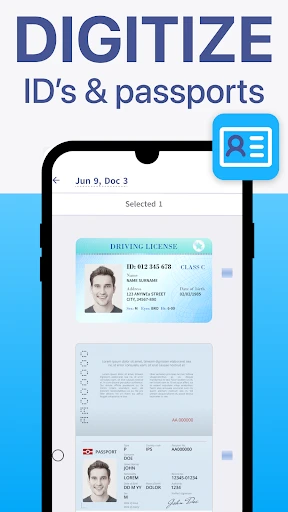
TapScanner caters to a wide range of user groups across various everyday scenarios. Students represent a primary audience, using the app to digitize lecture notes from whiteboards, scan textbook pages for study guides, and archive assignment sheets. Office professionals and remote workers frequently utilize it to scan contracts, business cards, invoices, and signed documents while away from the office, facilitating quick email responses and digital record-keeping. Small business owners and freelancers find it indispensable for managing receipts for expense tracking, creating digital copies of client forms, and archiving tax-related documents. In personal life, users employ TapScanner to preserve important family records like certificates and warranties, save memorable handwritten letters, or digitize old photos for restoration projects. Its utility extends to academic researchers who need to capture pages from archival books and travelers who must keep digital copies of passports and itineraries. Essentially, any individual seeking to replace a bulky physical filing system with an efficient, searchable, and portable digital alternative is a key target user for TapScanner.
Uninstall Instructions
For step-by-step guidance on how to safely remove this application from your device, please refer to our 《Uninstall Instructions》 document.
Pros
- converts documents into searchable PDF text
- batch scanning mode for multi-page documents
- offline functionality with no watermarks
- auto-edge detection and perspective correction
- exports to cloud services in one tap
Cons
- advanced OCR requires subscription purchase
- ads displayed prominently in free version
- scan quality drops in low-light conditions
- limited editing tools for scanned files
- cloud sync only supports specific platforms
Frequently Asked Questions
What is TapScanner and what does it do?
TapScanner is a mobile document scanning app. It uses your phone's camera to scan physical documents, receipts, or whiteboards, converting them into high-quality, cropped, and enhanced PDF or JPEG files. Its core functions include automatic edge detection, perspective correction, image enhancement, and digital organization of scans.
Is TapScanner free to use, or are there in-app purchases?
null
What devices and systems is TapScanner compatible with?
TapScanner is primarily designed for mobile devices. It is available for both iOS (iPhone/iPad) on the Apple App Store and for Android devices on Google Play Store. The app is optimized for modern smartphone cameras and does not require any additional external hardware to function for basic scanning tasks.
How accurate is the automatic document detection and cropping?
The automatic edge detection is generally reliable for documents with clear contrast against the background. For best results, ensure the document is well-lit and placed on a flat, contrasting surface. The app provides manual adjustment tools to fine-tune the crop corners if the automatic detection is imperfect in complex environments.
Can I edit or search the text within scanned PDFs?
Basic editing like reordering, rotating, or deleting pages is supported. However, to make the text within scanned images searchable or editable, you need Optical Character Recognition (OCR). OCR is typically a premium feature in TapScanner. Once applied, it creates a searchable PDF layer, allowing you to copy and search text from the scan.
App Info
Technical Info
Recommended For You

InnoCaption Live Call Captions
Communication

Zoom Workplace
Business

YotePya
Comics

eBird by Cornell Lab
Books & Reference

Talking Baby Babsy At The Zoo
Comics

Homebase: Employee Scheduling
Business

My crochet designer
Art & Design

Artistry Virtual Beauty
Beauty

Google Pixel Watch
Communication

Invoice2go: Easy Invoice Maker
Business

InstaFeet
Beauty

SALLY BEAUTY
Beauty

hoopla Digital
Books & Reference

Tor Browser
Communication

RingCentral
Business

TeamViewer Remote Control
Business

Rhinoplasty App: Nose Editor
Beauty

Lalatoon - Comics & Webtoon
Comics

Tattoo Maker - Tattoo Design
Art & Design

AnExplorer Pro File Transfer
Business