
CVTz50
Screenshots


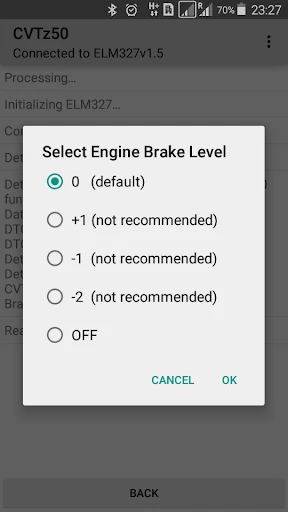

Description
About CVTz50 Feature – The All-in-One Tool for Efficient Video Conversion
CVTz50 is a professional mobile application designed for video format conversion and compression. It empowers users to effortlessly change video files between various formats, reduce file sizes without significant quality loss, and perform basic video edits directly on their smartphones. Catering to both casual users and professionals needing quick adjustments, the app provides a streamlined solution for managing video compatibility and storage issues across different platforms and devices.
Chapter 1: Function
CVTz50 serves as a comprehensive video processing tool centered on format conversion. Its core function allows users to import a video and convert it to a wide array of popular formats such as MP4, AVI, MOV, MKV, and more, ensuring compatibility with different media players, editing software, or social platforms. Beyond conversion, the app integrates essential compression capabilities, enabling users to reduce video file size by adjusting parameters like resolution, bitrate, and frame rate. Additional functionalities include basic cropping, trimming to cut unwanted segments, and the ability to extract audio from video files. The process is designed to be straightforward: select a video, choose the target format or compression settings, and initiate the processing, all within an intuitive interface.
Chapter 2: Value
The primary value of CVTz50 lies in its ability to simplify and solve common digital video problems with high efficiency and convenience. For users struggling with incompatible video files that won't play on certain devices or software, the app acts as a universal key, removing technical barriers with just a few taps. Its compression feature delivers significant value by helping users save precious storage space on their phones or meet strict file size limits imposed by email services, messaging apps, or website uploads, all while maintaining a watchable quality. Unlike many desktop tools, CVTz50 brings this power directly to mobile devices, enabling on-the-go processing without the need for a computer. The app's advantage is further solidified by its speed, leveraging optimized algorithms to perform tasks quickly, and its user-centric design that avoids complex technical jargon, making advanced video processing accessible to non-experts. It effectively bridges the gap between professional-grade format flexibility and everyday user needs, offering a reliable, self-contained toolkit that enhances digital media management.
Chapter 3: Scenarios
CVTz50 is ideally suited for a diverse range of users facing everyday video handling tasks. Social media enthusiasts and content creators form a key user group, as they frequently need to convert and compress clips for upload to platforms like Instagram, TikTok, or YouTube, ensuring optimal format and size. Students and office workers benefit from the app when they need to shrink a lecture recording or a presentation video for easier emailing or cloud storage. Travelers and hobbyists who capture videos on phones or cameras can use it to free up device space by compressing footage without immediately transferring files to a computer. Furthermore, individuals who download videos from various online sources often encounter format issues; CVTz50 provides a quick fix to make these files playable on their preferred media player or smart TV. In essence, any smartphone user who ever needs to change, shrink, or slightly tweak a video file for practical sharing, storage, or playback purposes will find CVTz50 a highly applicable and scenario-driven solution.
Uninstall Instructions
For step-by-step guidance on how to safely remove this application from your device, please refer to our 《Uninstall Instructions》 document.
Pros
- real-time voice modulation with low latency
- offers unique
- niche voice models for specific characters
- simple one-tap operation for instant voice conversion
- minimal setup required for live streaming integration
- efficient processing preserves original speech cadence
Cons
- limited library of voice models compared to major competitors
- requires stable
- high-bandwidth connection for live use
- premium character voices locked behind a paywall
- no offline mode available for voice processing
- advanced audio fine-tuning controls are lacking
Frequently Asked Questions
What is CVTz50 and what does it do?
CVTz50 is a utility app designed for real-time video transformation and enhancement. Its core functions include applying various visual filters and effects to live camera feeds or recorded videos, positioning itself as a tool for quick content creation and editing. Basic usage involves selecting a filter and applying it to your video stream.
Is CVTz50 free to use or does it have in-app purchases?
CVTz50 operates on a freemium model. The core app is free to download and use with a basic set of filters and features. Access to the full library of advanced filters, higher-resolution exports, and ad-free experience typically requires a one-time purchase or a subscription, which is managed through your device's app store.
What devices and operating systems are compatible with CVTz50?
CVTz50 is primarily developed for modern mobile platforms. It is compatible with iOS and Android smartphones and tablets. Specific version requirements, such as iOS 14.0+/Android 8.0+, are detailed on the official app store listings. There is no information regarding support for desktop operating systems or specialized hardware.
How does CVTz50 protect my privacy and data?
CVTz50 processes video data locally on your device whenever possible to minimize data transmission. The app requests camera and storage permissions to function. According to its privacy policy, it does not collect or store personal video content on external servers without explicit user consent for specific cloud-based features.
Can I use CVTz50 offline or does it require an internet connection?
Basic filter application and video playback of previously processed content can function offline. However, features like downloading new filter packs, updating the app, or using any cloud-based synchronization or sharing functionalities require an active internet connection. Real-time processing performance may vary by device capability.
App Info
Technical Info
Recommended For You

ArtRage Vitae Mobile Painting
Art & Design

Rain Instant Pay
Business

Hush: Android Auto Audio Fix
Auto & Vehicles

VIZ Manga
Comics

Esports Logo Maker
Art & Design

Paycor Mobile
Business

DAT One
Business

NuFACE
Beauty

Marathon ARCO Rewards
Auto & Vehicles

Mirror Study Bible
Books & Reference

Duke Energy
Business

Cars Mod for Minecraft PE 2025
Auto & Vehicles

MyChoice Benefits
Business

Pixl - Face Retouch & Blemish
Beauty

Joyread
Books & Reference

Veryable: Work. Next Day Pay
Business

Conversations (Jabber / XMPP)
Communication

Snagajob - Jobs Hiring Now
Business

Watchgram for Telegram
Communication

StyleKorean
Beauty