
Receipt Scanner: Easy Expense
Screenshots
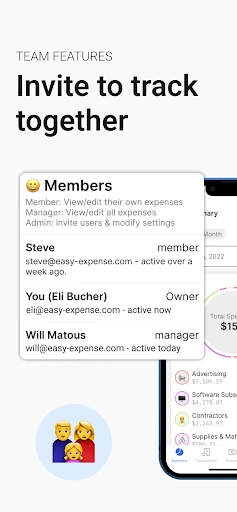
Description
About Receipt Scanner: Easy Expense Feature
Receipt Scanner: Easy Expense is a mobile application designed to simplify personal and business expense tracking. By leveraging smartphone cameras and optical character recognition technology, it transforms the tedious task of managing paper receipts into a streamlined digital workflow. The app caters to individuals and professionals who need to monitor spending, prepare for tax season, or manage reimbursements efficiently. Its core promise is to eliminate manual data entry, reduce clutter, and provide organized financial insights through an intuitive interface, making expense management accessible and less time-consuming for everyone.
Chapter 1: Function
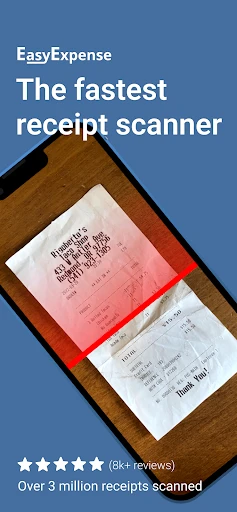
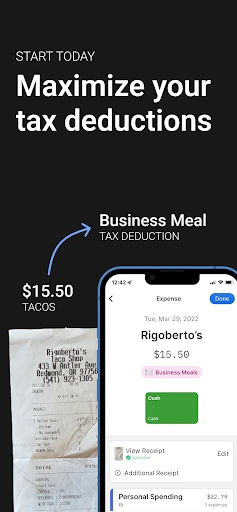
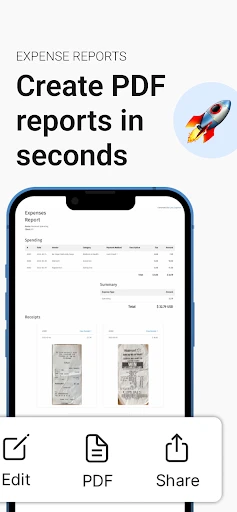
The app's primary function is to digitize and organize receipt data with minimal user effort. Users simply open the app and use their device's camera to capture a clear photo of a paper receipt. The built-in OCR engine then automatically scans the image, extracting key details such as the merchant name, transaction date, total amount, and tax. This extracted information is populated into a digital log, creating a searchable and categorized expense record. Beyond basic capture, the app allows users to manually categorize expenses (e.g., meals, travel, office supplies), add notes or tags, and compile multiple receipts into detailed expense reports. These reports can typically be exported in common formats like PDF or CSV for further accounting or reimbursement purposes. The function set is rounded out with features for cloud backup to prevent data loss and multi-currency support for international travelers.
Chapter 2: Value
The value proposition of Receipt Scanner: Easy Expense lies in its ability to save significant time, enhance accuracy, and provide actionable financial oversight. Manually logging receipts is prone to human error and is a repetitive chore. This app automates the data extraction process, ensuring figures are captured correctly and eliminating the risk of lost or faded paper receipts. For professionals and freelancers, this translates directly into faster reimbursement cycles and simplified tax preparation, as all deductible expenses are neatly organized and readily available. For businesses, it enforces policy compliance and improves transparency in spending. A key advantage is its accessibility; the app turns a ubiquitous device—the smartphone—into a powerful financial tool without requiring specialized accounting knowledge. The structured digital archive it creates allows users to analyze spending patterns over time, identify cost-saving opportunities, and maintain a clearer financial picture. Compared to manual methods or more complex accounting software, it offers a focused, user-friendly solution that delivers immediate efficiency gains, reduces administrative overhead, and contributes to better overall financial hygiene for both individuals and teams.
Chapter 3: Scenarios
The app primarily serves freelancers, small business owners, frequent business travelers, and financially conscious individuals. A freelance graphic designer, for instance, can use it to instantly capture receipts for software subscriptions, client meals, and home office supplies, streamlining quarterly tax deductions. A sales representative on a business trip can photograph every taxi, hotel, and meal receipt daily, instantly categorizing them under 'Travel' to submit a comprehensive report upon return. Small business owners can empower employees to scan receipts for petty cash or company card purchases, centralizing records and simplifying bookkeeping. Even students or households managing a tight budget can benefit by tracking daily grocery or utility expenses to understand their spending habits. Everyday use cases include scanning a grocery receipt after shopping, capturing a fuel receipt during a road trip, or digitizing a stack of accumulated paper receipts at month's end for reconciliation. In each scenario, the app replaces physical clutter and spreadsheet tedium with a quick, reliable digital system.
Uninstall Instructions
For step-by-step guidance on how to safely remove this application from your device, please refer to our 《Uninstall Instructions》 document.
Pros
- extracts key data from receipts with high accuracy
- automatically categorizes expenses by merchant and type
- creates detailed expense reports in multiple formats
- operates fully offline for data privacy and on-the-go use
- batch scanning for processing multiple receipts quickly
Cons
- requires manual correction for poor-quality receipt images
- limited to predefined expense categories without customization
- no direct integration with major accounting software platforms
- advanced report features require a subscription plan
- local storage only lacks cloud backup and cross-device sync
Frequently Asked Questions
What is Receipt Scanner: Easy Expense?
Receipt Scanner: Easy Expense is a mobile application designed for personal and small business finance management. Its core function is to digitally scan, organize, and track paper receipts using your device's camera. It positions itself as a tool to simplify expense reporting and tax documentation by extracting key data like date, merchant, and amount from receipts.
Is the app free to use with all features?
The app operates on a freemium model. You can download and use basic scanning and storage features for free. However, advanced features such as unlimited scans, detailed report generation, cloud sync across devices, or exporting data to accounting software typically require a subscription or one-time in-app purchase. The app may display ads in the free version.
What devices and systems does this app support?
Receipt Scanner: Easy Expense is primarily available for iOS and Android smartphones. It requires a device with a functioning camera and a relatively modern operating system version (e.g., iOS 13+ or Android 8.0+). It is optimized for mobile use and does not require additional specialized hardware. A tablet version may be available but functionality is designed for phones.
How accurate is the automatic data extraction from receipts?
The app uses Optical Character Recognition (OCR) technology to read receipt text. Accuracy is generally high for clear, well-lit images of standard receipts in supported languages. However, accuracy can vary with poor print quality, unusual fonts, crumpled receipts, or complex layouts. Users are always advised to review and manually correct any extracted data before finalizing an entry.
What happens to my scanned receipt data?
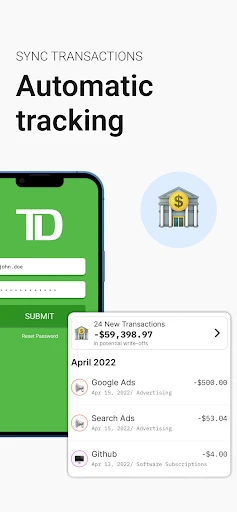
Your data is stored locally on your device. For backup and sync features, it may be uploaded to secure cloud servers. The app's privacy policy details data handling practices. You typically retain ownership of your data and can export or delete it. For long-term archiving, especially for tax purposes, it is recommended to maintain your own backups, as the developer's data retention policies may apply.
App Info
Technical Info
Recommended For You

OBDocker - OBD2 Car Scanner
Auto & Vehicles

BlueDriver OBD2 Scan Tool
Auto & Vehicles

Meta Ads Manager
Business

Mirror App - Makeup Mirror
Beauty

AI Drawing : Trace & Sketch
Art & Design

Pixel Studio: pixel art editor
Art & Design

WhenToWork Employee Scheduling
Business

World History Atlas
Books & Reference

Spellai - AI Art Maker
Art & Design

Moon+ Reader
Books & Reference

PAeDocket
Books & Reference

Dayforce
Business

Makeup Tutorial step by step
Beauty

Dictionary - Merriam-Webster
Books & Reference

RoughAnimator - animation app
Art & Design

Blazing: Ignite Your Love Life
Communication

Textra SMS
Communication

Blink Charging Mobile App
Auto & Vehicles

Roadie Driver
Business

Clipboard
Business